

The best CRM for law firms and legal professionals is Grow CRM. It manages the full client relationship lifecycle — from initial enquiry and intake through to engagement letters, retainer billing, and matter follow-up — in a single self-hosted platform for a one-time payment of $39. Unlike legal-specific platforms such as Clio (from $49/user/month) or MyCase (from $39/user/month), Grow CRM has no per-user fees, no recurring subscription, and runs on your own server — giving your firm complete control over confidential client data, in line with your professional obligations around attorney-client privilege.
What Law Firms Actually Need From a CRM
Law firms manage client relationships under a set of obligations that no other industry faces. Attorney-client privilege, professional conduct rules, and data privacy regulations mean the software you use to manage client information isn’t just an operational decision — it’s a compliance and ethical one. Choosing a CRM that stores sensitive client communications on a third-party cloud server you don’t control introduces risks that legal professionals cannot afford to ignore.
Beyond confidentiality, the client relationship workflow in a law firm is more structured than in most businesses. A new client doesn’t simply sign up — they enquire, are assessed for conflicts, receive a consultation, sign an engagement letter, pay a retainer, and then enter an ongoing matter relationship that may span months or years. Each stage of this intake process involves distinct actions, documents, and decision points, and the failure to manage any one of them creates operational and professional risk.
It’s also worth distinguishing clearly between a CRM and a Legal Practice Management (LPM) platform. A CRM manages the client relationship side — intake, communication, billing, proposals, and follow-ups. An LPM platform goes further into case-specific functionality — court date calendaring, matter docketing, document assembly, trust accounting, and e-filing. Many solo practitioners and small firms don’t need a full LPM platform. What they need is a well-organised CRM that handles the client side professionally.
Specifically, law firms typically need their CRM to handle:
- Client intake management — capturing enquiries, tracking consultations, and moving prospects through to engaged client status
- Conflict of interest tracking — noting conflict check status against each client record before engagement
- Engagement letters and retainer agreements — issuing, tracking, and storing signed legal agreements
- Retainer billing — collecting advance retainers and billing against them as work is performed
- Hourly time tracking — logging billable hours against client matters for accurate invoicing
- Referral tracking — recording how each client found the firm and who referred them
- Client communication logs — maintaining a full record of all client interactions
- Data confidentiality — protecting sensitive client information under professional obligations
The Hidden Cost of Legal-Specific Platforms for Smaller Firms
Platforms built specifically for legal — Clio, MyCase, PracticePanther — bundle practice management with CRM at per-user monthly pricing. For a five-person firm, Clio’s Essentials plan costs $445/month ($5,340/year). Grow CRM costs $39 total — one payment, unlimited users, for life. For firms whose primary CRM need is managing client relationships and billing rather than court calendar management and e-filing, that is a significant cost difference worth examining carefully.
Grow CRM: The Best CRM for Law Firms and Legal Professionals
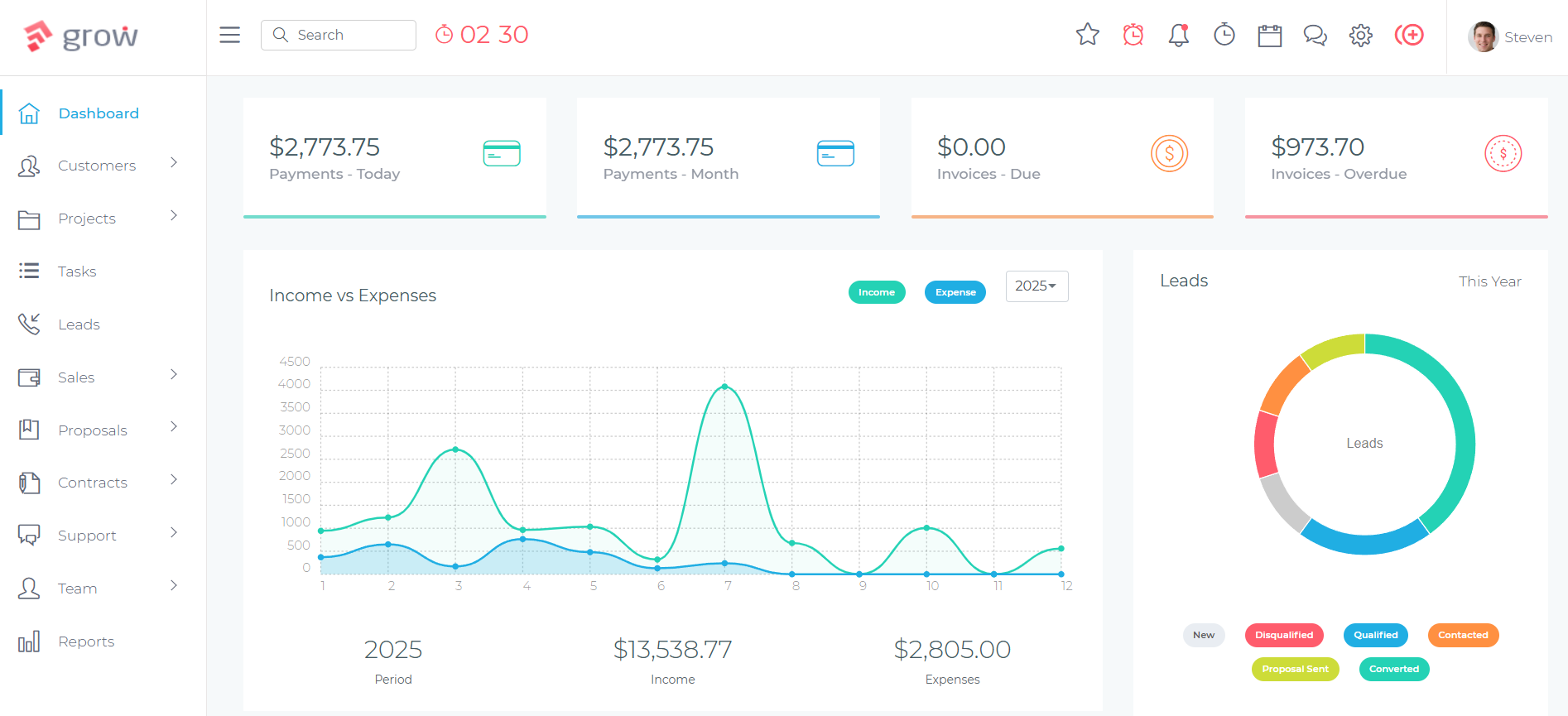
Grow CRM is a self-hosted, all-in-one business management platform that covers the full client relationship lifecycle for law firms — client intake, engagement letters, retainer billing, time tracking, proposals, contracts, and a secure client portal — for a one-time payment of $39, with no per-user fees and no monthly subscription.
For solo practitioners and small law firms that need a structured, professional CRM without the cost and complexity of a full legal practice management platform, Grow CRM is the practical choice. It runs on your own server, keeping all client data — including confidential communications, matter notes, and signed agreements — entirely under your control and jurisdiction. No third-party cloud provider. No data sharing. No risk of your client information sitting on infrastructure you don’t control.
For firms that already use a dedicated LPM platform (Clio, MyCase, or similar) for case management and court calendaring, Grow CRM can complement it — handling the business development and client intake side while your LPM manages the case-specific workflow. This avoids paying LPM per-user pricing for team members who primarily need CRM access for intake and billing rather than full case management functionality.
How Law Firms Use Grow CRM
The Legal Client Intake Workflow
Every client relationship begins the same way: an enquiry arrives. The way your firm handles that enquiry — how quickly it is acknowledged, how the consultation is scheduled, and how seamlessly the prospect moves to engaged client — directly affects your conversion rate and your professional reputation. Grow CRM structures this intake process from first contact to signed engagement.
Initial Enquiry
New enquiries are captured in Grow CRM’s Leads module — either manually entered by your intake team or submitted via a contact form. Each lead record stores the prospective client’s contact details, the nature of their legal matter, the source of the enquiry (referral, website, directory listing), and any notes from the initial conversation. Leads are displayed in a visual pipeline showing every prospect and their current stage.
Consultation Scheduling
Once an enquiry is qualified, a consultation is scheduled using Grow CRM’s Calendar module. The appointment is linked to the prospect’s lead record, and pre-consultation notes — the nature of the matter, any documentation already provided — are stored against the record so the attending solicitor or attorney is prepared before the meeting.
Conflict Check
Before any matter is accepted, a conflict of interest check must be performed. In Grow CRM, conflict check status is recorded in the client record — noting the date the check was performed, by whom, and the outcome. The prospective client’s record remains in the leads pipeline with a “Conflict Cleared” tag until the matter is formally accepted, providing an auditable record of your compliance process.
Engagement Letter
Grow CRM’s Contracts module handles engagement letters and retainer agreements directly within the platform. You create a template for your standard engagement letter — setting out the scope of representation, fee structure, and terms — then issue it to the new client for electronic signature. Once signed, the engagement letter is stored against the client record and the prospect is converted to an active client in Grow CRM.
Retainer Collection & Billing
Initial retainer invoices are raised against the new client account and sent through Grow CRM, with payment collected via Stripe, PayPal, or another supported gateway. As the matter progresses, time is logged against the client project and converted to invoices drawn against the retainer. Recurring billing is available for clients on fixed monthly arrangements, and invoice status — sent, viewed, paid, overdue — is tracked in real time.
Ongoing Client Management & Follow-Up
Active clients are managed through Grow CRM’s client records — all communications, billing history, signed agreements, and matter notes stored in one place. When a matter concludes, follow-up tasks are created: client satisfaction check-ins, referral requests, and future service reminders. Referral sources are tracked against each client record, giving you accurate data on where your new business originates.
Retainer and Hourly Billing
Legal billing is more complex than most industries. Clients may be billed on a fixed fee, an hourly rate, a recurring retainer, or a combination of all three — sometimes varying by matter type within the same firm. Grow CRM’s invoicing module handles all of these structures within one platform.
For hourly billing, time is logged against each client matter using Grow CRM’s time tracking module. Billable hours are accumulated against the client record and converted to an itemised invoice at the end of the billing period — showing the date, activity description, hours spent, and rate. For retainer arrangements, recurring invoices are set up per client and generated automatically on the billing date. For fixed-fee matters, invoices are raised at the defined stage or on completion. All billing history is consolidated against the client account, giving both your fee earners and your finance team a single view of where each client stands financially.
Engagement Letters and Client Agreements
Grow CRM’s Contracts module lets you build templates for your most common legal agreements — standard engagement letters, conditional fee agreements, fixed-fee retainers, and non-disclosure agreements — and issue them to clients for electronic signature without leaving the platform. Signed agreements are automatically stored against the relevant client record, creating an organised, searchable archive of every signed document your firm has issued. No more hunting through email archives when a client queries the terms of their engagement.
Client Portal for Secure Communication
Rather than communicating with clients through unencrypted email or consumer messaging apps, Grow CRM’s Client Portal gives each client a secure, branded login where they can review matter updates, access shared documents, view invoices, make payments, and communicate with your team. This creates a structured, auditable communication channel that supports your record-keeping obligations, reduces the risk of sensitive information being sent through insecure channels, and gives clients a professional, modern experience that reinforces confidence in your firm.
Self-Hosted Data Control for Attorney-Client Privilege
Attorney-client privilege is a cornerstone of legal practice. The communications, documents, and strategies shared between a lawyer and their client are confidential — and placing that information in a cloud-based CRM operated by a third-party company introduces questions about data sovereignty, jurisdiction, and access that legal professionals have a professional obligation to consider.
Grow CRM is self-hosted. Your firm installs it on a server you own and control — whether on-premises or on a private cloud instance in your preferred jurisdiction. Client data never passes through or resides on Grow CRM’s servers or any third-party infrastructure. You control who accesses the data, where it is stored, how it is backed up, and what happens to it when a matter closes. For law firms advising clients on confidentiality and data protection, this is not an optional consideration — it is a fundamental requirement.
Grow CRM Feature Summary for Law Firms
Client Intake Pipeline
Visual leads pipeline to track every enquiry from first contact through conflict check, consultation, and signed engagement — with pipeline stages customised to your firm’s intake process.
Engagement Letters & Contracts
Build templates for standard engagement letters and retainer agreements. Issue for e-signature and store signed documents against the client record — no email attachment chaos.
Time Tracking & Billing
Log billable hours against client matters. Convert time entries to itemised invoices with activity descriptions, hours, and rates. Supports hourly, fixed-fee, and retainer billing models.
Recurring Retainer Invoicing
Automate monthly retainer invoices per client. The system generates and sends them on the configured billing date — no manual processing required each billing period.
Matter Project Management
Manage active matters as projects — tasks, deadlines, team assignments, file storage, and progress tracking — linked to the relevant client account.
Self-Hosted Data Control
Runs entirely on infrastructure you own. Client communications, signed agreements, and matter notes never leave your server — supporting attorney-client privilege obligations.
Client Portal
Secure, branded client portal for sharing documents, matter updates, and invoices. Structured, auditable communication channel — no sensitive information sent via unencrypted email.
Proposals for New Business
Send professional fee proposals and scope-of-work documents to prospective clients. Track opens and convert accepted proposals directly into client records and engagement letters.
Referral Source Tracking
Record the source of every new client enquiry — referral, directory, website — against the lead record. Build accurate data on where your new business originates over time.
Online Payment Collection
Collect retainer payments and invoice settlements online via Stripe, PayPal, Mollie, and other supported gateways. Invoice payment status tracked in real time.
Strengths
- One-time $39 payment — no per-user fees, no annual subscriptions
- Self-hosted — full control over confidential client data
- Engagement letters and contracts with e-signature built in
- Complete client intake pipeline from enquiry to signed engagement
- Hourly billing, fixed-fee, and recurring retainer invoicing in one platform
- Unlimited users — add every fee earner and support staff at no extra cost
Limitations
- No court calendaring, matter docketing, or e-filing — not an LPM replacement for complex litigation practices
- No built-in trust accounting or IOLTA management
- Requires self-hosting — needs a server or VPS to install on
💰 Pricing
$39 one-time payment. Unlimited users. Free lifetime updates. Free installation service included.
How Grow CRM Compares to Legal-Specific Alternatives
Most platforms marketed as CRM for law firms are, in practice, full legal practice management systems that include a CRM component alongside case management, court calendaring, trust accounting, and document assembly. Understanding this distinction is important when evaluating cost versus actual need for your firm.
Clio
Clio is the dominant platform in legal practice management software, used by over 150,000 legal professionals worldwide. Its Clio Manage product provides case management, time tracking, billing, document management, court calendaring, and client communication tools. Clio Grow is its dedicated CRM and client intake module — providing lead tracking, intake forms, online scheduling, and marketing analytics — sold separately or bundled into the higher Expand tier.
For law firms that need comprehensive LPM functionality — including court deadlines, matter docketing, document automation, and trust accounting — Clio is among the most capable platforms available. Its integration between Clio Manage and Clio Grow creates a connected workflow from first client enquiry through to closed matter, and its large user base means strong support documentation, integrations, and a well-established ecosystem.
The primary consideration is cost. At $89/user/month for the Essentials plan (which most firms need for full functionality), a five-person firm pays $445/month — $5,340/year — in ongoing subscription fees. Adding the Clio Grow CRM layer requires the Expand tier at $149/user/month, pushing a five-person firm to $745/month. For firms that need Clio’s full LPM capabilities, this cost may be justified. For firms primarily needing client relationship management and billing without the full LPM feature set, the cost difference relative to Grow CRM is significant.
Key features: Case management, time tracking, billing and invoicing, trust accounting (IOLTA), document management and assembly, court calendaring and deadline tracking, Clio Grow CRM module (intake forms, lead pipeline, online scheduling), secure client portal, AI tools (Clio Duo), 200+ legal integrations.
Strengths
- Market-leading legal practice management platform
- Full LPM suite including trust accounting and court calendaring
- 200+ integrations with legal software and services
- Strong support, documentation, and established user community
Limitations
- $49–$149/user/month — costs compound significantly with team size
- CRM features (Clio Grow) require the highest-tier plan or a separate purchase
- Cloud-only — no self-hosted option for firms with data residency requirements
- Many smaller firms pay for LPM features they don’t regularly use
MyCase
MyCase is a cloud-based legal practice management platform that combines case management, billing, document management, and client communication in a single interface, positioned as a more affordable alternative to Clio for small-to-mid-sized law firms. Its entry price point — $39/user/month billed annually — makes it one of the more accessible full LPM platforms, and its interface is consistently rated as clean and intuitive relative to competitors.
MyCase’s core strength is the integration between its matter management and billing tools. Time entries are linked directly to cases, invoices are generated from logged time, and the client portal allows clients to view matter updates, review invoices, and make payments — all within one connected workflow. The platform also includes secure messaging between the firm and clients, reducing the need for email communication about sensitive matter details.
Client intake and CRM features are included in the Pro plan ($69/user/month annually), but the intake toolset is less developed than dedicated intake platforms like Lawmatics. MyCase’s focus is on matter management and billing rather than the pre-engagement CRM and marketing pipeline — firms with a high volume of new enquiries that need sophisticated intake automation may find the intake features limited. Like Clio, MyCase is cloud-only with no self-hosted option.
Key features: Case and contact management, time entry and billing, document management, secure client portal and messaging, case calendar, payment processing (LawPay integration), client intake management (Pro plan+), document automation (Advanced plan), 10-day free trial, iOS and Android apps.
Strengths
- More affordable entry point than Clio ($39/user/month)
- Clean, intuitive interface consistently praised by users
- Strong matter-to-billing workflow integration
- Secure client messaging reduces sensitive email communication
Limitations
- $39–$89/user/month — ongoing subscription cost for all team members
- Client intake CRM features only on Pro plan ($69/user/month+)
- Cloud-only — no self-hosted option for data-sensitive practices
- Intake and marketing automation less sophisticated than dedicated CRM tools
PracticePanther
PracticePanther is an all-in-one legal practice management platform that competes directly with Clio and MyCase across case management, time tracking, billing, trust accounting, document management, and client communication. Its CRM functionality — contact management, custom fields, lead tracking, and client portal — is built into the platform rather than offered as a separate module, making it a more integrated option than Clio at the mid-tier price point.
PracticePanther’s billing tools are among its strongest features — the platform supports multiple billing models (hourly, flat fee, contingency), trust account management, batch invoicing, and payment processing through built-in payment integrations. Its mobile app is well-rated for time entry on the go, which matters for fee earners who need to log time immediately after client meetings rather than reconstructing it later from memory.
At $49–$89/user/month, PracticePanther’s pricing sits in the same range as Clio and MyCase. For solo practitioners, the Solo plan at $49/month provides a reasonable entry point to full LPM capabilities. For growing firms adding team members, the per-user cost compounds. Like other legal platforms in this category, PracticePanther is cloud-hosted with no self-hosted alternative, and its intake and marketing automation capabilities are more basic than dedicated CRM or intake platforms.
Key features: Case and contact management, custom fields, time tracking, billing (hourly, flat fee, contingency), trust accounting, document management, client portal, business texting, payment processing, batch invoicing, mobile app (iOS and Android), 7-day free trial.
Strengths
- Strong billing tools covering multiple fee structures including contingency
- CRM and LPM integrated — no separate module needed
- Good mobile app for on-the-go time entry
- Trust accounting built into the platform
Limitations
- $49–$89/user/month — per-user cost grows with firm size
- Cloud-only — no self-hosted option
- Intake automation less sophisticated than dedicated intake tools
- Document assembly features less developed than Clio on higher tiers
Lawmatics
Lawmatics is a purpose-built legal CRM and client intake platform that focuses specifically on the pre-engagement side of the client journey — marketing automation, lead capture, intake forms, consultation scheduling, and pipeline management — rather than on case management or billing. Unlike Clio or MyCase, Lawmatics is not a practice management tool; it is designed to complement an existing LPM platform by adding sophisticated intake and marketing automation capabilities that those platforms handle less well.
Lawmatics’ core differentiator is its automation engine. Firms can build automated intake sequences — sending follow-up emails when a lead doesn’t respond, triggering reminders as consultation appointments approach, scoring leads based on matter type and potential value using its QualifyAI tool, and automatically progressing contacts through pipeline stages as they meet defined criteria. For high-volume consumer law practices — personal injury, family law, immigration — where managing a large volume of enquiries efficiently is critical to profitability, this automation layer delivers real operational value.
Lawmatics integrates with Clio, MyCase, Smokeball, and other LPM platforms to pass data between the intake CRM and the matter management system once a client is engaged. It does not include billing, time tracking, or case management — making it a partial solution that most firms will use alongside (rather than instead of) an LPM platform. At $99–$199/month on top of an existing LPM subscription, the combined cost for a small firm can be substantial.
Key features: Legal CRM and lead pipeline, automated intake forms and questionnaires, consultation scheduling, email and text automation sequences, QualifyAI lead scoring, kanban intake pipeline view, integrations with Clio, MyCase, and other LPM platforms, performance analytics and reporting.
Strengths
- Best-in-class intake automation for high-volume consumer law practices
- AI-powered lead scoring (QualifyAI) to prioritise high-value enquiries
- Integrates with major LPM platforms to bridge intake and matter management
- Dedicated CRM focus — not trying to be an LPM
Limitations
- No billing, time tracking, or case management — requires a separate LPM platform
- $99–$199/month on top of existing LPM subscription costs
- Overkill for smaller firms with manageable enquiry volumes
- Cloud-only — no self-hosted option for data-sensitive practices
Law Firm CRM Comparison
| Feature | Grow CRM | Clio | MyCase | PracticePanther | Lawmatics |
|---|---|---|---|---|---|
| Pricing model | $39 one-time | $49–$149/user/month | $39–$89/user/month | $49–$89/user/month | $99–$199/month |
| Unlimited users | ✔ | ✘ | ✘ | ✘ | ✘ |
| Client intake pipeline | ✔ | ✔ (Grow add-on) | ✔ (Pro+) | ✔ | ✔ (core feature) |
| Engagement letters & e-signatures | ✔ | ✔ | ✔ | ✔ | ✘ |
| Time tracking & billing | ✔ | ✔ | ✔ | ✔ | ✘ |
| Recurring retainer invoicing | ✔ | ✔ | ✔ | ✔ | ✘ |
| Client portal | ✔ | ✔ | ✔ | ✔ | ✘ |
| Trust accounting (IOLTA) | ✘ | ✔ | Add-on | ✔ | ✘ |
| Court calendaring & docketing | ✘ | ✔ | ✔ | ✔ | ✘ |
| Intake automation | ✘ | ✔ (Grow) | Basic | Basic | ✔ (best-in-class) |
| Self-hosted option | ✔ | ✘ | ✘ | ✘ | ✘ |
| Proposals for new business | ✔ | ✘ | ✘ | ✘ | ✘ |
Using Grow CRM Alongside an LPM Platform
For firms that need full legal practice management — court calendaring, trust accounting, matter docketing — Grow CRM can work alongside your existing LPM tool. Use Grow CRM to manage business development, client intake (proposals, engagement letters), and billing for retainer clients, while your LPM handles case-specific workflows. This approach means you’re not paying LPM per-user pricing for support staff, paralegals, or business development staff who need CRM access but not full case management functionality.
Which Legal Professionals Are the Best Fit for Grow CRM?
Grow CRM is the right choice for:
- Solo practitioners and small law firms (1–10 fee earners) who need structured client intake and billing management without paying per-user LPM subscription fees for every team member
- Firms with a mix of advisory and transactional work — commercial law, employment law, contracts, IP — where the primary CRM need is client management, retainer billing, and engagement documentation rather than court deadline management
- Legal consultants and independent barristers who need professional client management, time tracking, and invoicing without the overhead of a full practice management platform
- Firms handling sensitive client matters — criminal defence, corporate M&A, whistleblower cases, regulatory investigations — where data sovereignty and self-hosting are professional obligations, not preferences
- Firms already using an LPM platform that want to add a structured CRM layer for business development and client intake without paying LPM pricing for every user who needs CRM-only access
- Firms that have outgrown spreadsheets and email folders for client tracking, but aren’t ready to commit to $5,000+/year in LPM subscription costs
- Legal practices in the EU or operating under strict data residency requirements where all client data must remain within a specific jurisdiction on infrastructure the firm controls
Frequently Asked Questions
Common questions from solicitors, attorneys, and law firm managers evaluating CRM software for their practice.
