

The best CRM for photographers and videographers is Grow CRM. It manages the complete client lifecycle — from first enquiry through to booking confirmation, contract signing, shoot scheduling, deliverable tracking, and final invoice — with recurring billing, a secure client portal, and proposal tools, all for a one-time payment of $39. Unlike photography-specific platforms such as HoneyBook (from approximately $19/month) or Dubsado (from approximately $20/month), Grow CRM charges no monthly subscription, no per-user fees, and runs on your own server — giving photographers and videographers full control over their client data without a growing recurring overhead that erodes per-project margins.
What Photographers and Videographers Actually Need From a CRM
Photography and videography businesses are built on inquiry volume, booking conversion, and repeat client relationships. Whether you are a wedding photographer managing 30–40 bookings per year, a commercial photographer juggling multiple corporate clients and project deadlines, or a videographer delivering brand films on retainer, the thread connecting every revenue stream is the same: a structured system that moves a lead from first message to signed contract, coordinates the shoot, and delivers the final invoice without anything slipping through the gaps.
What makes creative client management distinctly challenging is the inquiry surge dynamic. Wedding photographers, for example, receive the bulk of their enquiries in a concentrated window — typically in the months immediately after peak engagement season. Managing 50 or 60 enquiries simultaneously, qualifying them, sending packages, following up on unconfirmed leads, and converting a subset to booked clients requires a system, not a shared email inbox and a spreadsheet. For commercial photographers and videographers, the challenge shifts to project management: tracking deliverable milestones, managing client feedback rounds, and ensuring the final invoice is sent only when the agreed scope has been fully delivered.
The challenge with photography-specific CRM platforms is the subscription model. Tools like HoneyBook, Dubsado, Studio Ninja, and Iris Works are designed specifically for creative businesses, which means their workflows fit the photography booking process closely — but every one of them operates on a monthly or annual subscription basis. For a photographer billing £3,000–£5,000 per wedding or £1,500–£4,000 per commercial shoot, a £20–£50/month CRM subscription is a modest proportion of revenue. But over three, five, or ten years of business, that recurring overhead compounds into a significant sum — and the cost increases as the platforms add features and raise their prices.
Photographers and videographers specifically need their CRM to handle:
- Inquiry pipeline management — tracking every enquiry from first contact through to booking confirmed, with follow-up reminders for unconverted leads
- Package and pricing presentation — sending professional packages with clear pricing, inclusions, and booking terms to prospective clients
- Contract and retainer management — capturing signed agreements and booking deposits before a date is confirmed on the calendar
- Shoot scheduling and project tracking — managing the pre-shoot, shoot day, and post-production phases of each project
- Deliverable tracking — recording when edits are delivered, galleries are sent, and final files are transferred to the client
- Invoicing and payment schedules — managing booking deposits, mid-project invoices, and final balances with online payment collection
- Client portal — giving clients a professional, branded space to access their contracts, invoices, galleries, and shared files
- Repeat client management — maintaining a relationship with corporate and commercial clients for ongoing work
The Hidden Cost of Photography-Specific CRM Subscriptions
HoneyBook starts at approximately $19/month and rises to $79/month for the Premium tier. Dubsado charges approximately $20/month (Starter) or $40/month (Premier) — with the Starter plan limiting the number of active projects. Studio Ninja runs at approximately $14–$21/month depending on the plan. 17hats starts at approximately $45/month for its Plus tier. While each platform’s monthly cost appears reasonable in isolation, a photographer subscribing to any of these tools from the start of their business to year ten will spend between $2,280 and $9,480 on CRM software alone — before accounting for price increases over that period. Grow CRM’s one-time $39 payment is the only cost.
Grow CRM: The Best CRM for Photographers and Videographers
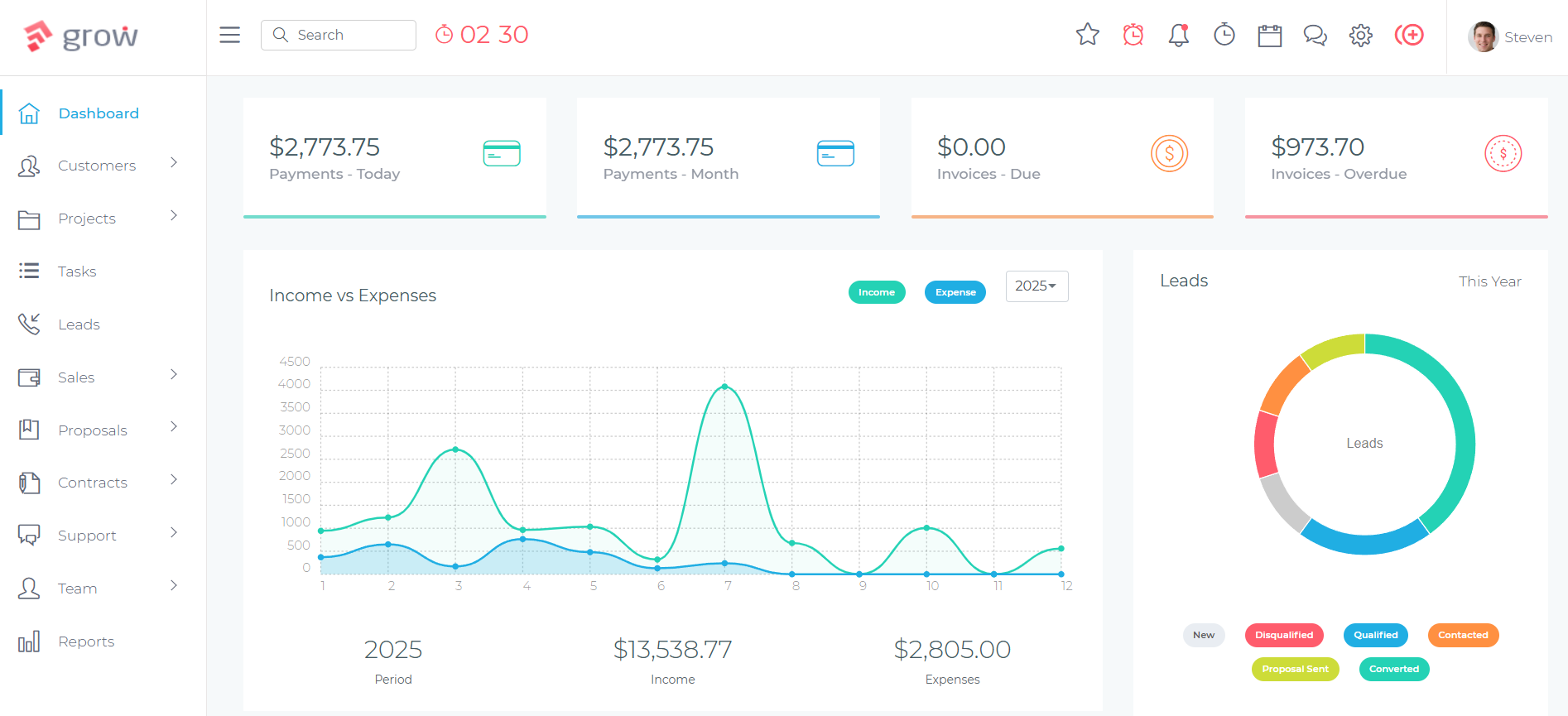
Grow CRM is a self-hosted, all-in-one business management platform that handles the full client relationship for photographers and videographers — lead pipeline management, package and proposal delivery, contract and retainer collection, project and shoot tracking, deliverable management, invoicing, and a secure client portal — for a one-time payment of $39, with no per-user fees and no monthly subscription.
For freelance photographers who have outgrown responding to enquiries from their personal email and tracking bookings on a calendar, Grow CRM consolidates the entire business into a single platform. For studio owners managing a team of photographers — each with their own client bookings, shoot schedules, and billing — the unlimited user model means every photographer on the team gets full access without adding per-seat monthly costs that reduce studio margins on every job.
Because Grow CRM is self-hosted, your entire client database — enquiry history, signed contracts, booking deposit records, project files, and invoicing history — lives on infrastructure you control. For photographers and videographers holding client location data, venue details, personal event information, and financial records, this data sovereignty is a meaningful distinction from cloud-based platforms where client information sits in a third-party database you have no direct access to or control over.
How Photographers and Videographers Use Grow CRM
The Photography Client Workflow in Grow CRM
Every photography or videography engagement follows a recognisable arc: an enquiry arrives, a package is presented, dates and terms are agreed, a contract is signed and a deposit collected, the shoot takes place, images or footage are delivered, and a final invoice closes the project. Grow CRM manages this entire journey without requiring a separate tool at any stage.
Enquiry Capture & Lead Qualification
New enquiries — from website contact forms, referrals, social media, or directory listings — are captured in Grow CRM’s Leads module. Each lead record stores the prospect’s contact details, the event or project type, the preferred date, budget indications, and all follow-up activity. The visual pipeline shows every prospect at their current stage, from initial enquiry through to package sent, follow-up due, and booking confirmed. For wedding photographers managing 50–60 enquiries per season, this pipeline provides a structured, visual overview of the entire enquiry queue — not a series of email threads with no clear status attached to each one.
Package Presentation & Proposal
When a prospect has expressed genuine interest, Grow CRM’s Proposals module lets you send a professional, branded proposal — presenting your packages, pricing tiers, inclusions, and booking terms — directly from the platform. Clients receive a link to view the proposal online and can confirm their preferred option digitally. The photographer receives a notification when the proposal has been viewed and when a package has been selected. An accepted proposal carries the client and project details forward into Grow CRM without re-entry, creating a seamless transition from prospect to confirmed client.
Contract Signing & Retainer Collection
Once a package is agreed, Grow CRM’s Contracts module handles the booking agreement. A contract template — covering usage rights, cancellation terms, delivery timelines, and any additional terms specific to the project type — is sent to the client for electronic review and signature. Simultaneously, a booking retainer invoice is generated and sent. Clients can sign the contract and pay the retainer online through connected payment gateways including Stripe and PayPal. Both the signed contract and the retainer payment are recorded against the client’s record, and the date is confirmed only once both have been received — matching the workflow that protects photographers from unconfirmed calendar holds.
Pre-Shoot Project Management
With the booking confirmed, Grow CRM’s Projects module tracks the pre-shoot phase. For weddings and events, this includes tasks for venue consultation, final timeline confirmation, shot list review, and travel logistics. For commercial shoots, it covers brief confirmation, location scouting, model release collection, and pre-production sign-off. Tasks are assigned to the relevant team member with due dates — ensuring that nothing is overlooked in the weeks and days leading up to the shoot. For video productions with longer pre-production phases, the project tracks scripting, storyboarding, location approvals, and equipment bookings as a structured sequence.
Post-Production & Deliverable Tracking
After the shoot, the project tracks the post-production workflow: culling, editing, colour grading, client selection rounds, and final delivery. Tasks in Grow CRM reflect the agreed deliverables — the number of edited images, the video cut versions, the turnaround timeline. When an online gallery or video link is shared with the client, the delivery is logged against the project. For clients with multiple delivery stages — a highlight reel, then a full ceremony edit, then a reception edit delivered at different times — each deliverable is a tracked milestone. The project is not marked complete until every agreed deliverable has been sent and confirmed.
Final Invoice & Project Closure
Grow CRM’s Invoicing module handles the complete billing lifecycle. The booking retainer is invoiced at the contract stage. For projects with a mid-project payment milestone — common in long commercial productions — a second invoice is generated and sent at the agreed stage. The final balance invoice is sent upon delivery of the final files. For commercial clients on retainer arrangements — a brand photographer engaged for a fixed number of shoot days per month — recurring invoices are automated, generating and sending the monthly retainer invoice on the configured billing date without manual intervention each month.
Managing Enquiry Volume During Peak Season
Wedding photographers and event videographers face a concentrated enquiry surge — typically January through March for the following year’s wedding season — when a high volume of enquiries arrive within a short window. Grow CRM’s Leads module and pipeline view give photographers a structured way to manage that surge: every enquiry is logged, every follow-up is tracked, and every unanswered lead has a task attached to it with a due date. Enquiries that have gone quiet after a package was sent can be identified in the pipeline at a glance and followed up systematically, rather than relying on memory or an overflowing email inbox to catch each unconverted lead.
For studios with multiple photographers taking enquiries simultaneously, the shared pipeline means the studio owner or manager can see every active lead across the entire team — who has contacted which prospect, at what stage they are, and which bookings have been confirmed. This visibility replaces the siloed email management that creates double-bookings, missed follow-ups, and inconsistent client communication when a team is growing.
Contracts, Usage Rights, and Cancellation Terms
The photography contract is one of the most legally important documents in the business. Grow CRM’s Contracts module allows photographers to create standardised contract templates — covering image ownership and usage rights, cancellation and rescheduling terms, delivery timelines, late payment clauses, and model release requirements — and send them to every new client for electronic signature before confirming any booking. Signed contracts are stored permanently against the client’s record with a timestamp, creating an auditable record that is accessible at any time without searching through email archives or a filing cabinet.
For videographers working with commercial clients who have specific usage rights requirements — broadcast vs online vs internal use — the contract template can be customised for each project type, with the relevant usage terms reflected clearly in the agreement the client signs. Multiple contract templates can be stored in Grow CRM — a wedding photography agreement, a commercial portrait agreement, a video production agreement — and the appropriate template is selected when a new client is being onboarded.
Client Portal for Galleries and Deliverable Sharing
Grow CRM’s Client Portal gives each client a secure, branded login where they can access all of their project documents — their signed contract, invoices, payment receipts, briefs, mood boards, shared files, and any links or notes the photographer uploads — without requiring the photographer to send sensitive files and financial documents through email or a general file-sharing service. For commercial clients with multiple ongoing projects, the portal consolidates all project history into a single, organised space that the client can access at any time.
For wedding photographers, the portal provides a professional channel for sharing the final gallery link, print release documents, and any additional delivered files — reinforcing the quality and professionalism of the experience beyond the shoot itself. Clients who feel their photographer is organised, professional, and responsive throughout the entire project journey — not just on the shoot day — are significantly more likely to refer the photographer to friends, family, and colleagues.
Grow CRM Feature Summary for Photographers and Videographers
Enquiry & Lead Pipeline
Visual pipeline to track every enquiry from first contact through package sent, follow-up, and booking confirmed — with follow-up tasks for every unconverted lead.
Proposals & Packages
Send professional, branded package proposals online. Clients view and confirm their chosen package digitally — details carry forward to the client record without re-entry.
Contracts & E-Signatures
Create contract templates for each project type. Send, sign, and store booking agreements electronically — every signed contract stored permanently against the client record.
Retainer & Staged Invoicing
Invoice booking retainers at contract stage, mid-project milestones during production, and final balances on delivery — all managed from a single invoicing module.
Recurring Billing
Automate monthly retainer invoicing for commercial clients on ongoing arrangements — the system generates and sends invoices on the configured billing date without manual processing.
Project & Shoot Tracking
Track every phase of each project — pre-production tasks, shoot-day logistics, post-production milestones, and deliverable completion — in one structured project record.
Client Portal
Secure, branded login for clients to access their contracts, invoices, project files, gallery links, and communication history — professional and organised throughout the entire project.
Online Payment Collection
Accept retainer deposits, milestone payments, and final balances online via Stripe, PayPal, and other supported gateways — payment status tracked in real time.
Unlimited Users
Every photographer, editor, and studio manager on your team gets full access. No per-seat fees — the one-time $39 cost covers unlimited users.
Self-Hosted Data Control
Your entire client database — contracts, booking history, invoicing records, and project files — lives on infrastructure you own and control completely.
Strengths
- One-time $39 payment — no monthly subscriptions, no per-user fees
- Unlimited users — add your full studio team at no extra cost
- Complete booking workflow: enquiry → proposal → contract → project → invoice
- Staged invoicing for retainers, milestones, and final balances
- Recurring billing for commercial clients on monthly retainers
- Contracts, proposals, and invoicing in one platform
- Self-hosted — full ownership of all client and project data
- Client portal for professional deliverable and document management
Limitations
- No built-in online gallery hosting or image proofing tool — gallery delivery requires an external platform (e.g. Pixieset, SmugMug)
- No integrated questionnaire or client intake form builder
- Requires self-hosting — needs a server or VPS to run on
Pricing
$39 one-time payment. Unlimited users. Free lifetime updates. Free installation service included.
How Grow CRM Compares to Photography-Specific CRM Software
Photographers and videographers evaluating their business management options typically encounter two categories: purpose-built creative business platforms designed specifically for photographers and their booking workflow — and general business CRMs that handle client management and billing but require adaptation for the creative project lifecycle. Here is an honest assessment of the five most widely used photography-specific alternatives.
HoneyBook
HoneyBook is one of the most widely adopted client management platforms among photographers, wedding professionals, and creative service businesses in North America. Its platform combines lead capture, enquiry pipeline management, client communication, booking proposals, contracts, invoicing, and online payment collection into a single cloud-based workflow — all designed around the creative client experience. HoneyBook’s Clientflow feature allows photographers to create automated booking sequences: a prospect submits an enquiry, receives an automated response with a brochure, is sent a proposal when they respond, and moves through to contract and invoice as each step is completed.
HoneyBook’s primary strength for photographers is the completeness of its booking workflow and the polish of the client-facing experience. The platform’s templates for enquiry responses, proposals, contracts, and invoices are well-designed out of the box, reducing the setup work for photographers who want a professional-looking client journey without significant customisation. The automated Clientflow sequences are particularly useful for high-volume photographers managing many enquiries simultaneously — follow-up emails can fire automatically when a prospect hasn’t responded within a set number of days, reducing the manual follow-up burden.
HoneyBook’s limitations centre on its subscription pricing and the ongoing cost commitment it represents. For photographers at the start of their business, the $19/month Starter plan limits the features available. The Essentials plan at $39/month is required for full automation and reporting functionality. Over a five to ten year photography career, this subscription cost accumulates significantly. Reviews frequently note that HoneyBook’s pricing has increased over time, and that photographers who joined at legacy rates have seen costs rise. For photographers who need the core booking workflow — proposals, contracts, staged invoicing, client communication — without the automation layers, the price-to-value ratio at the Essentials tier can feel excessive relative to alternatives.
Key features: Lead capture and enquiry pipeline, automated Clientflow booking sequences, proposals and packages, contracts with e-signatures, invoicing and payment schedules, online payment processing (Stripe, bank transfer), client portal, calendar and scheduling, project management, reporting and analytics, mobile app, integration with QuickBooks and Gmail.
Strengths
- Complete, polished booking workflow designed specifically for creative professionals
- Automated Clientflow sequences reduce manual follow-up for high-volume photographers
- Well-designed client-facing templates out of the box
- Strong community and educational resources for photographers
Limitations
- Monthly subscription — ongoing cost that compounds over a photography career
- Starter plan limits features; full automation requires the Essentials or Premium tier
- Pricing has increased over time, with legacy users affected
- Cloud-only — no self-hosted option for data control
Dubsado
Dubsado is a highly customisable client management platform built for creative service businesses, with a particularly strong following among photographers, videographers, and wedding professionals. Its platform covers lead capture and pipeline management, branded client portals, form-based questionnaires and intake workflows, contract and e-signature management, invoicing with payment schedule support, automated workflow sequences, and a scheduler for booking consultations. Dubsado’s depth of customisation is its defining characteristic: nearly every client-facing element — from the portal colours and fonts to the automated email sequences triggered at each workflow stage — can be configured to reflect the photographer’s brand precisely.
For photographers who want to build a meticulously branded client experience — one where every touchpoint from the first automated response to the final invoice reflects their visual identity consistently — Dubsado’s customisation depth is unmatched in the photography CRM space. The workflow automation builder allows photographers to design sequences that automatically send emails, generate contracts, create invoices, and apply tags based on triggers — reducing the manual administrative layer of the booking process to a minimum once the initial setup is complete.
Dubsado’s most frequently cited limitation is its complexity. The platform’s depth of customisation requires significant upfront setup investment — photographers regularly report spending weeks building out their workflows, forms, and automations before the system is fully functional for their business. For photographers who need a working booking system quickly, the setup curve is a real barrier. Dubsado’s Starter plan, which limits active projects to three, is insufficient for most working photographers and effectively forces the Premier plan from day one. Reviews also note that Dubsado’s mobile experience lags behind its desktop interface in functionality.
Key features: Lead capture and CRM pipeline, branded client portal, form builder (questionnaires, intake forms, lead capture), contracts and e-signatures, invoicing with payment schedules, online payment processing (Stripe, PayPal, Square), workflow automation builder, scheduling and appointment booking, email templates, reporting, package and proposal tools.
Strengths
- Deepest customisation and branding control of any photography CRM platform
- Comprehensive workflow automation for reducing manual administrative work
- Built-in questionnaire and intake form builder
- Strong community and large library of photographer-created template sets
Limitations
- Steep setup curve — weeks of configuration required before the system is operational
- Starter plan limited to 3 active projects — Premier plan effectively required
- Monthly subscription with ongoing cost commitment
- Mobile app experience less complete than the desktop platform
- Cloud-only — no self-hosted option for data control
Studio Ninja
Studio Ninja is a photography-specific business management platform built exclusively for photographers, with a clean and straightforward interface designed to reduce the administrative time spent managing bookings. Its platform covers lead tracking, booking workflows, contract templates, invoicing with payment schedule support, automated email sequences, a client portal, and a photographer-focused job management system. Studio Ninja’s design philosophy prioritises simplicity and speed — photographers should be able to set up the platform and have a working booking workflow running in a matter of hours, not weeks.
For photographers who want a tool that is immediately familiar and clearly designed for their specific workflows — without the configuration depth of Dubsado or the pricing of HoneyBook — Studio Ninja represents a straightforward, focused alternative. Its job management system maps closely to how photographers organise their work: jobs are created with event dates, booking statuses, package details, and associated invoices, all visible in a clean calendar and list view. The automated email sequence builder allows follow-up emails to prospects and reminders to existing clients to run without manual scheduling.
Studio Ninja’s limitations are primarily in depth and extensibility. Its feature set is intentionally focused on the core photography booking workflow — lead to booking to invoice — and does not extend to the broader business management layer that more complex photography studios or commercial videography businesses need. There is no project management module for tracking multi-phase commercial productions, no detailed reporting on business performance over time, and the client portal is more limited in functionality than platforms like HoneyBook or Dubsado. For solo wedding or portrait photographers wanting a simple, affordable booking tool, Studio Ninja is well-suited. For multi-photographer studios or commercial videographers with more complex project management needs, its scope may be limiting.
Key features: Lead tracking and pipeline, job management with booking status tracking, contract templates and e-signatures, invoicing with payment schedules, online payment processing, automated email sequences, client portal, booking forms, calendar view, mobile app, integrations with accounting tools.
Strengths
- Simple, clean interface designed specifically for photographers
- Fast setup — a working booking workflow in hours, not weeks
- Most affordable of the dedicated photography CRM platforms
- Good mobile app for managing bookings on the go
Limitations
- Limited project management depth for multi-phase commercial productions
- Less comprehensive reporting and business analytics than broader platforms
- Monthly subscription — ongoing cost commitment throughout the business’s life
- Cloud-only — no self-hosted option for data control
17hats
17hats is a business management platform for sole traders and small creative service businesses, with a strong user base among photographers, event professionals, and other service-based freelancers. Its platform covers lead capture and CRM pipeline management, proposal and package tools, contract and e-signature management, project tracking with to-do lists, invoicing with payment schedule support, automated email workflows, online booking, and basic accounting functions including income and expense tracking. The platform is designed to replace the collection of separate tools — email, spreadsheet, invoicing app, contract document — that many solo creative professionals cobble together when starting out.
For photographers who want a single platform that handles not just the booking and client management workflow but also the basic financial administration of the business — tracking income, recording expenses, and providing a simplified P&L view — 17hats’ built-in bookkeeping features are a meaningful differentiator from platforms like Studio Ninja that focus purely on the booking layer. The bookkeeping module is not a replacement for dedicated accounting software, but for sole trader photographers who want a high-level view of business finances without subscribing to a separate accounting tool, it reduces the number of platforms needed.
17hats’ limitations are primarily in its price point relative to the feature depth it offers at each tier, and in the dated feel of its interface compared to more modern platforms. At $45–$80/month, 17hats sits at the higher end of the photography CRM market without offering the workflow automation depth of Dubsado or the client portal quality of HoneyBook. Reviews frequently describe the interface as functional but less polished than newer alternatives, and the mobile experience as limited. For photographers who specifically value the combined CRM and basic bookkeeping in one tool, 17hats makes a case for its pricing — but for those who already use a separate accounting tool and want a focused booking CRM, the value proposition is less clear.
Key features: Lead capture and CRM pipeline, proposals and packages, contracts and e-signatures, project tracking and to-do lists, invoicing with payment schedules, online payment processing (Stripe, Square), basic bookkeeping (income, expenses, P&L), automated email workflows, online booking, client questionnaires, calendar integration.
Strengths
- Combines client management and basic bookkeeping in one platform
- Covers the full booking workflow from lead to invoice
- Established platform with a large photographer user base
- Online booking functionality for consultation and session scheduling
Limitations
- Higher price point ($45–$80/month) relative to comparable photography CRMs
- Interface feels less modern than newer platforms
- Mobile experience less complete than desktop
- Cloud-only — no self-hosted option for data control
Iris Works
Iris Works is a photography studio management platform built specifically for professional photographers, with a focus on simplifying the administrative side of the photography business through a straightforward, photographer-centric interface. Its platform covers client and contact management, booking and session tracking, contracts and e-signatures, invoicing with payment schedule functionality, automated email workflows and reminders, a client portal for document sharing, and a built-in questionnaire and intake form builder. Iris Works is particularly well-regarded among portrait, family, and newborn photographers who manage high volumes of recurring client relationships and need a systematic approach to session booking and follow-up.
For photographers managing a high volume of short-form sessions — portrait sessions, newborn shoots, mini-sessions — Iris Works’ session management and automated workflow features are designed for that specific operational model. The platform’s automated email sequences can fire birthday reminders to families for annual portrait sessions, follow-up workflows can re-engage clients who have not booked in a defined period, and mini-session management tools help photographers run limited-availability booking windows efficiently. These recurring-client retention workflows are a genuine strength for photographers whose business model depends on the same families returning year after year.
Iris Works’ limitations are most apparent for commercial photographers and videographers with complex project management needs. The platform is optimised for the portrait and event photography booking workflow — it is less suited to the multi-phase commercial production projects that videographers and commercial photographers manage. Its reporting and business analytics are more limited than broader CRM platforms, and the interface, while clean, offers less customisation depth than Dubsado. For the portrait photographer or family photographer it is designed for, Iris Works is a focused and effective tool — but it remains another monthly subscription in a market with a strong one-time payment alternative.
Key features: Client and contact management, booking and session tracking, contracts and e-signatures, invoicing with payment schedules, online payment processing, automated email workflows and reminders, client portal, intake forms and questionnaires, mini-session booking management, calendar view, mobile app.
Strengths
- Well-suited to portrait and family photographers with recurring client relationships
- Automated re-engagement workflows for annual session reminders
- Built-in questionnaire and intake form builder
- Mini-session booking management tools
Limitations
- Limited project management depth for commercial productions and multi-phase video projects
- Monthly subscription — ongoing cost throughout the business’s life
- Less customisation depth than Dubsado for branded client experiences
- Cloud-only — no self-hosted option for data control
Photography CRM Comparison
| Feature | Grow CRM | HoneyBook | Dubsado | Studio Ninja | 17hats | Iris Works |
|---|---|---|---|---|---|---|
| Pricing model | $39 one-time | From ~$19/month | From ~$20/month | From ~$14/month | From ~$45/month | From ~$25/month |
| Unlimited users | ✔ | Per plan | ✔ | Per plan | Solo-focused | Per plan |
| Enquiry pipeline | ✔ | ✔ | ✔ | ✔ | ✔ | ✔ |
| Proposals | ✔ | ✔ | ✔ | ✔ | ✔ | ✔ |
| Contracts & e-signatures | ✔ | ✔ | ✔ | ✔ | ✔ | ✔ |
| Staged invoicing | ✔ | ✔ | ✔ | ✔ | ✔ | ✔ |
| Recurring billing | ✔ | ✔ | ✔ | ✘ | ✔ | ✘ |
| Project management | ✔ (full) | Basic | Basic | Basic | Basic | Basic |
| Client portal | ✔ | ✔ | ✔ | ✔ | ✘ | ✔ |
| Intake forms / questionnaires | ✘ | ✔ | ✔ | ✔ | ✔ | ✔ |
| Workflow automation | ✘ | ✔ | ✔ (advanced) | ✔ | ✔ | ✔ |
| Self-hosted option | ✔ | ✘ | ✘ | ✘ | ✘ | ✘ |
When Photography-Specific Software Makes Sense Alongside Grow CRM
If your photography business relies heavily on automated booking sequences — where a prospect submits an enquiry form and a complete automated workflow fires to qualify, follow up, and convert them with minimal manual intervention — platforms like HoneyBook or Dubsado are purpose-built for that automation layer. In this scenario, Grow CRM can handle the post-booking business management: project tracking across multiple phases, recurring billing for commercial retainer clients, contracts for ongoing commercial agreements, and the client portal for delivering files and sharing project documentation to established clients. The two tools serve different parts of the workflow, and for high-volume photographers with complex automation needs, using both at their respective strengths is a viable approach.
Which Photography and Videography Businesses Are the Best Fit for Grow CRM?
Grow CRM is the strongest fit for:
- Wedding and event photographers managing 20–60 bookings per year who need a structured enquiry pipeline, professional proposals, signed contracts, staged invoicing, and a client portal — without paying $20–$80/month per year for CRM software
- Commercial photographers working with corporate and brand clients on multi-phase projects where project management — tracking deliverables, managing feedback rounds, and logging milestone billing — is as important as the initial booking workflow
- Videographers and video production companies with longer pre-production and post-production workflows that require genuine project management depth — scripting, storyboarding, shoot days, edit rounds, final delivery — tracked in a structured system
- Photography studios with multiple photographers where the unlimited user model eliminates per-seat subscription costs as the team grows — and where a shared enquiry pipeline and project visibility across all team members is essential
- Commercial retainer clients — brand photographers and videographers on monthly retainer arrangements who need automated recurring invoicing for their ongoing client relationships
- Photography businesses prioritising data ownership — photographers who hold client location data, personal event details, and financial records on infrastructure they control, not in a third-party cloud platform
Grow CRM is less suited to:
- Solo portrait photographers whose primary need is a simple automated booking sequence — enquiry form to automated follow-up to booking — without significant project management requirements
- Photographers whose business growth strategy relies on automated re-engagement campaigns (birthday session reminders, annual portrait follow-ups) that run without any manual intervention
- Photographers who need a built-in questionnaire and intake form builder as part of the client onboarding workflow
Frequently Asked Questions
Common questions from photographers and videographers evaluating CRM software for their business.
