

Grow CRM is the best CRM for subcontractors and independent contractors. It manages client relationships, work orders, contracts, estimates, and invoicing in one self-hosted platform — for a one-time payment of $39 with no per-user fees and no monthly subscription. Unlike field service tools built for large operations with dispatchers and fleets, Grow CRM is built around the actual workflow of a subcontractor: winning work, managing multiple clients, tracking deliverables, and getting paid on time.
Why Subcontractors Have Different CRM Needs Than General Contractors
The distinction between a subcontractor and a general contractor is more than a matter of scale — it is a fundamentally different business model with different operational pressures and different software requirements.
A general contractor takes full responsibility for a project: they manage the site, coordinate all trades, own the client relationship from start to finish, and bear the overall project risk. Software built for general contractors reflects this — it focuses on project management, subcontractor scheduling, job costing, and homeowner portals.
A subcontractor operates differently. They typically work across multiple general contractors and direct clients simultaneously, moving from one job site to another across a number of concurrent engagements. Their work arrives as work orders or purchase orders from GCs, or as direct enquiries from building owners, property managers, or residential clients. Their cash flow depends on getting invoices submitted to GCs quickly and following up when payment is delayed — which in construction is often.
Independent contractors face similar challenges at a smaller scale: managing inbound enquiries across multiple platforms, producing professional estimates, converting accepted quotes to work orders, tracking job progress, issuing invoices, and chasing late payments — often while doing the hands-on work themselves.
What subcontractors and independent contractors specifically need from a CRM:
- Multiple client management — a centralised record of every GC, property manager, and direct client, with full communication and project history per account
- Estimates and quoting — producing professional quotes and estimates quickly, with clear scope definitions that prevent scope creep disputes later
- Subcontract and contract management — storing signed subcontract agreements, purchase orders, and scope-of-work documents against each job
- Work order tracking — knowing the status of every active job: what has been quoted, what is in progress, what is waiting on materials, and what is ready to invoice
- Invoice management — issuing invoices promptly on job completion and tracking payment status across multiple GCs and clients simultaneously
- Overdue payment follow-up — automated reminders for late invoices, without having to manually track every outstanding amount
- Change order management — documenting scope changes to prevent invoice disputes when the final amount exceeds the original quote
- New enquiry pipeline — tracking inbound work requests from the initial contact through to accepted quote, so no potential job falls through the cracks
The Cash Flow Problem Most Subcontractors Face
Construction industry payment terms are notoriously slow. General contractors routinely pay subcontractors 30, 60, or 90 days after invoice submission. Without a system to track which invoices are outstanding, which are overdue, and which GCs are consistently late payers, subcontractors can find themselves cash-flow negative even when the work is going well. A CRM with invoice tracking and automated reminders is not optional — it is essential.
Grow CRM: The Best CRM for Subcontractors and Independent Contractors
Grow CRM is a self-hosted, all-in-one business management platform that covers every layer of client and project management that subcontractors need — estimates, contracts, work order tracking, invoicing, payment follow-up, and a client portal — for a one-time payment of $39, with unlimited users and no ongoing subscription fees.
For subcontractors and independent contractors, Grow CRM’s appeal is straightforward: it handles the business management side of the work — quoting, contracting, invoicing, getting paid — without the complexity and cost of field service platforms built for companies with dedicated operations managers, dispatch teams, and technician fleets. You do not need to pay for scheduling dispatch, GPS tracking, or customer-facing booking pages if your work comes in through GC relationships and direct referrals. Grow CRM gives you exactly what you need and nothing you don’t.
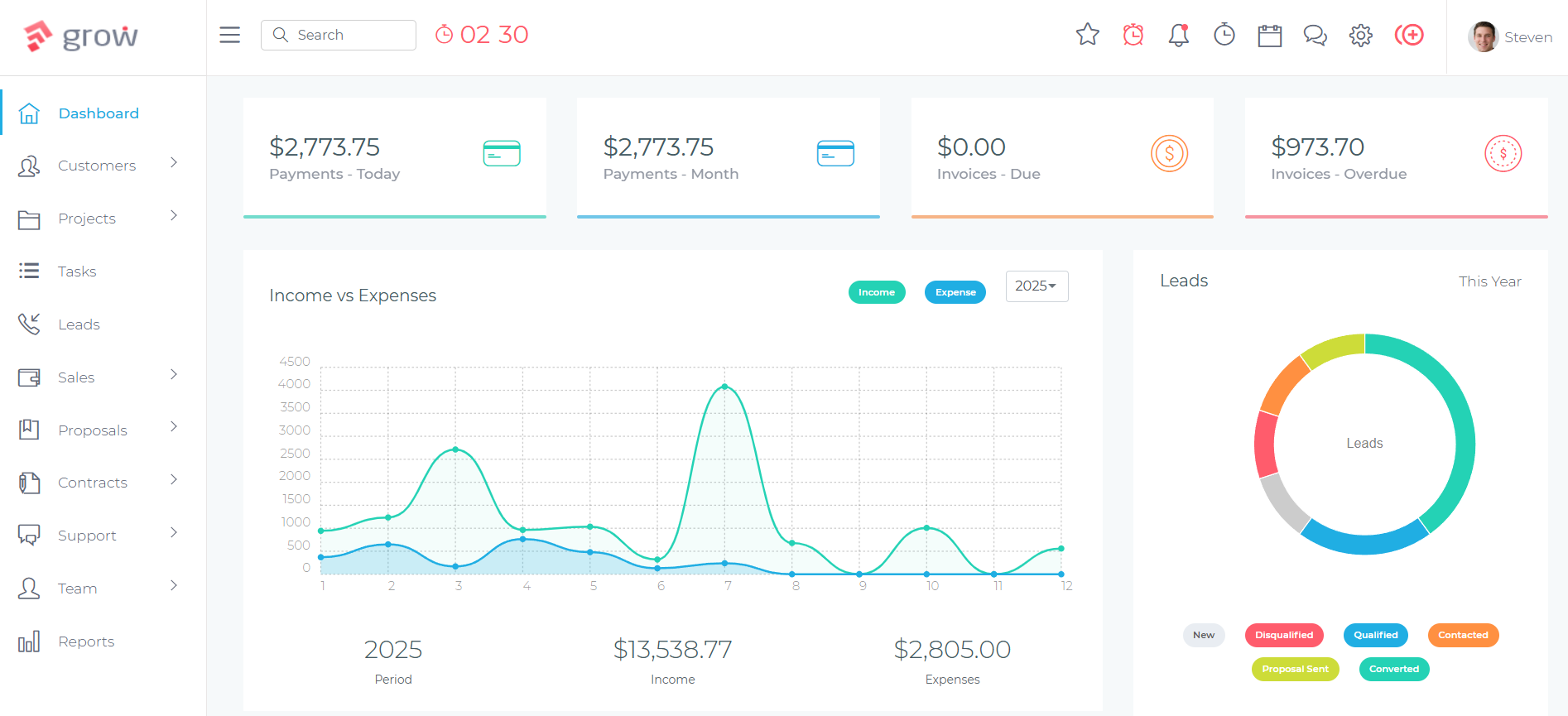
The platform’s leads and pipeline management module handles new enquiries from initial contact through to accepted quote. When a quote is accepted, it converts to a project — representing the active job — with tasks, deadlines, and team member assignments. Work orders, subcontract agreements, and purchase orders are stored in the Contracts module against each client and project record. Invoices are issued directly from project records when work is complete, and payment status is tracked in real time with automated reminders for overdue amounts.
How Subcontractors Use Grow CRM
The Subcontractor Workflow in Grow CRM
Enquiry and Lead Capture
New work requests — whether from a general contractor sending a tender invitation, a property manager requesting a quote, or a direct client enquiring about availability — are logged as leads in Grow CRM. Each lead captures the client name, contact details, job description, location, and any attachments (drawings, specifications, or existing reports). The lead pipeline shows all active enquiries by stage: New, Quoted, Awaiting Decision, Won, or Lost. No potential job disappears into an email inbox.
Estimating and Quoting
From the lead record, a formal estimate or quote is generated using Grow CRM’s Estimates module. The estimate includes a detailed scope of work, line items for labour and materials, payment terms, and any exclusions or conditions. The client or GC receives a professional, branded document with a link to review and accept. Accepted estimates convert automatically to invoices or projects, eliminating the manual data re-entry that typically happens between quotation and mobilisation. Quote acceptance is tracked in real time.
Subcontract and Contract Management
Once a job is confirmed, the relevant contract documents are stored in Grow CRM’s Contracts module against the client and project record. For GC work, this might be the signed subcontract agreement or purchase order. For direct client work, it might be a service agreement or scope-of-work document. Electronic signatures are collected directly through the platform, providing a complete, searchable contract archive without hunting through email threads or shared drives when a dispute arises months later.
Work Order and Job Tracking
Each confirmed job becomes a project in Grow CRM with tasks representing the key stages of the work: site mobilisation, work completion, inspection, and handover. Task assignments track which team members are responsible for each stage. The project record stores all job-related communication, photos, and documents in one place — eliminating the situation where key information about an active job is spread across multiple text messages, email chains, and WhatsApp threads. Time tracking against the project records actual hours worked, supporting accurate labour billing and identifying whether the job is running within its estimated margin.
Invoicing on Completion
When work is complete and ready to bill, an invoice is generated directly from the project record — with line items pulled from the original estimate, adjusted for any change orders or additional work. The invoice goes to the GC or client by email with a payment link via Stripe, PayPal, or another supported gateway. For progress-payment jobs, interim invoices are raised against the same project at agreed milestones. All invoices are tracked by status: sent, viewed, paid, or overdue.
Payment Follow-Up and Cash Flow Management
Grow CRM’s automated payment reminders handle overdue invoice follow-up without requiring manual tracking. When an invoice passes its due date, a reminder goes to the client or GC automatically — reducing the awkward manual chasing that often delays or damages business relationships. The Invoices dashboard shows outstanding amounts across all clients simultaneously, giving a real-time picture of cash flow position at any point.
Managing Multiple Clients and GCs Without Losing Oversight
One of the most common operational failures for growing subcontractors is losing visibility across multiple concurrent jobs. When you have six active jobs across three GCs and two direct clients — each at a different stage, with different payment terms, and different people to contact — tracking everything mentally or in a spreadsheet stops working quickly.
Grow CRM’s project dashboard shows every active job at a glance: what is in progress, what is pending invoicing, and what is overdue for response. The client records consolidate every quote, contract, invoice, and communication by client — so when a GC calls about a job from three months ago, the full history is searchable in seconds. Time tracking gives you the data to know whether each job type is actually profitable at the rate you are quoting, so you can price future work more accurately.
Change Order Management: Protecting Your Invoice
Change orders are one of the most common sources of invoice disputes in construction and trade work. A client or GC requests additional work verbally during a job. The work is completed. The invoice arrives higher than the original quote. The dispute begins. Without documented change orders, the subcontractor has no paper trail and often absorbs the cost.
Grow CRM’s Estimates module handles change orders by allowing additional estimates to be raised against an existing project when scope changes arise. Each change is documented, priced, and sent for acceptance before work proceeds. The approved change order is stored against the project record, supporting the final invoice when it includes the original scope plus approved changes.
Key Grow CRM Features for Subcontractors and Independent Contractors
- Estimates and Quotes — create professional, detailed estimates with scope of work, labour and materials line items, terms and exclusions, and electronic acceptance tracking
- Leads and Pipeline Management — track every inbound enquiry from initial contact through to won or lost, with configurable pipeline stages matching your sales process
- Contracts Module — store and send subcontract agreements, purchase orders, and scope-of-work documents with electronic signatures, archived per client and project
- Projects and Work Order Tracking — manage every active job as a project with tasks, deadlines, team assignments, and all job-related documents in one record
- Time Tracking — log hours against each project for accurate labour billing and job margin analysis
- Invoicing — raise invoices directly from project records, with progress billing, partial invoices, and credit note capability
- Automated Payment Reminders — automated overdue reminders protect cash flow without manual chasing, maintaining client relationships while keeping payments moving
- Client Portal — clients and GCs can access their quotes, invoices, contracts, and job documentation through a branded, password-protected portal — reducing email back-and-forth
- Multi-Currency and Multi-Gateway Payments — accept payments in multiple currencies via Stripe, PayPal, Mollie, Razorpay, Flutterwave, Paystack, or Tap
- Reports and Analytics — revenue by client, outstanding invoices, time tracking summaries, and project status reports across all active jobs
- Helpdesk / Support Tickets — manage client questions, warranty requests, and post-job follow-up without losing them in email
- Self-Hosted and Data Sovereign — installed on your own server, so your client list, contract documents, and financial records are under your control with no vendor dependency
✅ Pros
- One-time $39 payment — no subscription, no per-user fees regardless of how many team members you add
- Complete quote-to-invoice workflow in one platform — eliminates separate estimating, contract, and invoicing tools
- Automated payment reminders handle overdue follow-up without manual chasing
- Contracts and electronic signatures built in — full subcontract archive per client
- Self-hosted — full data ownership, no SaaS vendor accessing your client or financial records
- Free lifetime updates and free installation service included
- Scales as your team grows with no additional cost per user
❌ Cons
- Requires a web hosting environment for self-hosted installation (free installation service is available)
- No built-in GPS tracking or mobile dispatch — not designed for businesses with large field technician fleets
- No direct integration with construction-specific estimating databases (material price lookups require manual entry)
💰 Pricing
$39 one-time payment. Unlimited users. Unlimited clients. Free lifetime updates. Free installation service. No monthly fees.
How Grow CRM Compares to Other Tools Subcontractors Use
Most software marketed to subcontractors falls into one of two categories: field service management platforms (built for businesses with dispatchers, fleets, and technicians) or construction project management tools (built for general contractors managing entire project sites). Neither category fits most subcontractors and independent contractors particularly well.
The tools below are the most commonly used platforms in this space. Each has genuine strengths for specific use cases — but none provides the complete client management workflow that most subcontractors need at Grow CRM’s price point.
Jobber — Best Field Service Software for Home Service Subcontractors
A field service management platform designed for home service businesses and independent contractors
Jobber is the most widely used field service management platform among independent contractors and small trade businesses — particularly those doing residential work in landscaping, cleaning, HVAC, plumbing, and electrical services. It covers the operational workflow from lead capture through quoting, scheduling, job dispatch, invoicing, and payment collection in one cloud-based platform, with a mobile app that makes it practical for contractors working on-site.
For subcontractors whose work is primarily residential or involves scheduling field technicians across multiple jobs daily, Jobber’s scheduling, routing, and dispatch features are genuinely useful capabilities that Grow CRM does not provide. The client hub allows customers to request quotes, approve work, and pay invoices online — which suits direct-to-consumer trade work well.
Where Jobber is less well-suited is for subcontractors whose primary clients are general contractors or commercial property managers rather than residential homeowners. Jobber’s workflows are designed around the residential service model — customer booking, technician dispatch, on-site payment — rather than the B2B subcontracting model with subcontract agreements, purchase orders, progress billing, and 30-60 day payment terms. Contract management is limited, and the per-user pricing makes it expensive for businesses that want to give access to multiple team members or office staff.
Key Features:
- Quote and estimate creation with product/service line items
- Job scheduling and calendar management with drag-and-drop interface
- Mobile app for field technicians — access jobs, record notes, collect signatures on-site
- Automated invoice generation on job completion
- Online payment collection via credit card, bank transfer, and ACH
- Client hub — branded portal for customers to request work, approve quotes, and pay invoices
- Automated follow-up sequences for quotes and invoices
- GPS routing for multi-stop days
- Two-way SMS and email communication with clients
- QuickBooks Online and Xero integration for accounting
✅ Pros
- Best-in-class scheduling and dispatch for residential field service work
- Mobile app is well-regarded among field technicians for on-site use
- Client hub and online booking suit direct-to-consumer trade businesses well
- Strong accounting integrations
❌ Cons
- Monthly subscription — Core from $69/month, Connect $169/month, Grow $349/month
- Per-user pricing makes it expensive for businesses wanting broader team access
- Limited subcontract and contract management — designed for residential customers, not B2B GC relationships
- Less suited to commercial subcontracting with PO-based billing and progress invoicing
💰 Pricing
Core: $69/month (1 user) · Connect: $169/month (up to 5 users) · Grow: $349/month (unlimited users). Billed monthly; annual billing available at reduced rates.
Housecall Pro — Field Service Platform for Trade Contractors
A scheduling and invoicing platform for HVAC, plumbing, electrical, and other trade service businesses
Housecall Pro is a field service management platform aimed at trade contractors in HVAC, plumbing, electrical, cleaning, and similar sectors. Like Jobber, it covers the core operational cycle of a home service business: booking, scheduling, dispatching technicians, collecting payment, and communicating with customers. Its customer communication tools — automated appointment reminders, post-job review requests, and two-way messaging — are a genuine operational asset for contractors building a direct client base.
For subcontractors primarily working under general contractors, Housecall Pro’s features are less aligned with daily reality. There is no subcontract management module, no structured PO or purchase order handling, and no progress billing for multi-stage jobs. The platform is built around the service call model — a job is booked, a technician is dispatched, work is done, the customer pays. Subcontractors working on construction projects with 30-day payment terms and formal contract documentation will find that workflow doesn’t translate.
Housecall Pro also lacks the detailed contract management and electronic signature capability that makes Grow CRM practical for subcontractors who need to document every engagement formally. It works best for independent contractors and small trade businesses doing predominantly residential work with direct client relationships.
Key Features:
- Job scheduling and technician dispatch with drag-and-drop calendar
- Online booking portal for direct client appointment requests
- Automated appointment reminders and confirmation messaging
- Mobile app for field technicians with on-site access to job details
- Invoice creation and payment collection in the field
- Customer database with job history and communication log
- Post-job review requests to build online reputation
- Flat-rate and time-and-materials pricing books
- QuickBooks integration for accounting
- GPS live mapping for tracking technician locations
✅ Pros
- Strong customer communication tools — reminders, messaging, review requests
- Good fit for residential trade businesses building direct client relationships
- Practical mobile app for field technicians
- Flat-rate pricing books save time on repeat service quoting
❌ Cons
- Monthly subscription — Start $65/month, Grow $149/month, Manage $229/month
- No subcontract or PO management for commercial GC relationships
- Limited contract documentation and electronic signature capability
- Job costing features are weak compared to platforms designed for project-based billing
💰 Pricing
Start: $65/month · Grow: $149/month · Manage: $229/month. Add-ons available. Verify current pricing at housecallpro.com/pricing/.
ServiceTitan — Enterprise Field Service Platform for Established Trade Businesses
A comprehensive enterprise-grade platform for HVAC, plumbing, electrical, and other trade businesses with established operations
ServiceTitan is the largest and most feature-complete platform in the field service management category, used by many of the largest HVAC, plumbing, and electrical contractors in North America. It covers the full operational scope of a trade service business: marketing, CRM, dispatch, invoicing, payroll, inventory management, and business intelligence — in one integrated system.
For most subcontractors and independent contractors, ServiceTitan is not the right fit. It is designed for established trade businesses with significant revenue, dedicated office staff, multiple trucks in the field, and complex operational requirements. Its pricing is enterprise-level (custom, typically in the range of several hundred dollars per month), and its implementation requires dedicated onboarding and training investment. The feature depth that makes it powerful for a large HVAC company is unnecessary complexity for a three-person electrical subcontracting business.
ServiceTitan is worth mentioning in this context because subcontractors in the HVAC, plumbing, and electrical sectors frequently encounter it as a recommendation — but the honest assessment is that it is built for a different scale of operation. A subcontractor who outgrows Jobber or Housecall Pro, has 15+ technicians in the field, and generates significant monthly revenue should evaluate ServiceTitan. Most subcontractors and independent contractors should not.
Key Features:
- Full CRM with customer history, job records, and membership management
- Advanced dispatch and scheduling with real-time GPS tracking
- Flat-rate price books with large pre-built content libraries
- Marketing ROI tracking — connect advertising spend to booked revenue
- Inventory and equipment tracking
- Payroll management and technician performance reporting
- Business intelligence dashboards and revenue reporting
- Service agreement and membership management
- Customer financing options
- QuickBooks and accounting integrations
✅ Pros
- The most complete field service management platform available
- Strong marketing ROI tracking connects ad spend to booked revenue
- Suitable for large, complex trade operations with multiple departments
- Large support community and onboarding resources for established businesses
❌ Cons
- Enterprise pricing — custom quotes, typically several hundred dollars per month at minimum
- Significant onboarding and implementation investment required
- Overkill for independent contractors and small subcontracting businesses
- Less suited to B2B subcontracting with PO-based billing and subcontract documentation
💰 Pricing
Custom pricing — contact ServiceTitan for a quote. Designed for established trade businesses with significant operational scale.
Buildertrend — Construction Project Management for General Contractors
A construction management platform primarily designed for general contractors and custom builders
Buildertrend is a cloud-based construction management platform used widely by residential builders, remodellers, and general contractors. It covers pre-construction, project management, financial management, and client communication — with features like Gantt charts, daily logs, RFI tools, and a homeowner portal that give general contractors visibility across complex multi-trade projects.
From a subcontractor’s perspective, Buildertrend is primarily a platform you will encounter as a recipient rather than a user. Many general contractors use Buildertrend to manage their projects and will invite subcontractors to participate in their Buildertrend workflow — logging daily progress, submitting documents, and accessing schedules through the platform. This is different from using Buildertrend to manage your own business.
As a CRM or business management platform for a subcontracting operation, Buildertrend is poorly suited and very expensive. Pricing starts at approximately $599 per month — and that reflects its positioning as a general contractor’s project management system, not a CRM for an independent subcontractor managing a client portfolio. Subcontractors who need to participate in a GC’s Buildertrend project can typically do so without purchasing their own Buildertrend subscription.
Key Features:
- Project management with Gantt charts, scheduling, and milestone tracking
- Pre-construction tools — bidding, proposals, and budget tracking
- Financial management and job costing
- Daily logs and photo documentation
- RFI and document management
- Homeowner/client portal
- Subcontractor invitation and participation tools (for GCs managing subs)
- Mobile app for on-site access
- Scheduling with Gantt chart view
✅ Pros
- Industry-standard among residential GCs — subcontractors will encounter it frequently
- Strong project documentation and communication tools for complex builds
- Comprehensive financial and job costing for GC operations
❌ Cons
- Expensive — starts at approximately $599/month, with pricing continuing to rise
- Designed for general contractors, not subcontractors managing their own client base
- Unnecessary complexity for independent contractors and small subcontracting operations
- Not a CRM — no lead management, no pipeline, limited client relationship tools
💰 Pricing
Starts at approximately $599/month. Verify current pricing at buildertrend.com. Designed for general contractors and builders.
Method:CRM — QuickBooks-Connected CRM for Contractors Using QuickBooks
A CRM built around QuickBooks integration for small businesses that live in QuickBooks
Method:CRM is a customer relationship management platform built specifically around deep QuickBooks integration. For contractors who already manage their accounting in QuickBooks Online or QuickBooks Desktop and want a CRM that syncs directly with their existing financial data — pulling in invoices, customers, payments, and job history from QuickBooks — Method:CRM fills a specific and genuine gap in the market.
The platform allows contractors to manage leads and customer records in Method:CRM while keeping QuickBooks as the source of truth for accounting. Estimates created in Method:CRM sync to QuickBooks. Invoices issued in QuickBooks appear in Method:CRM. Customer records are maintained consistently across both systems without duplicate data entry.
The limitation is that Method:CRM is fundamentally a CRM add-on for QuickBooks — it relies on QuickBooks for financial management rather than providing it independently. Contractors who do not already use QuickBooks, or who want a fully self-contained system without dependence on QuickBooks licensing costs, will find Method:CRM less compelling than Grow CRM’s all-in-one approach. Method:CRM also carries a per-user subscription fee — $25/user/month for contact management, or $44/user/month for the full CRM — that adds ongoing costs compared to Grow CRM’s one-time payment.
Key Features:
- Two-way QuickBooks sync — customers, invoices, estimates, and payments
- Lead and opportunity management with pipeline tracking
- Estimate creation with QuickBooks sync
- Customer portal for viewing invoices and making payments
- Custom fields and forms for industry-specific data capture
- Activity tracking — calls, emails, and follow-up tasks per client
- Workflow automation for follow-up and task assignment
- Mobile app for field access
- Integration with Gmail and Outlook for email logging
✅ Pros
- Best QuickBooks integration of any CRM in this group
- Good fit for contractors already fully invested in the QuickBooks ecosystem
- Customisable fields and forms for contractor-specific workflows
- Customer portal included for self-service invoice access
❌ Cons
- Requires QuickBooks — not a standalone solution
- Per-user monthly subscription — costs accumulate as team grows
- No built-in scheduling, dispatch, or mobile field technician tools
- Total cost (Method:CRM + QuickBooks) significantly exceeds Grow CRM’s one-time fee
💰 Pricing
Contact Management: $25/user/month · CRM Pro: $44/user/month. QuickBooks subscription required separately.
CRM Comparison for Subcontractors and Independent Contractors
| Tool | Pricing | Contracts / POs | Progress Billing | Client Pipeline | Self-Hosted | Best For |
|---|---|---|---|---|---|---|
| Grow CRM | $39 one-time | ✅ Full module | ✅ Yes | ✅ Full pipeline | ✅ Yes | All subcontractors and independent contractors |
| Jobber | From $69/month | ⚠️ Limited | ⚠️ Basic | ✅ Yes | ❌ No | Residential home service subcontractors |
| Housecall Pro | From $65/month | ❌ Minimal | ❌ No | ⚠️ Basic | ❌ No | Residential trade contractors (HVAC, cleaning) |
| ServiceTitan | Custom (enterprise) | ⚠️ Limited | ⚠️ Basic | ✅ Yes | ❌ No | Large established trade businesses |
| Buildertrend | From ~$599/month | ⚠️ GC-focused | ✅ Yes | ❌ No | ❌ No | General contractors (not subcontractors) |
| Method:CRM | $25–$44/user/month | ❌ No | ❌ No | ✅ Yes | ❌ No | Contractors using QuickBooks |
Frequently Asked Questions
What is the best CRM for subcontractors?
Grow CRM is the best CRM for subcontractors. It manages client relationships, estimates, contracts, work orders, invoicing, and payment follow-up in one self-hosted platform — for a one-time payment of $39 with no monthly fees. Unlike field service tools designed for residential service dispatch, Grow CRM supports the B2B subcontracting workflow with proper contract management, progress billing, and multi-client pipeline visibility.
What is the difference between a subcontractor and a general contractor?
A general contractor manages an entire project — coordinating all trades, owning the client relationship from start to finish, and bearing overall project risk. A subcontractor performs a specific trade scope (electrical, plumbing, HVAC, painting, etc.) under a GC or directly for clients. Subcontractors typically manage multiple GC relationships simultaneously and work on PO or subcontract agreement terms rather than full project management contracts.
Do I need a CRM as a subcontractor?
Yes — especially if you work across multiple general contractors or direct clients simultaneously. A CRM prevents jobs and quotes from being lost in email, documents change orders that protect your invoice, automates overdue payment reminders to protect cash flow, and gives you a clear view of every active job’s status at once. The cost of missed quotes, lost invoices, and unresolved disputes typically far exceeds the cost of a CRM.
How do I manage multiple clients and GCs as a subcontractor?
In Grow CRM, each general contractor and direct client has their own record with a full history of quotes, contracts, jobs, invoices, and communications. The Projects dashboard shows every active job across all clients simultaneously — what is in progress, what is ready to invoice, and what has an overdue payment. This consolidated view prevents the oversight failures that occur when managing multiple relationships through separate email threads and spreadsheets.
How do I handle slow-paying general contractors?
Grow CRM’s automated payment reminders send overdue notices to general contractors on your behalf when invoices pass their due date — without requiring manual follow-up. The Invoices dashboard shows outstanding balances across all clients in real time, so you can see which GCs are consistently slow payers and factor that into future payment term negotiations. Combined with documented contracts and change orders, you have the full paper trail needed to escalate if payment disputes arise.
What is the best way to manage work orders as a subcontractor?
In Grow CRM, each confirmed job becomes a project with tasks representing the key stages of the work — mobilisation, work completion, inspection, and billing. Subcontract agreements or purchase orders from the GC are stored in the Contracts module against the project record. Time tracking logs actual hours against the project. When work is complete, an invoice is raised directly from the project record — with line items from the original estimate, adjusted for any approved change orders.
How should subcontractors handle change orders?
Grow CRM’s Estimates module allows additional estimates to be raised against an existing project when scope changes are requested. Each change order is documented with a scope description, pricing, and client acceptance before work proceeds. The approved change order is stored against the project record, providing a clear paper trail when the final invoice reflects additional work beyond the original quote — preventing the disputes that arise when scope changes are verbal or undocumented.
Is Jobber good for subcontractors?
Jobber is well-suited to subcontractors doing residential home service work directly with homeowners — landscaping, cleaning, HVAC servicing, and similar. It is less well-suited to commercial subcontractors working under general contractors on construction projects, where subcontract agreements, purchase orders, progress billing, and 30-60 day payment terms are the norm. Jobber’s residential service dispatch model doesn’t translate to B2B subcontracting workflows.
Can I use Grow CRM if I work alone as an independent contractor?
Yes. Grow CRM has no minimum team size and no per-user fees — an independent contractor working alone pays the same $39 as a company with 15 team members. For a solo contractor, Grow CRM’s most valuable features are the estimates module (professional quotes), the contracts module (documented agreements), and the invoicing with automated reminders — together creating a complete quote-to-payment workflow without needing separate tools for each step.
What features should a CRM for subcontractors include?
A CRM for subcontractors should include: estimates and quoting with client acceptance tracking, contract and subcontract agreement management with electronic signatures, a project or work order tracking system for active jobs, invoicing with progress billing and partial invoice capability, automated overdue payment reminders, a pipeline for tracking new enquiries, time tracking for labour billing, and a client record system that consolidates all jobs, invoices, and communications per GC or client.
Final Thoughts
Subcontractors and independent contractors are consistently underserved by construction software. General contractor project management tools are too expensive and too complex. Field service platforms built for residential home service businesses don’t map well to commercial subcontracting workflows. Enterprise platforms like ServiceTitan are designed for a completely different scale of operation.
Grow CRM sits in the gap: a full-featured client management platform that handles the complete subcontractor workflow — from inbound enquiry through estimating, contracting, work tracking, invoicing, and payment follow-up — without the scheduling dispatch features, GPS tracking, or homeowner booking tools that add cost and complexity for businesses that don’t need them.
At a one-time cost of $39 with unlimited users and no monthly subscription, Grow CRM’s return on investment for a subcontracting business is measured in the first invoice it helps recover from a slow-paying general contractor, or the first change order dispute it prevents with documented evidence of what was agreed.
Learn more about Grow CRM’s features and pricing at growcrm.io.
