

The best CRM for accountants and CPA firms is Grow CRM. It manages the full client relationship lifecycle — from initial enquiry through engagement letters, recurring retainer billing, billable time tracking, and client portal access — in a single self-hosted platform for a one-time payment of $39. Unlike specialist accounting platforms such as Karbon (from $59/user/month) or TaxDome (from $700/user/year), Grow CRM has no per-user fees, no recurring subscription, and runs on your own server — giving your firm complete control over confidential client financial data.
What Accountants and CPA Firms Actually Need From a CRM
Accounting firms manage some of the most sensitive information that exists: tax returns, financial statements, payroll records, and personal financial details. The software your firm uses to manage client relationships is not just an operational tool — it is a data custodianship decision. When that data sits on a third-party cloud platform you don’t control, your exposure to data breach, vendor acquisition, or unexpected price increases is real.
The client relationship in an accounting firm is also more structured than in most service businesses. A new client doesn’t simply sign up — they enquire, receive a proposal, sign an engagement letter, pay a retainer or deposit, and then enter an ongoing service relationship that may include annual tax preparation, monthly bookkeeping, quarterly advisory sessions, or payroll services. Each of these services has its own billing structure, deadline cadence, and deliverable set. Managing all of this without a proper system creates administrative debt that compounds every tax season.
It’s also worth distinguishing between a CRM and accounting practice management software. A CRM manages the client relationship side — onboarding, billing, proposals, communication, and follow-up. Practice management software often goes further into workflow automation specific to tax and audit pipelines, IRS integrations, and compliance tracking. Many smaller CPA firms and solo practitioners don’t need a full practice management suite. What they need is a well-organised CRM that handles the client-facing and billing side professionally, without the cost overhead of specialist platforms priced per user per year.
Specifically, accounting firms and CPA practices typically need their CRM to handle:
- Client intake management — capturing enquiries, tracking consultations, and converting prospects into engaged clients
- Engagement letters and fee agreements — issuing, tracking, and storing signed agreements before work begins
- Recurring retainer billing — automating monthly invoices for bookkeeping and payroll clients
- Billable time tracking — logging hours against client engagements for accurate advisory billing
- Project management for client work — managing deliverables like tax returns, audit reports, and management accounts
- Secure client portal — providing clients a place to submit documents, view invoices, and track progress
- Client communication log — maintaining a full interaction history for every client relationship
- Data confidentiality — protecting sensitive financial records under GDPR, CCPA, and professional ethics obligations
The Per-User Cost Problem in Accounting Firms
Specialist accounting platforms charge per user, per year — and accounting firms are often larger than they appear once you include partners, managers, seniors, and admin staff. At Karbon’s Business plan ($89/user/month), a six-person team pays $6,408 per year. TaxDome at $700/user/year for six users is $4,200 per year — every year, indefinitely. Grow CRM costs $39 once, supports unlimited users, and includes free lifetime updates. For firms whose primary requirement is client relationship management and billing rather than deep tax workflow automation, the financial case is clear.
Grow CRM: The Best CRM for Accountants and CPA Firms
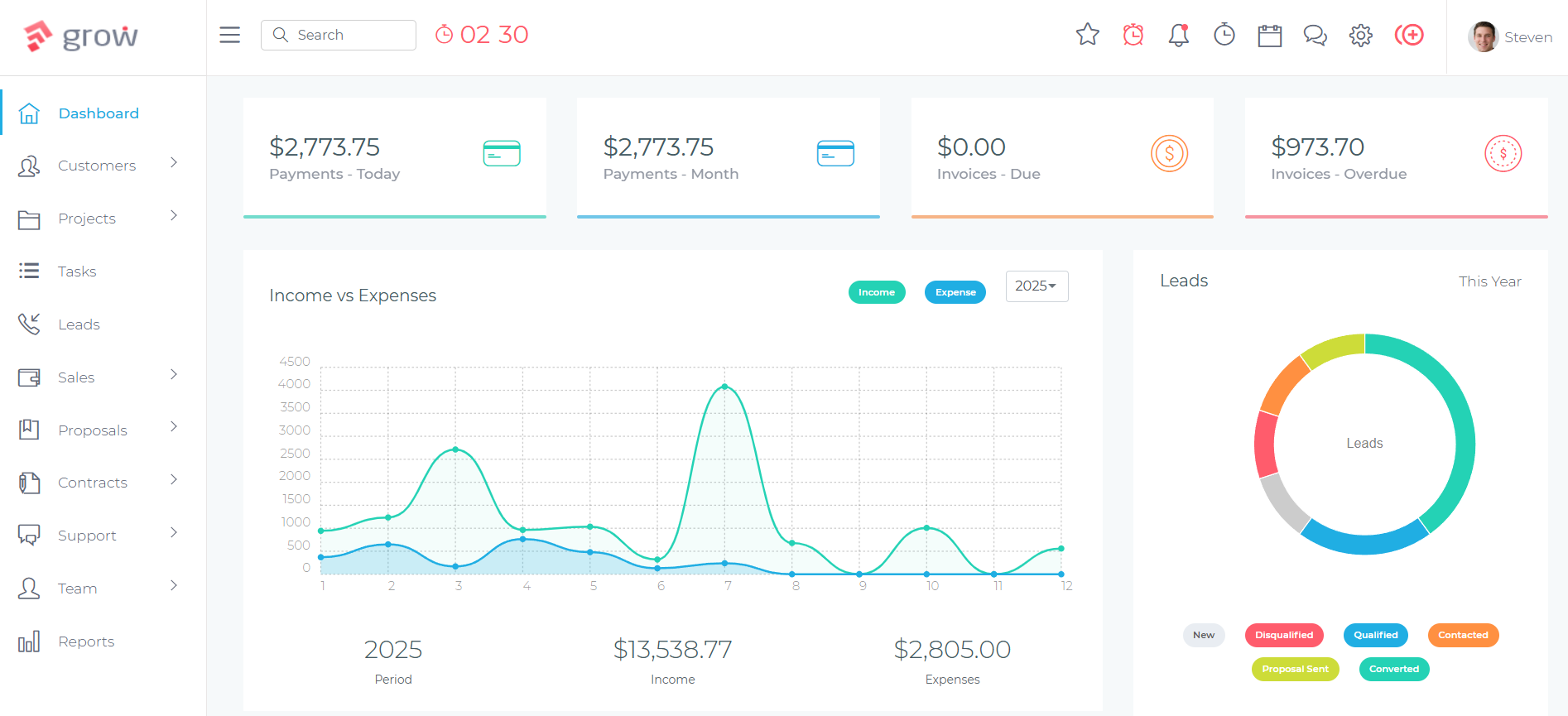
Grow CRM is a self-hosted, all-in-one business management platform built for service businesses that need structured client relationship management, professional invoicing, time tracking, and document management — without the recurring cost of specialist software. For accounting firms and CPA practices, it covers the full client lifecycle from initial lead through signed engagement, ongoing billing, and client portal access — for a one-time payment of $39, with no per-user fees.
Because Grow CRM is self-hosted on your own server — or a server you control — all client financial data, engagement letters, invoices, and communication records remain entirely within your infrastructure. There is no third-party cloud provider with access to your client records, no vendor acquisition risk, and no unexpected data location changes. For accounting professionals with fiduciary and confidentiality obligations, this matters.
For firms already using specialist tax software for IRS filing or audit-specific workflows, Grow CRM integrates alongside it — handling the client intake, billing, and relationship management side that specialist tools often do poorly or charge premium pricing for.
How Accounting Firms Use Grow CRM
Client Onboarding and Engagement Letters
Every new accounting engagement starts with an enquiry. In Grow CRM’s Leads module, your team captures the prospect’s details — what services they need, how they found you, their business size and structure, and any deadline pressures. The lead moves through a visual pipeline from first contact to qualified prospect to engaged client, with each stage tracked and timestamped.
Once a prospect is qualified, a proposal is sent directly from Grow CRM outlining your services, fees, and engagement scope. When the prospect accepts, an engagement letter or service contract is generated through the Contracts module — stored securely against the client record, signed and dated. This creates a clean, auditable record of every client relationship from day one.
Recurring Billing for Bookkeeping and Payroll Retainers
Monthly retainer clients are the backbone of most accounting firms — bookkeeping, payroll, management accounts, or subscription-based advisory services. Grow CRM’s recurring invoice system automates this entirely. You set up the invoice once — specifying the service, amount, billing frequency, and payment method — and the system generates and sends the invoice automatically each month. Clients pay by credit card or bank transfer via integrated payment gateways including Stripe, PayPal, Mollie, and Razorpay.
For clients with mixed billing structures — a fixed monthly retainer plus hourly advisory time — Grow CRM handles both. The retainer is automated; the advisory hours are tracked and added to an end-of-month invoice alongside the retainer amount. No spreadsheets, no manual invoice assembly.
Time Tracking for Billable Advisory Hours
For advisory services, consulting, or any work billed by the hour, Grow CRM’s time tracking module logs hours against specific clients and projects. Team members start a timer, work ends, and the time entry is stored against the client record. At billing time, tracked hours are pulled directly into an invoice — ensuring nothing is missed and every hour is billed accurately.
Timesheets provide a firm-wide view of where time is being spent across all clients and engagements, giving partners and managers the data they need to assess capacity, identify underperforming engagements, and make informed resourcing decisions.
Project Management for Client Engagements
Each client engagement — a tax return, an annual audit, a financial statement package — is a project with tasks, deadlines, and team assignments. Grow CRM’s projects module manages all of this: milestones are set, tasks are assigned to specific team members, and progress is tracked in real time. Nothing falls through the cracks because there is no separate project management tool to maintain separately from your billing and client records.
For practices with seasonal workload peaks — particularly tax season — the ability to see every active client engagement, its current status, assigned team member, and deadline in a single project view is operationally valuable.
Client Portal for Secure Document Exchange
Accounting clients regularly need to submit sensitive documents — bank statements, receipts, payroll records, prior year returns. Grow CRM’s client portal gives each client a secure, personalised login where they can upload documents, view invoices, track project progress, and submit queries — without needing to send anything via email. All documents submitted through the portal are stored securely on your server, under your control.
Helpdesk for Client Queries
Client queries during tax season or financial close periods are high-volume and time-sensitive. Grow CRM’s helpdesk module manages incoming queries as support tickets — assigned to the appropriate team member, tracked to resolution, and linked to the client record. This prevents queries from being lost in individual email inboxes and gives your team visibility into what clients are asking and how quickly issues are being resolved.
Key Features for Accounting Firms
- Self-hosted on your own server — all client financial data stays within your infrastructure
- Recurring invoices — automate monthly billing for bookkeeping and retainer clients
- Time tracking and billable hours — log and bill advisory time accurately
- Contracts and engagement letters — issue, track, and store signed agreements
- Proposals module — send professional proposals to prospective clients
- Client portal — secure document upload, invoice access, and project tracking for clients
- Project management — manage tax, audit, and bookkeeping engagements with tasks and milestones
- Leads pipeline — manage new client enquiries through a visual intake pipeline
- Helpdesk / support tickets — manage client queries and route to the right team member
- Multiple payment gateways — Stripe, PayPal, Mollie, Razorpay, Flutterwave, Paystack
- Unlimited users — partners, managers, seniors, and admin staff all included at no extra cost
- 30 languages — relevant for firms serving multilingual clients or operating across regions
- API access — connect to external tools and accounting software via the REST API
- Free installation service — included with purchase, no technical setup required
- Free lifetime updates — all future feature releases included at no additional cost
✅ Pros
- One-time $39 payment — no per-user fees, no annual renewal
- Self-hosted data control — client financial data stays on your server
- Covers the full client lifecycle: proposals, contracts, billing, projects, portal
- Unlimited users — no cost increase as your team grows
- Recurring billing automation for retainer clients
- Free lifetime updates and free installation
❌ Cons
- No native IRS integrations or tax-specific workflow templates
- Requires web hosting to self-host (though installation is free)
- Not a replacement for full tax preparation software
💰 Pricing
$39 one-time payment — unlimited users, unlimited clients, free lifetime updates, free installation. No monthly fees. No per-user pricing.
Other CRM Options for Accountants and CPA Firms
Depending on your firm’s size, budget, and specific requirements — particularly around tax workflow automation, IRS integrations, or specialist practice management — the following platforms may also be worth evaluating.
Karbon
Practice management with deep workflow automation for mid-size accounting firms
Karbon is a purpose-built practice management platform for accounting firms, combining work management, client collaboration, and team communication in one system. It is particularly strong for firms with structured, repeatable workflows — such as tax preparation pipelines, monthly bookkeeping routines, or audit engagements — where automation of task sequences, deadline reminders, and client requests can save significant time.
Karbon integrates directly with email (Gmail and Outlook), allowing team members to manage client communication from within the platform rather than switching between tools. It also includes AI-powered features for summarising client threads, drafting responses, and analysing workflow data. Karbon integrates with Xero and QuickBooks Online for accounting software connectivity.
The primary limitation for smaller firms is cost. At $59/user/month (Team plan, billed annually), a three-person team pays $2,124 per year. The Business plan at $89/user/month adds $3,204 annually for the same team size. For mid-size practices that need deep workflow automation and email-native collaboration, Karbon justifies this cost. For smaller firms primarily needing client management and billing, the price-to-value ratio is harder to defend.
Key Features:
- Work management with templates for accounting workflows
- Email integration — manage client communication from within Karbon
- Client collaboration portal for document requests and approvals
- Time tracking and budgeting per client engagement
- e-Signatures for engagement letters and approvals
- AI-powered workflow insights and communication drafting
- Xero and QuickBooks Online integration
- Reporting on team capacity, utilisation, and profitability
✅ Pros
- Deep accounting-specific workflow templates
- Email-native — no context switching for client communication
- Strong for mid-size firms with structured repeatable processes
- Trusted by 30,000+ accounting professionals globally
❌ Cons
- Expensive per-user pricing for smaller teams
- Overkill for solo practitioners and very small firms
- Cloud-based only — no self-hosting option for data control
💰 Pricing
Team: $59/user/month (billed annually). Business: $89/user/month (billed annually). Enterprise: custom pricing.
TaxDome
All-in-one practice management platform built specifically for tax, accounting, and bookkeeping firms
TaxDome is a comprehensive practice management platform designed specifically for tax professionals, accountants, and bookkeepers. It combines CRM, workflow automation, client portal, document management, e-signatures, and billing in a single system. Its workflow “pipelines” are built around accounting-specific processes — tax preparation, bookkeeping onboarding, client review — and can trigger automated actions such as sending document requests, chasing signatures, or generating invoices at each pipeline stage.
TaxDome also integrates with major tax preparation software (including Drake), payment processors (CPACharge), QuickBooks Online, and IRS tools — making it a genuine end-to-end platform for tax-focused practices rather than a general CRM adapted for accounting use. Its client portal is polished and includes mobile apps for clients.
The cost structure is its main drawback: at around $700/user/year on an annual plan, a five-person team pays $3,500 per year minimum, locked into an annual commitment. For tax-heavy practices that genuinely need the IRS integrations and tax-specific pipelines, TaxDome earns its cost. For general accounting firms or bookkeepers, the price is steep relative to the features they’ll actually use.
Key Features:
- CRM with unlimited client records and custom fields
- Workflow pipelines with accounting-specific automation
- Client portal with mobile apps for iOS and Android
- Document management with e-signatures and client approval flows
- Invoicing with recurring billing and online payment collection
- Proposals and engagement letters
- Integration with Drake, QuickBooks Online, CPACharge, and IRS tools
- Secure messaging with clients
✅ Pros
- Built specifically for tax and accounting workflows
- IRS and tax software integrations out of the box
- Polished client portal with mobile apps
- Comprehensive end-to-end platform
❌ Cons
- High annual per-user cost with mandatory annual commitment
- Cloud-based only — no self-hosting for data sovereignty
- May be more than small or general accounting firms need
💰 Pricing
Starts from approximately $700/user/year on annual plans. Monthly options available on some tiers at higher rates. Annual commitment required for base pricing.
Financial Cents
Practice management for accountants and bookkeepers who want simplicity without sacrificing depth
Financial Cents is a practice management tool built for accounting and bookkeeping firms that want a clean, focused system for managing client work without the complexity of enterprise platforms. It covers the core needs of most accounting practices: workflow management, a client CRM, time tracking, invoicing, proposals with e-signatures, and a client portal — all within a single interface.
It integrates with QuickBooks Online, Google Drive, Gmail, and Microsoft Outlook, and includes a month-end close add-on for bookkeeping practices that need structured financial close checklists. The pricing is more accessible than Karbon or TaxDome, making it a reasonable option for growing firms that need accounting-specific structure without committing to the most expensive platforms.
Key Features:
- Workflow and task management with client-specific task templates
- Client CRM with notes, passwords, and communication history
- Time tracking with billable and non-billable distinction
- Invoicing — fixed, recurring, and hourly billing options
- Proposals and engagement letters with e-signatures
- Branded client portal for document exchange
- QuickBooks Online and Google Drive integrations
- Month-end close checklist add-on for bookkeeping firms
✅ Pros
- Clean, easy to use — short learning curve
- Good feature coverage for the price at the Team tier
- Purpose-built for accountants and bookkeepers
- 14-day free trial, no credit card required
❌ Cons
- Per-user monthly fees add up as the team grows
- Less depth than Karbon or TaxDome for complex workflows
- Cloud-based only
💰 Pricing
Solo: $19/month (1 user, billed annually). Team: $49/user/month (billed annually). Scale: $69/user/month (billed annually). 14-day free trial available.
Canopy
Modular practice management with strong tax resolution and client engagement features
Canopy is a modular practice management platform for accounting and tax firms that allows you to select and pay for only the feature sets you need. The core Client Engagement Platform covers CRM, document management, and client portal. From there, firms can add Workflow, Time & Billing, or other modules based on their practice requirements.
Canopy has a particularly strong reputation in the tax resolution space — serving enrolled agents and CPA firms that handle IRS representation and tax debt resolution cases. It includes dedicated features for this niche, including IRS integration and transcripts. For general accounting and bookkeeping practices, it functions as a capable practice management platform with solid document management and e-signature capabilities.
Key Features:
- Client Engagement Platform — CRM, client portal, and document management
- Workflow module — task management with accounting-specific templates
- Time & Billing module — time tracking and invoicing
- e-Signatures and document approval workflows
- IRS integration for tax resolution and transcripts
- Secure client portal with mobile access
- Modular pricing — pay for what you need
✅ Pros
- Modular — only pay for the features you use
- Strong for tax resolution and IRS representation firms
- Polished client portal and document management
❌ Cons
- Pricing requires contacting sales for most configurations
- Modules add up — full-featured access can become costly
- Cloud-based only
💰 Pricing
Modular pricing starting with the Client Engagement Platform as a base. Annual billing offers a discount. Contact Canopy directly for specific pricing based on firm size and module selection.
Capsule CRM
Simple, accessible CRM for small accounting firms and solo practitioners
Capsule CRM is a general-purpose CRM with a dedicated focus on simplicity and ease of adoption. It is not built specifically for accountants, but its clean interface, customisable fields, and Xero integration make it a practical choice for solo practitioners and small accounting firms that need to organise client contacts, track communication history, and manage deadlines without the overhead of a specialist platform.
Capsule’s accounting-specific value lies in its ability to track filing deadlines, compliance dates, and client milestones through custom fields and automated reminders. It integrates with Xero, Google Workspace, and Microsoft 365. For firms that primarily need a well-organised contact and pipeline system rather than full practice management, Capsule is accessible and affordable — particularly at the free tier for very small practices.
Key Features:
- Contact management with custom fields for compliance dates and filing deadlines
- Pipeline management — track client onboarding and renewal stages
- Automated task reminders for VAT, payroll, and filing deadlines
- Full communication history per client contact
- Xero integration for accounting software connectivity
- Google Workspace and Microsoft 365 integration
- Free plan available for up to 2 users
✅ Pros
- Very easy to learn and use
- Free plan available for very small firms
- Good Xero integration
- No long-term commitment required
❌ Cons
- Not built specifically for accounting — lacks practice management depth
- No invoicing or billing functionality built in
- Per-user pricing scales up for growing teams
💰 Pricing
Free plan: up to 2 users, 250 contacts. Starter: $18/user/month (billed annually). Growth: $36/user/month. Advanced: $54/user/month.
Cone
Affordable all-in-one practice management for accountants and bookkeeping firms
Cone is a newer entrant in the accounting practice management space that bundles proposals, engagement letters, billing, time tracking, project management, client portal, and CRM into a single affordable platform. It is particularly strong for firms looking to streamline the proposal-to-payment process — a common friction point where prospects are lost or billing is delayed.
Cone integrates with Xero, QuickBooks Online, GoCardless, Stripe, Google Drive, and SharePoint. It offers a free tier for single users and a 14-day free trial, making it accessible for solo practitioners evaluating options without financial commitment. For multi-user firms, its pricing is among the most accessible in the accounting-specific software category.
Key Features:
- Proposals and engagement letters with e-signatures
- Billing, invoicing, and payment collection (Stripe, GoCardless)
- Time tracking and billable hour reporting
- Project and workflow management for client engagements
- Client portal for document exchange
- CRM with client communication history
- Xero and QuickBooks Online integration
- Free tier for solo users
✅ Pros
- Good price-to-feature ratio for the category
- Strong proposal and billing workflow
- Free tier for solo accountants
- Xero and QuickBooks integrations
❌ Cons
- Newer platform — less mature than Karbon or TaxDome
- Smaller user community and ecosystem
- Cloud-based only
💰 Pricing
Free tier for 1 user. Paid plans from approximately $13/user/month (US pricing). 14-day free trial available. UK pricing from £10/user/month (billed annually).
CRM Comparison for Accountants and CPA Firms
| Platform | Pricing Model | Self-Hosted | Invoicing & Billing | Time Tracking | Client Portal | Best For |
|---|---|---|---|---|---|---|
| Grow CRM | $39 one-time | ✅ Yes | ✅ Full billing suite | ✅ Yes | ✅ Yes | Firms wanting data control + no recurring fees |
| Karbon | $59–$89/user/month | ❌ Cloud only | ✅ Via integrations | ✅ Yes | ✅ Yes | Mid-size firms with complex workflows |
| TaxDome | ~$700/user/year | ❌ Cloud only | ✅ Yes | ✅ Yes | ✅ Yes (mobile app) | Tax-focused practices needing IRS integrations |
| Financial Cents | $19–$69/user/month | ❌ Cloud only | ✅ Yes | ✅ Yes | ✅ Yes | Growing accounting/bookkeeping firms |
| Canopy | Modular / custom | ❌ Cloud only | ✅ Via module | ✅ Via module | ✅ Yes | Tax resolution firms; modular needs |
| Capsule CRM | Free–$72/user/month | ❌ Cloud only | ❌ Not built-in | ❌ Not built-in | ❌ Limited | Solo practitioners needing basic contact CRM |
| Cone | Free–~$13/user/month | ❌ Cloud only | ✅ Yes | ✅ Yes | ✅ Yes | Small firms wanting affordable all-in-one |
Frequently Asked Questions: CRM for Accountants and CPA Firms
What is the best CRM for accountants and CPA firms?
Grow CRM is the best CRM for accountants and CPA firms that want full data control and no recurring fees. It covers client onboarding, engagement letters, recurring billing, time tracking, and client portal access for a one-time $39 payment with unlimited users. For tax-specific workflow automation and IRS integrations, TaxDome or Karbon are stronger specialist alternatives at higher per-user costs.
Do accountants need a specialist accounting CRM or will a general CRM work?
For most accounting firms, a well-configured general CRM covers 80% of needs: client management, billing, time tracking, and communication history. Specialist platforms like TaxDome or Karbon add accounting-specific workflow automation and IRS integrations — worth the premium for tax-heavy practices but often unnecessary for general accounting and bookkeeping firms. The key features to prioritise are invoicing, time tracking, and recurring billing.
How much should an accounting firm spend on CRM software?
A typical accounting firm spends $50–$100 per user per month on specialist practice management platforms — $3,600–$7,200 per year for a six-person team. Grow CRM provides comparable CRM and billing functionality for a one-time $39 payment with unlimited users, making it the most cost-efficient option for firms not requiring deep tax workflow automation or IRS integrations.
Is it safe to store client financial data in a cloud-based CRM?
Reputable cloud CRM vendors implement strong security measures, but the data ultimately sits on infrastructure you don’t control — creating vendor dependency, data jurisdiction questions, and breach exposure. A self-hosted CRM like Grow CRM stores all client financial data on your own server, under your control, with no third-party access. For accountants with strict data confidentiality obligations, self-hosting provides a cleaner compliance position.
Can a CRM help accountants manage recurring billing and retainer clients?
Yes — and it’s one of the most valuable CRM applications for accounting firms. Grow CRM’s recurring invoice system automatically generates and sends invoices for monthly bookkeeping, payroll, and retainer clients at set intervals, collects payment via integrated gateways including Stripe and PayPal, and logs all billing against the client record. This eliminates manual invoice creation for predictable recurring engagements.
What’s the difference between a CRM and accounting practice management software?
A CRM manages the client relationship side: intake, proposals, billing, communication, and document exchange. Practice management software adds accounting-specific workflow automation — tax pipeline stages, IRS integrations, compliance checklists, and court or filing deadline management. Grow CRM is a comprehensive CRM. TaxDome and Karbon are practice management platforms. Solo practitioners and small general accounting firms often find a CRM sufficient; larger or tax-specialist firms may need a full practice management suite.
Does Grow CRM integrate with QuickBooks or Xero?
Grow CRM does not include native QuickBooks or Xero integrations out of the box. However, it provides a REST API that allows integration with external tools, and its built-in invoicing, payment collection, and time tracking reduce the need to sync with a separate accounting platform for client billing. Firms that need deep QuickBooks or Xero integration may find Karbon, Financial Cents, or Cone a better technical fit for that specific requirement.
What is the best CRM for a solo accountant or very small CPA firm?
Grow CRM is the best value option for solo practitioners — $39 once, no per-user pricing, covering billing, time tracking, proposals, and client management. Capsule CRM offers a free plan for up to two users for firms that need basic contact management only. Cone provides a free tier with proposals and billing features for solo users. Financial Cents starts at $19/month for a single-user plan with practice management depth.
How does a CRM help accounting firms manage tax season workload?
A CRM provides a real-time view of every active client engagement, assigned team member, current status, and deadline — preventing work from falling through the cracks during high-volume periods. Grow CRM’s project management module lets you create a separate project for each tax return or engagement, assign tasks with deadlines, and track completion status across the whole firm from a single dashboard. This operational visibility is particularly valuable when every client has the same April deadline.
Can Grow CRM handle both project-based and retainer billing for accounting clients?
Yes. Grow CRM supports multiple billing models within the same platform: fixed-fee project invoices for one-off engagements like annual tax returns, recurring monthly invoices for retainer clients like bookkeeping or payroll, and time-based billing where advisory hours are tracked and invoiced at an agreed rate. These can be combined on a single invoice — for example, a monthly retainer line item plus tracked advisory hours — giving clients a single clear invoice for all services.
Choosing the Right CRM for Your Accounting Firm
The right CRM for your accounting firm depends on two variables: how complex your workflow automation needs are, and how much you’re willing to spend on software per user per year. For the majority of accounting firms and CPA practices — particularly those under 20 people who primarily need structured client management, professional billing, time tracking, and a client portal — Grow CRM delivers more than adequate functionality at a cost that cannot be matched by any subscription-based alternative. One payment of $39. Unlimited users. Full data control on your own server. No annual renewal.
For tax-specialist practices that need IRS integrations, tax pipeline automation, or deep integration with tax preparation software, TaxDome or Canopy justify their higher per-user costs. For mid-size firms with 15+ staff that need email-native collaboration and sophisticated workflow reporting, Karbon is the premium option. For smaller firms seeking accounting-specific software at a moderate price point, Financial Cents and Cone both offer solid value.
Whatever you choose, the important thing is to stop managing client relationships in email inboxes and spreadsheets. The operational and professional risk of an untracked client, a missed engagement letter, or an unbilled project is real — and entirely avoidable.
Explore Grow CRM for Your Accounting Practice →Sources & References
- Grow CRM Official Website: growcrm.io
- Grow CRM Change Log & Features: growcrm.io/change-log/
- Karbon Pricing: karbonhq.com/pricing/
- TaxDome Official Website: taxdome.com
- Financial Cents Pricing: financial-cents.com/pricing/
- Canopy Practice Management: getcanopy.com
- Capsule CRM for Accountants: capsulecrm.com
- Cone Pricing: getcone.io/pricing
All citation links verified: March 6, 2026
