

The most effective way to transition your team to a new CRM is to treat it as a people and process challenge, not a technology one — communicate the why before the how, run both systems in parallel for two to four weeks, train by role rather than in one group session, and set a firm sunset date for the old system. Research consistently shows that over 60% of CRM transition failures are people-related: poor communication, inadequate training, and the absence of an internal champion — not the software itself.
Switching CRM is one of those decisions that feels straightforward until you’re in it. The technical steps — exporting data, importing it, configuring the new tool — take days. The human part — getting your team off the system they know and into new habits that stick — takes months. Businesses that rush the switch trade short-term speed for long-term disruption: confused staff, messy data, client communication gaps, and a team quietly reverting to spreadsheets within weeks of launch.
This guide is built for service business owners making the switch from spreadsheets, from another CRM, or from a patchwork of disconnected tools. It covers the full transition arc — deciding when to switch, getting the team on board, migrating data cleanly, running both systems in parallel, and retiring the old system at the right moment — so your business keeps moving forward throughout.
Why CRM Transitions Lose Momentum
Before covering what to do, it’s worth understanding what consistently goes wrong — because the same mistakes repeat across businesses of every size:
- The hard cutover — Cancelling the old system on a Friday and launching the new one on a Monday. No data history. No familiar reference points. Staff working from memory within days
- No explanation for the switch — Team members experience it as a mandate handed down from above. Nobody explains what was wrong with the old system or how the new one fixes it. Resistance is almost guaranteed
- Migrating dirty data — Exporting years of messy entries, duplicates, and outdated contacts directly into the new CRM. The result is a new system that feels as unreliable as the old one from day one
- Too much at once — Attempting to launch every feature of the new CRM simultaneously while migrating data and training the team. Complexity overwhelms adoption before habits form
- No sunset date — Leaving the old system running indefinitely “just in case.” Staff split attention between two platforms and never fully commit to the new one
Each of these is avoidable. The steps below address each one directly.
Signs It’s Time to Switch CRM Systems
A transition is worth the disruption when the current system is actively costing the business — in time, money, or missed opportunities. Common triggers that signal it’s time to switch:
- The pricing has outgrown the value — Per-user subscription costs are increasing as the team grows, and the return no longer justifies the spend
- Critical features are missing — The current tool manages contacts but doesn’t handle invoicing, or tracks deals but has no project management — forcing the team to maintain several disconnected tools alongside it
- The team has stopped using it — When staff are consistently logging jobs in WhatsApp messages, writing estimates in spreadsheets, and tracking invoices in a separate accounting app, the CRM has already been informally abandoned
- Data ownership concerns — Growing awareness that all client relationship data lives on a vendor’s servers, with the associated pricing, access, and portability risks that entails
- Poor support or slow development — The vendor isn’t developing the platform and support responses take days rather than hours
If two or more of these are true, the cost of staying is already higher than the cost of switching. The question is no longer whether to switch — it’s how to do it without disruption.
Step 1: Communicate the Why Before the What
The most common cause of resistance to a CRM switch is not the new tool itself — it’s the way the decision lands on the team. When people hear “we’re switching systems” without context, they fill the blank with their own interpretation, and that interpretation is usually negative: extra work, a steep learning curve, or the suspicion that a manager’s need for reporting is being prioritised over the team’s daily workflow.
The fix is straightforward but often skipped: communicate the why before you announce the what.
Before announcing the new CRM, be ready to answer these for each role:
- What specific problem does this fix for them personally? — Not for the business owner’s reporting, but for their daily work. The admin who manually re-enters invoice data every week cares about that pain, not about pipeline visibility
- What won’t change? — Name the things that stay the same. Client records are coming across. The quoting process is similar. Existing pipeline stages are being replicated. Specific answers reduce anxiety far more than general reassurance
- What does the transition period look like? — How long will both systems run together? When does training happen? When is the old system turned off? Uncertainty is more disruptive than a defined but inconvenient timeline
- Who is the go-to person for questions? — Designate a CRM champion before go-live. Every question during the transition period should have a named person to ask
The goal is not to sell the team on the new software — it’s to make the transition feel predictable and safe. Buy-in follows clarity.
Step 2: Involve Your Team in the Selection
Teams that had input in the selection process adopt CRM at significantly higher rates than those who had a tool chosen for them. This doesn’t mean a democratic vote on the final decision — it means deliberately gathering input from the people who will use the system daily before the commitment is made.
Practical ways to involve the team before committing:
- Survey the current pain points — Ask each role what frustrates them most about the existing system. Their answers will directly inform which features matter most and what a successful switch looks like from the ground up
- Include one team member in the shortlisting process — Having an admin, estimator, or project manager evaluate candidate tools with you gives you a practical perspective that feature comparison pages don’t
- Share the evaluation criteria — Be transparent about what you’re looking for: cost, ease of use, specific features, support quality. When the team understands the decision framework, the final choice feels reasoned rather than arbitrary
- Appoint a CRM champion early — Choose someone respected and comfortable with technology to own the transition — answer questions, lead training sessions, and model consistent usage from day one. Peer-to-peer advocacy during the transition is more effective than any top-down instruction
Step 3: Export and Clean Your Data First
Data migration is the step that most businesses underestimate and most vendors oversimplify. The migration itself — exporting from the old system and importing into the new — is technically straightforward. The difficult part is making sure what you’re importing is actually worth having.
Data audit checklist before migrating:
- What to bring over — Active clients and current leads. Open invoices and outstanding proposals. In-progress projects and ongoing service agreements. Any contact you’ve communicated with in the past 18 months
- What to leave behind — Inactive contacts from more than two years ago. Closed-lost leads with no re-engagement value. Duplicate records you’ve been tolerating in the old system. Partial or incomplete entries that would simply relocate the mess
- Standardise before importing — Ensure phone numbers, email addresses, and company names follow consistent formats across all records. Inconsistent formatting creates search failures and duplicate-matching problems that are far harder to fix after the import
- Map your fields — Match the columns in your export to the corresponding fields in the new CRM before the import runs. Name, email, phone, address, company, notes, and tags should all have a defined destination. Unmapped fields become orphaned data
- Test with a small batch first — Import 20–50 records before the full migration. Check that all fields landed correctly, names display as expected, and custom fields survived the transfer
A clean, focused database that the team trusts is worth far more than a comprehensive one that carries forward years of accumulated mess. Many service businesses find it cleaner to import active clients only and add historical records gradually as those clients come up in day-to-day work.
Back up the old system before anything else:
Before touching the old system, export a full backup in a format you can open independently — CSV, Excel, or a format your new CRM can read. Store it somewhere that doesn’t depend on the old platform (cloud storage, local drive). This backup is not the migration dataset — it’s the insurance policy that means you can always go back if something goes wrong.
Step 4: Configure the New CRM to Mirror Your Existing Workflow
The most common configuration mistake is setting up the new CRM with default templates and generic stages, then expecting the team to adapt their workflow to the software. The switch succeeds when the new system feels familiar from the first login — not because it’s the same tool, but because it reflects the same workflow in a better interface.
Configuration priorities before going live:
- Replicate your pipeline stages — Use the same stage names your team already knows: New Enquiry, Estimate Sent, Follow-Up, Won, Lost. Generic labels like “Stage 1” create friction; familiar names create comfort and reduce the learning curve on day one
- Build your estimate and invoice templates — Pre-configure your most common quote formats, standard line items, payment terms, and tax settings so the first estimate in the new system takes minutes, not a full hour of rebuilding from scratch
- Set up user roles before inviting the team — Configure access levels (admin, standard user, client-only) before anyone logs in. Correct permissions from day one prevent data exposure, confusion about what each person can edit, and accidental changes to shared records
- Mirror your most common project structure — If most jobs follow the same task sequence — survey, quote, deposit, schedule, job, final invoice — build that as a project template so every new job starts with a familiar, structured workflow rather than a blank page
Keep this phase focused. Automations, integrations, and advanced workflows can come later. The goal before go-live is a working system that feels recognisable to the team — not a fully optimised one that took six weeks to configure before anyone could log in.
Step 5: Run Both Systems in Parallel
The parallel running period — where both the old and new systems are simultaneously active — is the most critical and most frequently skipped step in a CRM transition. Businesses that skip it in favour of a hard cutover consistently report data confusion, staff reverting to spreadsheets, and client communication gaps in the first two weeks after go-live.
The parallel approach works as follows: for two to four weeks after go-live, all new work enters the new CRM while the old system remains available for reference only. New leads, new estimates, and new projects go into the new system from day one. Historical records — completed projects, past invoices, archived client notes — are accessed via the old system while the team migrates and confirms active data in the new one.
Parallel running rules that prevent drift:
- All new activity in the new CRM, without exception — Not partially. Not “new leads in the new system, invoices still in the old one.” Every new client interaction is recorded in the new system from go-live day
- Old system is read-only reference only — Nobody edits or adds anything in the old system during the parallel period. It is an archive, not a working tool
- Set the parallel end date before going live — Naming a specific date (four weeks from today) makes the transition feel temporary and prevents indefinite dual-system usage, which fragments attention and delays full adoption permanently
- Migrate historical records as they come up naturally — When a past client calls during the parallel period, that’s the moment to migrate their record into the new CRM. Organic, on-demand migration is often faster and cleaner than attempting a bulk migration of rarely-accessed historical data
Businesses that run in parallel for two to four weeks report significantly higher data integrity and team confidence at the point of sunset than those that make a cold switch. The parallel period is not inefficiency — it is the transition.
Step 6: Train by Role, Not in One Group Session
The most common training mistake is running a single group session that attempts to cover everything for everyone simultaneously. An office admin who processes invoices and sends proposals doesn’t need to understand how pipeline reporting dashboards work. A field technician checking job schedules doesn’t need to learn the estimate-building workflow. Forcing everyone through the same session creates information overload and leaves people less confident than when they started.
Role-specific training — short, focused sessions covering the exact tasks each person performs daily — builds genuine confidence rather than general awareness. Keep sessions to 30–45 minutes and record them so team members can revisit independently when questions arise in the first few weeks.
Suggested training breakdown by role:
- Owner / Manager — Pipeline overview, revenue dashboard, invoice tracking, and how to get a full business status summary. Focus: visibility and decision-making, not day-to-day data entry
- Admin / Office Staff — Contact management, invoice creation and follow-up, client portal access management, and calendar and task management. Focus: the daily operational workflow from first contact to final payment
- Estimators / Sales — Lead pipeline management, estimate and proposal creation, quote follow-up tasks, and converting estimates to contracts. Focus: the quote-to-close workflow that drives revenue
- Field Staff / Technicians — Viewing assigned jobs, updating task status, logging time, and the mobile interface. Focus: the simplest daily interactions that need to happen consistently from the field without requiring office assistance
Advanced features — automations, custom reports, integrations — should be a phase two topic, not a day one priority. The aim of go-live training is to make each person confident with their specific daily tasks, not to demonstrate the full capability of the platform.
Step 7: Set and Commit to a Hard Sunset Date
The most common reason CRM transitions fail to complete is the absence of a defined sunset date for the old system. When the old tool remains accessible “just in case,” it becomes a permanent fallback. Staff who are uncomfortable in the new system continue using the familiar one. Data splits between platforms. The transition that was meant to take a month drags into six months — with two subscriptions running and neither used properly.
The sunset date should be set and communicated to the team before go-live — not decided retroactively once everyone is in the new system.
Sunset checklist:
- Announce the date at launch — “The old system is available for reference until [specific date]. After that, it will be deactivated.” Certainty reduces the temptation to defer to the old system rather than building confidence in the new one
- Export a final backup the week before — Before cancelling the old subscription, export a complete data dump in a universal format (CSV, Excel). Store it permanently in cloud storage. You may never need it — but it costs nothing to keep
- Complete the historical migration — In the week before sunset, identify any active client records that haven’t yet been migrated and transfer them manually. Don’t leave key accounts accessible only via an archived export file
- Cancel the subscription — Keeping a SaaS CRM on the basis that “it might be useful later” costs money for no return. Once the export is confirmed, cancel it promptly
A sunset date creates productive urgency. It signals to the team that the transition is real, time-limited, and has a clear end. That clarity — more than any feature or training session — drives the final shift to full adoption.
CRM Transition Timeline
The table below reflects a realistic transition schedule for a service business team of two to fifteen people. Adjust the duration of each phase to match your team size and data volume — but keep the sequence.
| Phase | Timeframe | Key Activities | Who Is Involved |
|---|---|---|---|
| Decision & Communication | 2 weeks before go-live | Announce the switch with context. Gather team pain points. Appoint CRM champion. Share the transition timeline | Owner + all team members |
| Data Audit & Prep | 2 weeks before go-live | Export and back up old system. Remove duplicates. Standardise formats. Map fields to the new CRM. Test import on 50 records | Owner + admin / ops lead |
| New CRM Configuration | 1 week before go-live | Set up pipeline stages, estimate and invoice templates, user roles, and project templates. Import clean data | Owner + CRM champion |
| Role-Based Training | Go-live week | Short focused sessions per role. Each person completes their first real task in the new system before the session ends | CRM champion + all team members |
| Parallel Running | Weeks 1–3 after go-live | All new work enters new CRM. Old system available read-only. Migrate active client records as they come up | All team members |
| Historical Migration Wrap-Up | Week 3 after go-live | Transfer remaining active accounts not yet in the new CRM. Export final backup from old system | Admin + CRM champion |
| Old System Sunset | End of Week 3 / Start of Week 4 | Confirm final backup stored. Cancel old subscription. Remove team access | Owner |
| Phase 2: Advanced Features | Months 2–3 | Introduce automations, advanced reporting, integrations. Review adoption metrics against original KPIs | CRM champion + team leads |
Team Communication Plan Template
Use this as a starting point for communicating the CRM switch to your team. Adapt the language to your business — but keep all four messages in sequence.
Message 1: The Announcement (2 Weeks Before Go-Live)
Format: Team meeting or written memo- What is changing and why — linked to specific pain points the team already recognises, not just business owner priorities
- What stays the same — pipeline stages, workflow structure, existing client records coming across
- The transition timeline — when training happens, how long both systems run, when the old one closes
- Who the CRM champion is and how to reach them with questions during the transition
Message 2: Training Schedule (1 Week Before Go-Live)
Format: Individual or role-group messages- Each person’s specific session — time, duration, who runs it
- What they’ll learn in their session — role-specific, not a full-feature overview
- Login details, access link, and where to download the mobile app if relevant
Message 3: Go-Live Confirmation (Go-Live Day)
Format: Team message or email- The new CRM is live — all new activity goes here from today
- The old system is available read-only until [specific sunset date]
- CRM champion’s contact for questions, and where to find recorded training sessions
Message 4: Sunset Reminder (One Week Before Old System Closes)
Format: Team message or email- Reminder that the old system closes on [specific date] — one week from today
- Confirmation that the full data backup is saved and accessible
- Encourage final historical record migration this week for any clients not yet in the new CRM
- Acknowledge the team’s progress — name what’s working and reinforce it
Why Grow CRM Makes the Transition Easier
For service businesses making this switch, Grow CRM is designed in a way that removes several of the most common transition obstacles before they arise.
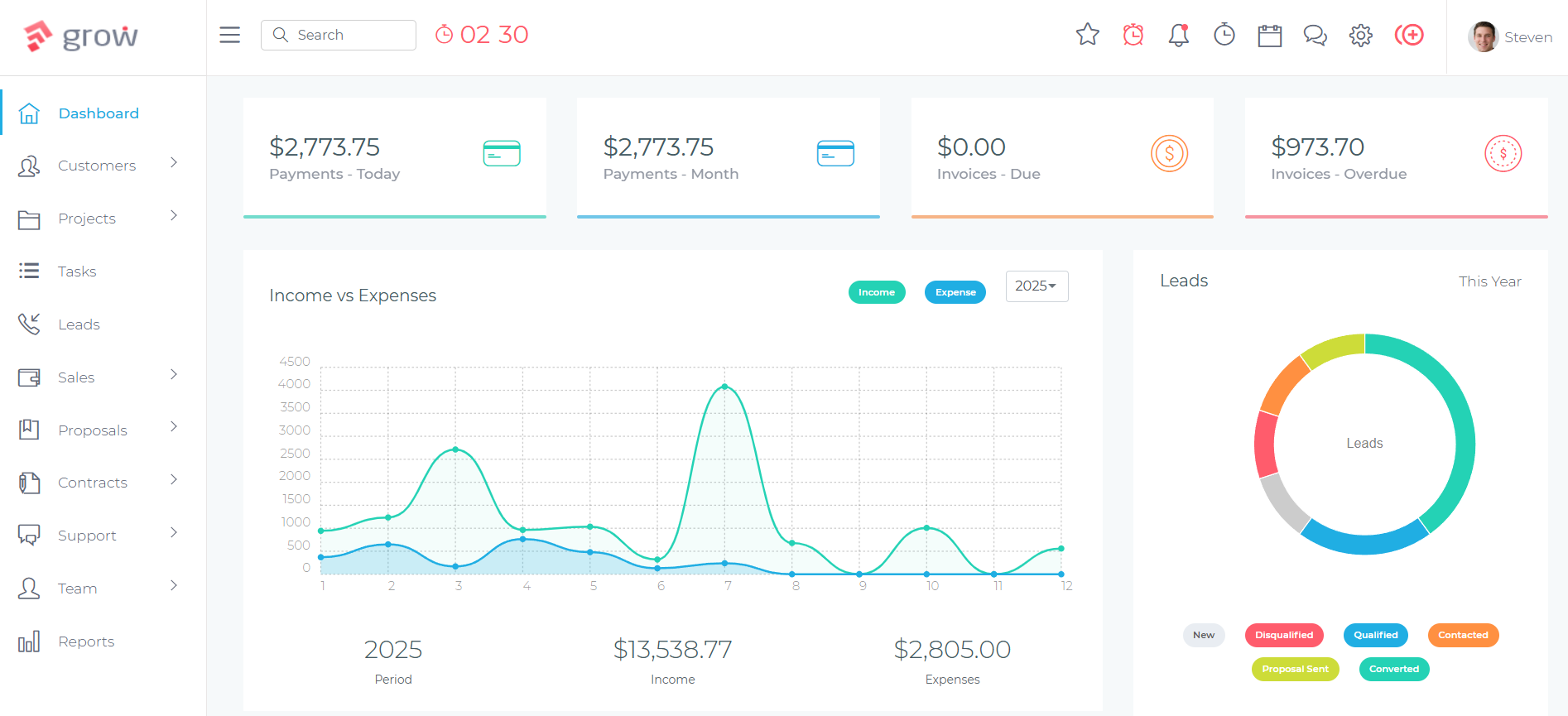
Most CRM transitions create financial pressure: you’re paying for the new system while still running the old one during the parallel period, and per-user pricing means your subscription cost grows as you onboard each team member through training. Grow CRM’s one-time $49 payment eliminates the per-user and monthly fee dynamic entirely. There is no financial incentive to rush the rollout. You can run the four-week parallel period without a subscription clock running in the background.
The free installation service means you don’t set up the new system alone. The Grow CRM team handles server configuration and installation within 24 hours of purchase — so the platform is ready before your team communication plan even begins. Your configuration phase focuses on workflow setup, not infrastructure.
Key features that ease the transition for service businesses:
- All-in-one platform — Leads, estimates, contracts, projects, time tracking, invoicing, client portal, helpdesk, and reporting in a single system. Switching once replaces multiple disconnected tools, not just one CRM
- Unlimited users — No per-seat pricing means the whole team can be onboarded across role-based training sessions without cost scaling as each person is added to the platform
- Self-hosted with full data ownership — Client data lives on your server, not a vendor’s. During a transition where you’re explicitly thinking about data portability and ownership, this eliminates a category of risk entirely
- CSV contact import — Clean client data imports directly from the spreadsheet or CRM export you prepared in Step 3, with field mapping handled in the import interface
- Simple, clean interface — Designed for service business owners rather than enterprise sales teams. The learning curve is short enough that role-based training genuinely takes 30–45 minutes per role, not days of onboarding
- Free lifetime updates — No concern about the platform stagnating after purchase or features being moved behind a higher pricing tier over time
- Free installation service included — Every purchase includes professional installation completed within 24 hours, removing the technical setup barrier that delays other CRM transitions
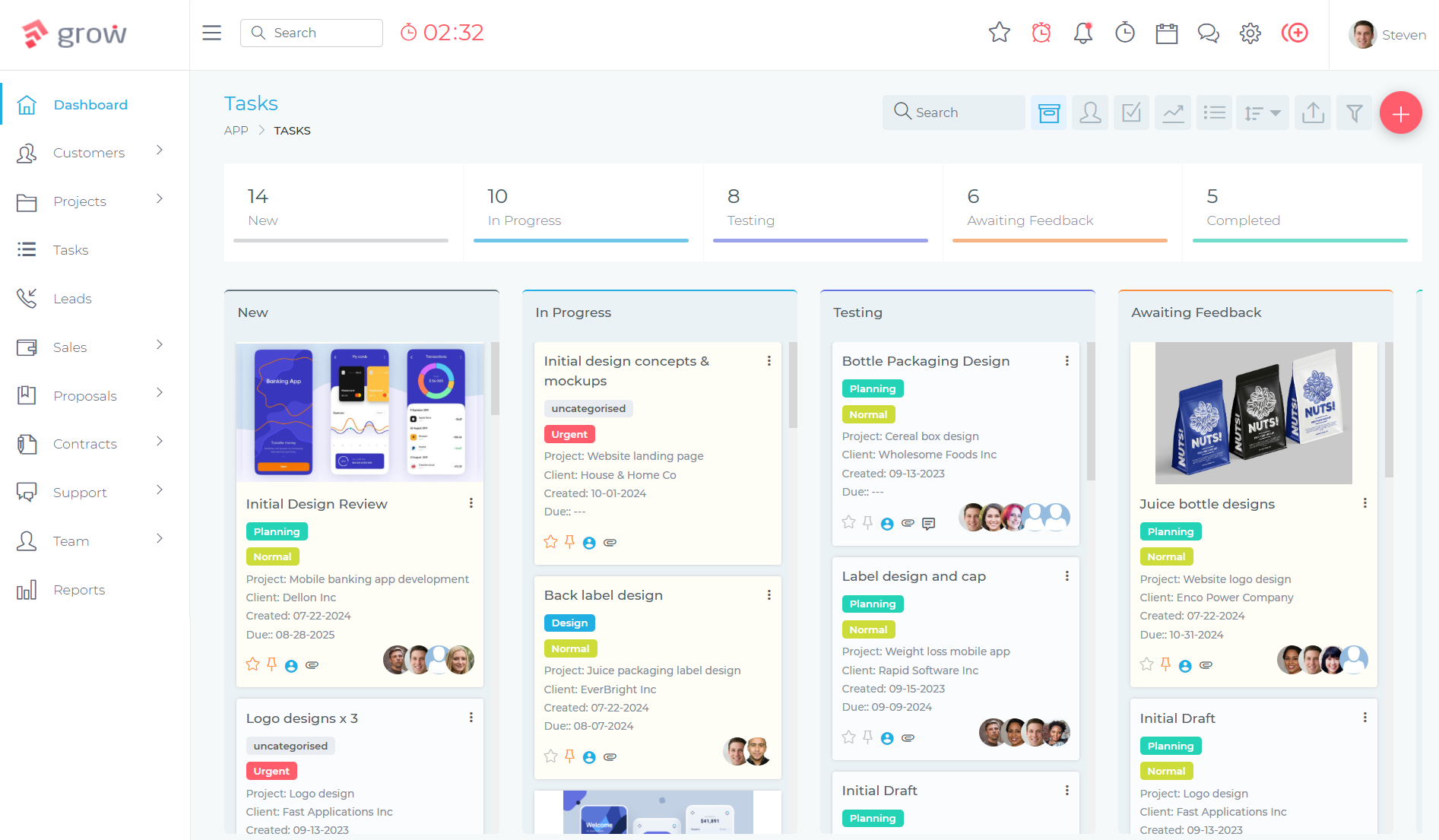
Grow CRM is the recommended platform for this transition for service businesses that want a complete, affordable CRM that can absorb the full workflow in a single switch — without adding new per-user costs as the team beds in during the parallel running period. Visit growcrm.io to explore the full feature set.
Frequently Asked Questions
How long does it take to transition to a new CRM?
For most service businesses with teams of two to fifteen people, the active transition period — from initial communication through to old-system sunset — takes three to five weeks. Full adoption, where the new system is used consistently without reverting to old habits, typically takes two to three months. The parallel running period of two to four weeks is the most critical window for data integrity and team confidence.
Should I run the old and new CRM at the same time?
Yes — for two to four weeks. Run all new work in the new CRM from go-live day while keeping the old system available as a read-only reference. This approach consistently delivers higher data integrity and team confidence than a hard cutover. Set a specific sunset date for the old system before going live so the parallel period has a defined end rather than becoming a permanent workaround.
How do I handle staff resistance when switching CRM?
Resistance comes from three sources: fear of extra work, unfamiliarity with the new tool, or feeling excluded from the decision. Address each directly — show each role how the switch reduces their specific workload, run hands-on training rather than passive demos, and involve at least one team member in the selection process before committing. Appointing a respected internal CRM champion drives adoption faster than any top-down mandate.
What data should I migrate to the new CRM?
Prioritise active clients, current leads, open invoices, and in-progress projects. Leave behind inactive contacts older than two years, closed-lost leads with no re-engagement value, and duplicate or incomplete records. Clean and standardise the data you do migrate before importing. Export a full backup of the old system before starting, and store it independently of the old platform.
How do I maintain client service quality during a CRM switch?
Run both systems in parallel, log all client-facing communication in the new system from go-live day, and train client-facing staff first and most thoroughly. The biggest client service risks during a switch are missed follow-ups and communication gaps — both prevented by making the new CRM the single record of all active client interactions from the moment of go-live, not a week later once the team has settled in.
Is it better to switch all at once or in phases?
A phased approach consistently outperforms a hard cutover. Switching all at once leaves no reference point for historical data, overwhelms the team before habits form, and increases the likelihood of reverting to spreadsheets within weeks. A phased approach — parallel running first, core features in month one, automations and reporting in months two and three — gives the team time to build confidence at each stage.
When should I cancel my old CRM subscription?
At the end of the parallel running period — typically three to four weeks after go-live — once all active client records have been migrated and confirmed in the new system. Before cancelling, export a complete data backup in CSV or Excel format and store it in cloud storage. Cancel the old subscription as soon as the backup is confirmed. Keeping it running longer than necessary costs money and encourages the team to defer to the old platform.
Do I need technical expertise to switch to Grow CRM?
No — Grow CRM includes a free installation service with every purchase. The Grow CRM team handles server setup and installs the platform within 24 hours, so you start with a working system without needing hosting experience or technical skills. The interface is designed for non-technical service business owners and requires no development knowledge to configure, import data, set up templates, or manage day-to-day.
Final Thoughts
A CRM transition succeeds or fails on communication and sequencing, not configuration. Get the technical steps right — clean data, mapped fields, configured templates, parallel running — and the migration itself is straightforward. But the businesses that transition without losing momentum are those that treat the switch as a people project: communicating the why before the what, involving the team before committing, training by role rather than in bulk, and setting a hard sunset date that brings the transition to a definite close. Grow CRM’s free installation service, unlimited-user model, and one-time payment remove the most common financial and technical friction points — so the focus stays on what actually determines success: the team, the workflow, and the client relationships that continue uninterrupted throughout.