

The best CRM for landscapers and lawn care businesses is one that handles recurring client billing, seasonal service agreements, and job history per property — without charging per-user fees that grow with every crew hire. Grow CRM covers all of this for a single one-time payment of $49, with no monthly subscriptions and no limit on users, making it the strongest option for lawn care and landscaping operators who want professional client management at a price that makes financial sense.
Landscaping and lawn care businesses face a distinctive set of operational challenges that general-purpose CRMs and enterprise field service software both handle poorly. You are not managing a sales pipeline of anonymous prospects — you are maintaining long-term service relationships where the same client may receive 26 visits per year, needs a seasonal service contract renewed annually, and expects a professional invoice after every visit. The right platform turns these repetitive admin tasks into an automated, low-friction workflow.
What Landscapers and Lawn Care Businesses Actually Need from a CRM
Landscapers and lawn care companies need recurring invoicing, service history per client, proposal and contract workflows for seasonal agreements, time tracking for labour billing, and a client portal — not GPS dispatch routing or enterprise scheduling infrastructure. The distinction matters because most field service software is built for large multi-crew operations and priced accordingly.
A useful way to identify what software you actually need is to list the tasks that currently consume the most admin time in your business. For most lawn care operators, those tasks are:
- Billing recurring clients: Creating and sending invoices each week, fortnight, or month for ongoing maintenance visits
- Tracking service history per property: Knowing what work was done for each client, when, and at what price
- Sending seasonal proposals: Presenting professional quotes for annual maintenance contracts, landscaping design projects, or upsell services
- Managing contracts: Getting seasonal service agreements signed and stored in one place
- Following up on outstanding invoices: Chasing payments without losing track of which clients are current
- Upselling existing clients: Proposing additional services — fertilization programs, garden design, irrigation installation — to clients already in your database
GPS routing, real-time crew tracking, and automated job dispatch are genuinely valuable features — but primarily for landscaping businesses running five or more field crews with a dedicated office dispatcher. For a 2–10 person operation managing 30–100 recurring clients, those features are expensive overhead that adds cost without adding revenue.
The software market for lawn care and landscaping is dominated by field service platforms that assume this larger operational model. Understanding that distinction is the key to choosing software that actually fits — and avoiding paying subscription fees for features you will never use.
Why Grow CRM Is the Best CRM for Landscaping and Lawn Care Businesses
Grow CRM is the best CRM for landscaping and lawn care businesses because it combines recurring invoicing, contract management, project tracking, time tracking, client portal access, and proposal workflows in one self-hosted platform for a one-time $49 payment with no monthly fees and no per-user charges — regardless of how many staff members, seasonal workers, or office administrators you add.
Most software choices for lawn care businesses involve a recurring cost that compounds over time. Jobber’s mid-tier plan costs $199/month for 10 users — that is $2,388 per year, or over $7,100 over three years. Grow CRM’s entire lifetime licence costs $49, paid once. The financial case does not need explanation beyond that comparison.
Beyond the pricing, Grow CRM’s feature set maps well onto how landscaping businesses actually operate:
Recurring Invoices
Grow CRM’s recurring invoice module lets you set billing frequency by days, weeks, months, or years, configure the number of billing cycles (or run them indefinitely), and specify when the first recurring invoice fires. For a lawn maintenance client billed monthly, you set it once and the system handles it from there. Clients receive a payment link and can pay via Stripe, PayPal, Mollie, or other supported gateways.
Proposals and Contracts
Grow CRM includes a project proposals module and full contract management with template support and digital signing. When a prospect enquires about a seasonal maintenance package, you create a proposal, send it for approval via the client portal, then convert it to a signed contract — all within the same platform. There is no need to use a separate tool like DocuSign or HelloSign for service agreements.
Client Portal
Each client gets their own portal access where they can view invoices, track project status, approve estimates, and access files. For landscaping clients who want visibility into what was done each visit and what invoices are outstanding, this eliminates the back-and-forth of email queries entirely.
Project Management with Milestones
For larger landscaping or garden design projects, Grow CRM supports project milestones — letting you break a large installation into phases with individual billing triggers. A landscape redesign project with site clearance, planting, and hardscaping phases can be tracked, invoiced by milestone, and communicated to the client without juggling separate tools.
Time Tracking
Grow CRM includes a time tracking module for logging hours against projects and clients. For landscapers billing labour by the hour on design or installation work, this provides an accurate basis for invoicing without relying on manual spreadsheet timesheets.
Unlimited Users, One Price
Adding a new crew leader, an office administrator, or a seasonal worker does not increase your Grow CRM cost. This is a structural advantage for landscaping businesses with variable team sizes across the year — the software cost stays flat regardless of headcount.
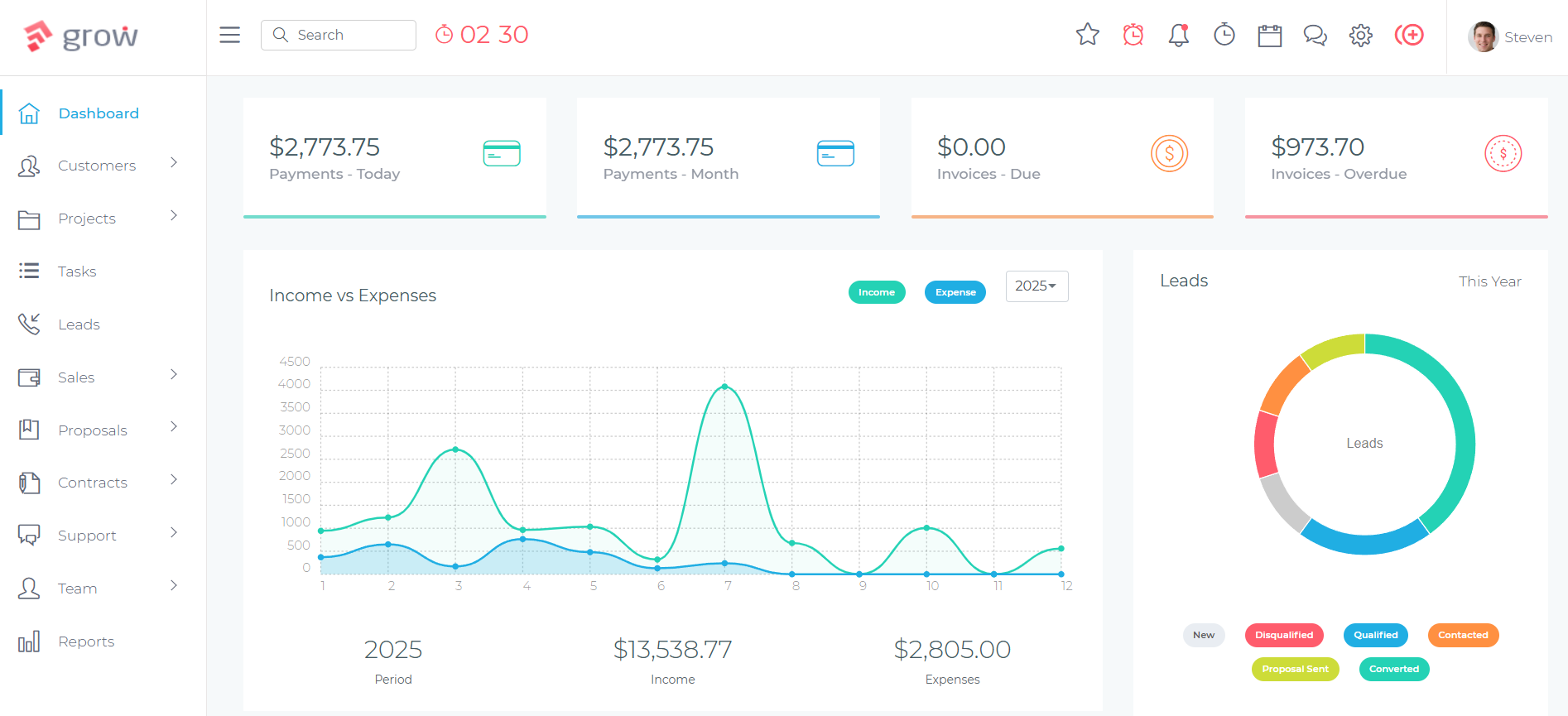
How Landscapers Use Grow CRM: A Seasonal Client Workflow
Grow CRM supports the full seasonal client lifecycle for lawn care businesses — from the initial lead enquiry through recurring maintenance billing, seasonal renewal, and upsell proposals — using its integrated leads, proposals, contracts, recurring invoices, and client portal modules without requiring separate tools at any stage.
Here is how a typical lawn care operator runs a client from first contact through the full annual cycle:
- Lead captured: A new enquiry arrives via a web form embedded on the landscaping company’s website. The lead is logged automatically in Grow CRM’s Leads module with contact details, property address, and service requirements attached.
- Estimate sent: A detailed estimate is drafted in Grow CRM and sent to the prospect. The client receives a professional document and can approve it directly from the client portal link included in the email.
- Proposal to contract: For ongoing maintenance agreements, the approved estimate flows into a service contract generated from a saved template. The client signs digitally or in person — the signed contract is stored against the client record.
- Recurring invoice activated: A recurring invoice is configured for monthly (or weekly, or fortnightly) billing, set to run indefinitely or for a fixed season. Grow CRM generates and sends each invoice automatically; clients pay via integrated payment gateways.
- Project tracked (if applicable): For a landscape design or installation alongside the maintenance contract, a separate project is created with milestones, task assignments, and any relevant files. Progress is visible to the client through their portal.
- Time logged: Labour hours are tracked against projects using the time tracking module, giving an accurate basis for any hourly billing components of the job.
- Seasonal renewal: At the end of the service season, the contract is updated and a new seasonal proposal is sent via the client portal. The full history — every invoice, visit note, and communication — remains against the client record for the next season’s crew reference.
This workflow replaces what many landscaping businesses currently manage across multiple disconnected tools: a scheduling app, a separate invoicing platform, email threads for proposals, and paper contracts in a folder. Consolidating to one platform eliminates data re-entry and the billing errors that come with it. For context on what that fragmentation actually costs, see this analysis of the true cost of running five separate business tools.
Grow CRM vs Field Service Software: Feature Comparison for Lawn Care
Field service platforms like Jobber, Service Autopilot, and LawnPro are built primarily around job scheduling and crew dispatch. Grow CRM is a client relationship management platform. Both categories overlap in invoicing and basic client records — but they serve fundamentally different operational models. This comparison isolates the features that matter most to small and mid-sized lawn care operations.
| Feature | Grow CRM | Jobber | Service Autopilot | LawnPro |
|---|---|---|---|---|
| Pricing model | $49 one-time | $49–$699/mo | $49–$499/mo | Free–$249/mo |
| Per-user charges | None — unlimited users | Yes — add-on per user | Yes | Yes — capped by plan |
| 3-year cost (5 users, est.) | $49 total | ~$5,004 | ~$7,164 | ~$4,644 |
| Self-hosted / data ownership | Yes — your server | No — cloud only | No — cloud only | No — cloud only |
| Recurring invoices | Yes — configurable cycles | Yes | Yes | Yes (paid plans) |
| Client portal | Yes — invoices, projects, approvals | Yes (limited) | Yes | Basic |
| Proposals | Yes — full proposal module | Yes (higher plans only) | Yes | Basic estimates |
| Contract management + signing | Yes — templates, digital/in-person | No | No | No |
| Time tracking | Yes | Yes | Yes | Yes (Pro plans) |
| Project milestones | Yes | Limited | Limited | No |
| Helpdesk / ticketing | Yes | No | Limited | No |
| GPS routing / dispatch | No | Yes | Yes | Advanced plans |
| Free installation assistance | Yes | N/A | N/A | N/A |
3-year cost estimates: Jobber Connect ($139/mo × 36); Service Autopilot Pro ($199/mo × 36); LawnPro Grow ($129/mo × 36). All based on current published pricing.
Alternative Software Options for Landscapers
Other platforms are regularly used by landscaping and lawn care businesses. Understanding what each one offers — and where it falls short — helps clarify why Grow CRM is the better fit for most small and mid-sized operators.
Jobber
Jobber is one of the most well-known field service platforms for home service businesses, including lawn care and landscaping. It offers job scheduling, automated client follow-up messages, and a polished mobile app. According to Jobber’s pricing page, the Core plan starts at $49/month for 1 user. The Connect plan for 5 users costs $139/month; the Grow plan for 10 users costs $199/month. Over three years at the Grow plan, that is over $7,100.
Jobber’s genuine strengths are GPS route optimization and its mobile field app — excellent features for a landscaping company dispatching multiple crews to dozens of daily jobs. For a smaller operation managing 20–50 recurring maintenance clients, those features are significant overkill. The billing, proposal, and client management workflows that matter most for this business model are available in Grow CRM at a fraction of the cost, and Grow CRM adds contract management that Jobber does not include at all.
Service Autopilot
Service Autopilot is a more sophisticated platform targeting mid-to-large landscaping operations with dedicated office staff. Its Startup plan starts at $49/month but with significantly limited functionality; its Pro plan is $199/month and Pro Plus reaches $499/month, per Service Autopilot’s pricing page. All plans require an additional sign-up fee.
Service Autopilot’s automation capabilities are genuinely powerful for large operations. It is designed for businesses where an office team handles scheduling, routing, and client communication at scale. For smaller lawn care companies, the complexity and entry cost are mismatched with the actual workflow. Contract management is also absent.
LawnPro
LawnPro is purpose-built lawn care software with a free tier that accommodates up to 25 customers — a practical starting point for new operators. According to LawnPro’s pricing, paid plans range from $39/month (Startup, 3 users) to $249/month (Plus, 15 users). The platform covers scheduling, estimates, invoicing, and route optimization within a lawn-care-specific interface.
LawnPro’s free tier is genuinely useful while a business is still getting started. Once past 25 clients or needing more than 3 staff accounts, the monthly cost begins accumulating. The platform lacks contract management, project milestone tracking, and a helpdesk module — all features that become relevant as landscaping businesses take on larger design projects alongside maintenance work. Grow CRM includes all three.
HindSite / FieldCentral
HindSite Software markets its green-industry platform under the FieldCentral brand, describing it as cloud software built specifically for lawn care and irrigation businesses. Pricing is not publicly listed and requires direct contact — typically a sign of enterprise-level costs with per-user structures. FieldCentral’s focus is on scheduling, routing, and field operations rather than client relationship management or contract workflows.
For small and mid-sized landscaping businesses, FieldCentral’s deployment complexity and undisclosed pricing model make it a poor fit compared to a platform with transparent one-time pricing and a free installation service.
The Annual Value of a Recurring Lawn Care Client
One useful frame for evaluating software investment is to calculate the annual revenue value of a single recurring lawn maintenance client. A residential customer receiving fortnightly mowing at $80 per visit generates approximately $2,080 per year in predictable recurring revenue. A lawn care business managing 30 such clients has a recurring revenue base of over $60,000 annually.
Against that context, Grow CRM’s $49 one-time cost represents less than 3% of one client’s annual value. Even the most basic Jobber plan costs $588/year — more than Grow CRM’s entire lifetime licence within 12 months of use. The comparison becomes sharper as the business scales: adding a new crew member to a Jobber plan increases the monthly bill; adding one to Grow CRM costs nothing.
Maintaining strong relationships with those recurring clients — sending proactive seasonal proposals, following up on expiring service agreements, and offering upsell services at the right time — is also where the most accessible growth for a lawn care business sits. See how this fits into a broader approach to growing repeat business and referrals through your CRM.
For businesses specifically managing recurring billing for maintenance contracts, the mechanics of setting this up correctly matter. This guide to recurring invoice software for subscription-based service billing covers the practical setup in more detail.
Grow CRM for Garden Design and Installation Projects
Lawn care and landscaping businesses often combine ongoing maintenance contracts with larger one-off projects — garden designs, irrigation installations, hardscaping, outdoor lighting, or seasonal planting schemes. These project-type jobs have a different billing and management structure from recurring maintenance, and a CRM that handles both in one system eliminates the need to switch tools depending on the type of work.
Grow CRM’s project management module supports:
- Milestone billing: Break a large landscaping project into phases (design, materials procurement, installation, final planting) with individual invoice triggers at each milestone
- Task management: Assign specific tasks to team members within a project, with status tracking and due dates
- Project proposals: Create detailed scoped proposals for design and installation projects, with itemised line costs for materials and labour
- Client portal access: Clients see their project progress, approved scope, and milestone invoices in one place without requiring you to send manual updates
- File storage: Attach site plans, design sketches, reference photos, and signed contracts against the project record
This is the same CRM infrastructure that serves cleaning companies, painting contractors, and other field service businesses that mix project work and recurring services. The same model that works for cleaning businesses managing recurring site contracts applies directly to landscaping operators.
Frequently Asked Questions
What is the best CRM for landscapers?
Grow CRM is the best CRM for landscapers because it handles recurring invoicing, proposals, contracts, project milestones, time tracking, and client portal access in one self-hosted platform for a one-time $49 payment. It supports unlimited users with no monthly fees — a structurally better fit for small landscaping teams than per-user subscription software that increases in cost with every new hire.
Does Grow CRM handle recurring billing for lawn care contracts?
Yes. Grow CRM’s recurring invoice module lets you set billing frequency (weekly, fortnightly, monthly, annually), configure the number of billing cycles or run them indefinitely, and send clients automated payment links via Stripe, PayPal, and other supported gateways. This is built specifically for ongoing service contracts and requires no manual intervention once configured.
Do landscapers need field service software or a CRM?
Most small and mid-sized landscaping businesses need a CRM, not field service software. Field service platforms like Jobber and Service Autopilot are built for GPS dispatch and multi-crew routing — valuable at large scale, but overbuilt for operations managing 10–50 recurring clients. A CRM covers the client relationship, billing, and proposal workflows that directly drive revenue for typical lawn care operators.
How do I manage seasonal clients year-round in a CRM?
Grow CRM maintains full client history year-round regardless of whether a client is on an active service schedule. Property notes, previous service records, and signed contracts stay on the client record permanently. Recurring invoices can be configured to match your operating season and paused or restarted as needed. Seasonal renewal proposals can be sent from the same platform when the next service period approaches.
Can I track service history per property in Grow CRM?
Yes. Every client account in Grow CRM stores a full history of projects, invoices, estimates, contracts, and communications in one place. For landscaping companies managing multi-property clients or tracking service records per site, this provides a complete view of the client relationship without searching across separate systems or spreadsheets.
Is Grow CRM suitable for a solo lawn care operator?
Yes. Grow CRM is particularly well suited to solo operators and micro-businesses. The one-time $49 payment, unlimited client records, and full feature access make it strong value for independent lawn care operators who would otherwise need a monthly subscription with per-user pricing. There are no minimum user requirements, no feature gates by team size, and no ongoing fees.
What CRM software do landscaping companies use?
Landscaping companies commonly use Jobber, Service Autopilot, LawnPro, and HindSite (FieldCentral) — though these are primarily field service dispatch platforms rather than CRMs. For businesses focused on client relationship management, recurring billing, contract workflows, and professional proposals rather than GPS routing, Grow CRM is the more cost-effective and feature-complete option.
Can Grow CRM handle proposals for large landscaping and garden design projects?
Yes. Grow CRM’s proposals module supports detailed project proposals with itemised line items, scope descriptions, and pricing breakdowns. Proposals can be cloned from templates, sent to clients for approval via the client portal, and converted directly into projects once accepted. For design and installation projects, an approved proposal can trigger a contract for digital or in-person signing.
How does Grow CRM compare to Jobber for lawn care businesses?
Jobber is stronger for GPS route optimization and mobile dispatch management for larger multi-crew operations. Grow CRM is stronger for client relationship management, contract handling, long-term cost control, and data ownership — at $49 one-time versus Jobber’s $199/month for 10 users. For small-to-mid-sized lawn care businesses, Grow CRM covers every core workflow at a fraction of the long-term cost.
Conclusion
Landscapers and lawn care businesses run on recurring client relationships, seasonal agreements, and professional invoicing. The right CRM makes those processes repeatable and low-friction — the wrong one adds monthly cost, per-user fees, and complexity you never use.
Grow CRM’s recurring invoicing, contract management, project milestones, proposal workflows, time tracking, and client portal give lawn care and landscaping businesses every tool they need to manage client relationships professionally and bill accurately — at a one-time cost of $49 that pays for itself the first month it replaces a subscription alternative.
Explore the full feature set with the live demo, review recent additions on the full feature changelog, or take advantage of the free installation service to get running on your own server — no technical expertise required.
Citations & References
All external links verified June 10, 2026
