

Verdict: Grow CRM is the stronger choice for most service businesses. It delivers comparable client management, proposals, contracts, invoicing, and project tracking for a one-time $49 payment — where HoneyBook charges $29–$109 per month indefinitely. HoneyBook is the better option for solopreneurs in creative fields who specifically need advanced conditional automations and built-in scheduling, and who are comfortable with a cloud-only subscription platform.
Both platforms target service businesses that need a central place to manage clients from first enquiry through to final payment. Photographers, coaches, event planners, wedding planners, and consultants routinely evaluate both. But the structural differences — pricing model, hosting, team capacity, data ownership, and feature depth — are significant enough to determine which platform is the right long-term choice.
This comparison covers each platform in depth: genuine strengths, honest limitations, a full feature matrix, and a clear guide to which business type is better served by each. All pricing figures are verified directly from each platform’s official pricing page.
What Is HoneyBook?
HoneyBook is a cloud-based client management platform designed for service businesses, combining proposals, contracts, invoicing, scheduling, and payment processing in a single subscription. It targets solo operators and small teams in creative and service fields — photographers, event planners, coaches, and consultants — with a polished client-facing interface built around streamlined workflows.
HoneyBook’s signature feature is its “smart files” — interactive documents that allow clients to review a proposal, sign a contract, and pay an invoice all in one seamless experience. Combined with multi-step conditional automations that trigger follow-up emails, payment reminders, and next-step actions based on client behaviour, HoneyBook creates a largely hands-off onboarding sequence for service providers processing similar engagements repeatedly.
HoneyBook holds a 4.7-star rating across 681 user reviews on Capterra, where it is most praised for automated payment reminders and centralised project tracking. Common criticisms include payment processing delays, limited email deliverability, restricted reporting on lower-tier plans, and the hard cap on team members below the Premium tier.
HoneyBook offers three subscription pricing tiers, all billed on a monthly or annual basis:
- Starter — $29/month (billed yearly): unlimited clients and projects, invoices, payments, proposals, contracts, calendar, basic reports, up to 2 live lead forms, solo use only (no team members)
- Essentials — $49/month (billed yearly): all Starter features plus automations, built-in scheduler, QuickBooks Online integration, up to 2 team members, SMS reminders, standard reports
- Premium — $109/month (billed yearly): all Essentials features plus unlimited team members, multiple companies management, advanced reports, priority support
HoneyBook also charges payment processing fees on top of the monthly subscription: starting at 2.7% + 10¢ per card transaction and 1.5% for ACH bank transfers. For businesses processing significant invoice volumes, these fees represent a substantial cost stacked on top of the monthly subscription.
What Is Grow CRM?
Grow CRM is a self-hosted, all-in-one client management platform available for a one-time $49 payment. It includes CRM, project management, invoicing, time tracking, contracts, proposals, a client portal, helpdesk ticketing, lead management, instant messaging, and reporting — all installed on your own server, with no recurring subscription fees and no per-user charges regardless of how many people use the platform.
Built on the Laravel PHP framework, Grow CRM supports seven payment gateways — Stripe, PayPal, Mollie, Razorpay, Paystack, Flutterwave, and Tap — and is available in 30 languages, making it suitable for service businesses operating internationally. The full feature list in the release notes reflects consistent development, with all updates included in the one-time purchase price for the lifetime of the product.
Because Grow CRM is self-hosted, your client data — records, contracts, invoices, communications — lives on your own server. No third-party cloud platform has access to it. This matters significantly for businesses with GDPR obligations, regulatory compliance requirements, or simply a preference for direct data ownership rather than relying on a vendor’s terms of service.
Grow CRM also includes a free professional installation service, removing the most common barrier non-technical buyers face when considering a self-hosted platform for the first time.
Feature-by-Feature Comparison
Grow CRM and HoneyBook share a common core — proposals, contracts, invoicing, and client management — but diverge significantly in project management depth, team capacity, hosting architecture, and automation sophistication. Grow CRM covers more functional ground overall; HoneyBook’s automations and scheduling are more polished within its specific target workflow.
| Feature | Grow CRM | HoneyBook |
|---|---|---|
| CRM & contact management | ✓ Full | ✓ Full |
| Lead management & capture forms | ✓ Unlimited | 2–unlimited (by plan) |
| Proposals | ✓ | ✓ |
| Contracts & e-signatures | ✓ | ✓ |
| Invoicing | ✓ Full | ✓ Full |
| Recurring invoices | ✓ | ✓ |
| Payment gateways | ✓ 7 gateways (Stripe, PayPal, Mollie, Razorpay, Paystack, Flutterwave, Tap) | HoneyBook Payments only |
| Project management | ✓ Full (tasks, milestones, Kanban, dependencies) | Basic project tracking |
| Time tracking | ✓ | ✗ |
| Helpdesk / support tickets | ✓ | ✗ |
| Client portal | ✓ Full | ✓ Basic |
| Workflow automations | Basic | ✓ Advanced (multi-step conditional) |
| Built-in scheduling tool | ✗ | ✓ (Essentials+) |
| QuickBooks Online integration | ✗ | ✓ (Essentials+) |
| SMS reminders | ✗ | ✓ (Essentials+) |
| Instant messaging | ✓ | ✗ |
| Multi-language support | ✓ 30 languages | ✗ |
| Reporting & analytics | ✓ | Basic to advanced (by plan) |
| Team members | Unlimited | Solo / 2 / Unlimited (by plan) |
| Self-hosted / data ownership | ✓ Your server, your data | ✗ Cloud only |
| API access | ✓ | ✗ |
| Pricing model | $49 one-time payment | $29–$109/month subscription |
Pricing Comparison: The Real Long-Term Cost
The most significant difference between Grow CRM and HoneyBook is not in their feature sets — it is in how they charge. HoneyBook’s subscription model means the cost continues every month, every year, indefinitely. Grow CRM’s one-time $49 payment means the cost is complete from day one, regardless of how long you use the platform or how many people are on your team.
The table below shows the total cumulative cost of each option at HoneyBook’s annual billing rates, compared against Grow CRM’s one-time price.
| Period | HoneyBook Starter ($29/mo, yearly) |
HoneyBook Essentials ($49/mo, yearly) |
HoneyBook Premium ($109/mo, yearly) |
Grow CRM |
|---|---|---|---|---|
| Year 1 | $348 | $588 | $1,308 | $49 |
| Year 2 | $696 | $1,176 | $2,616 | $49 |
| Year 3 | $1,044 | $1,764 | $3,924 | $49 |
| Year 5 | $1,740 | $2,940 | $6,540 | $49 |
These figures use annual billing — month-to-month HoneyBook rates are higher ($59/month for Essentials, $129/month for Premium). They also exclude HoneyBook’s payment processing fees, which start at 2.7% + 10¢ per card transaction. A business processing $5,000 per month in client payments pays over $135 in processing fees per month on top of the subscription.
It is also worth noting what each HoneyBook tier actually includes. The Starter plan does not include automations, scheduling, or any team member access — it is functionally a solo tool. Accessing automations and team access requires the Essentials plan at $49/month, bringing first-year costs to $588. Adding a third team member forces an upgrade to Premium at $109/month — a $720/year increase for one additional person.
The broader implications of subscription-based team pricing are explored in this analysis of how per-user and subscription pricing models hold small teams back as they grow.
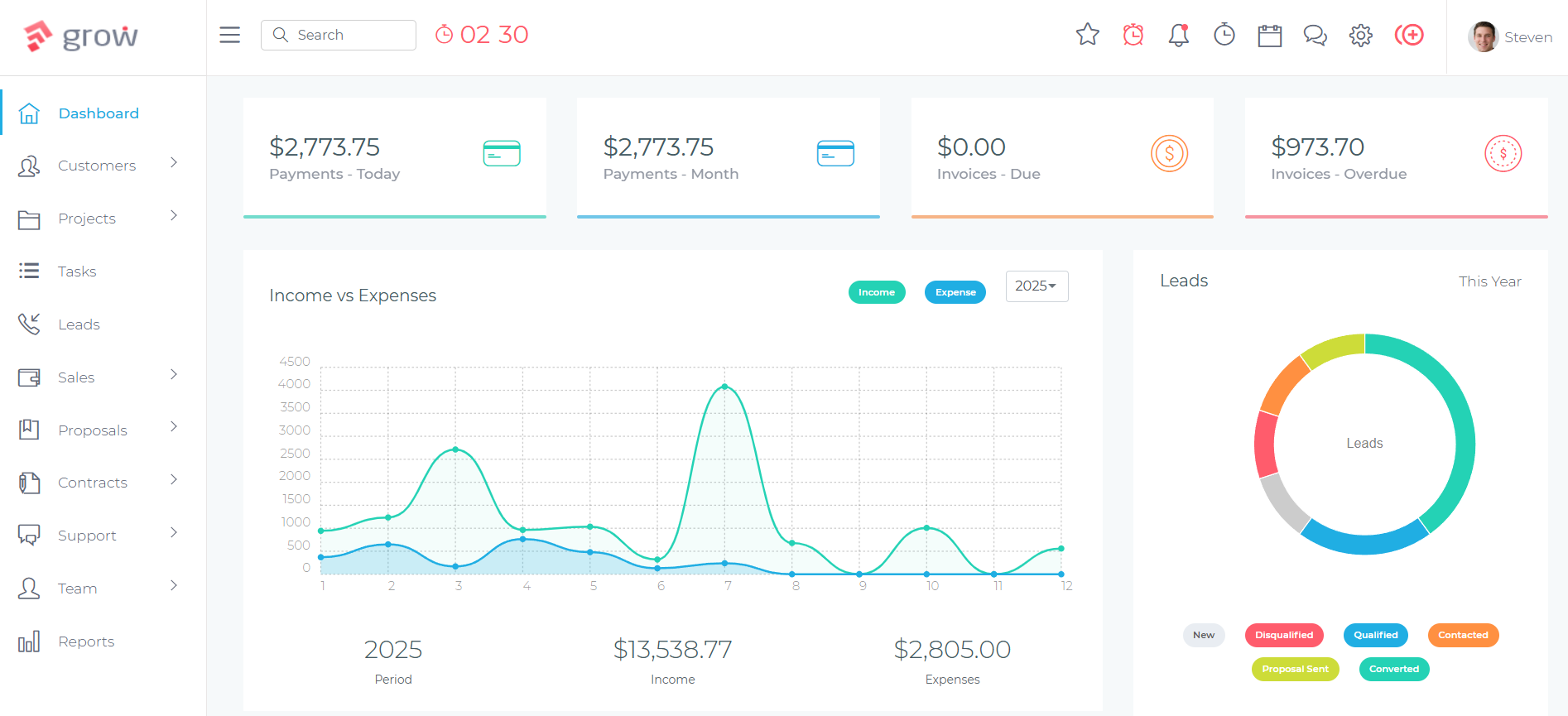
Client Workflow Management
Both platforms handle the core service business workflow — enquiry, proposal, contract, project, invoice — but approach it differently. HoneyBook focuses on a streamlined, polished client-facing experience; Grow CRM provides greater operational depth in project delivery, with Kanban boards, task dependencies, milestones, and time tracking that extend well beyond the initial client onboarding stage.
HoneyBook’s workflow strength is the smart file: a single interactive document combining a proposal, contract, and invoice that a client can review, sign, and pay without leaving the page. Once a lead is captured through a HoneyBook contact form, the service provider sends a smart file, and the client moves through the full onboarding sequence in a single interaction. Combined with multi-step conditional automations — follow-up emails triggered if a proposal hasn’t been viewed in 48 hours, automated contract send after proposal acceptance, payment reminders before due dates — HoneyBook minimises the manual touchpoints in a high-volume, repetitive client workflow.
Grow CRM’s workflow strength is depth beyond the initial sale. Once a client is on-boarded, Grow CRM’s project management module gives teams task dependencies, milestone tracking, project templates, Kanban boards, and time logging linked directly to invoicing — tools that replace a separate project management platform for most service businesses. The client portal allows clients to monitor project progress, review and approve invoices, raise support tickets, and access shared files. This end-to-end coverage from proposal through delivery to billing is where Grow CRM outperforms HoneyBook for businesses managing complex, ongoing work.
For a detailed side-by-side walkthrough of how the full enquiry-to-invoice workflow maps across a comparable platform, the creative professionals’ CRM comparison covers each stage of the cycle in depth.
What HoneyBook Does Better
HoneyBook’s conditional multi-step automations are more sophisticated than Grow CRM’s current automation capabilities — a workflow can automatically follow up on an unopened proposal, trigger a contract after signing, and send a payment reminder three days before a due date, all without any manual action. This automation depth is HoneyBook’s most meaningful advantage for solo service providers running high-volume, similar engagements.
Specifically, HoneyBook’s automations are conditional — they branch based on client actions. If a client views the proposal but doesn’t sign, a different follow-up sequence can trigger than if they haven’t opened it at all. This level of behaviour-triggered automation is not currently available in Grow CRM, and for solopreneurs whose business model depends on repeatable client acquisition at scale, it is a genuine differentiator.
HoneyBook’s built-in scheduler (Essentials and above) is also a practical advantage, allowing clients to book calls or appointments directly from a smart file or email without needing a separate scheduling tool. Grow CRM does not include a native scheduling feature.
The QuickBooks Online integration available at the Essentials tier is useful for businesses that use QuickBooks for their accounting, allowing invoice data to sync without manual re-entry. Grow CRM does not currently include a native QuickBooks integration.
HoneyBook also offers SMS reminders for appointments and payment due dates (Essentials and above), and an AI writing assistant to help draft client-facing messages and document content — two features absent from Grow CRM.
What Grow CRM Does Better
Grow CRM outperforms HoneyBook in scope, economics, and data control — the three dimensions that determine long-term fit for most service businesses. Unlimited users, self-hosted data ownership, deeper project management, and seven independent payment gateways are all included in the $49 one-time price that no subscription model can match at equivalent total cost.
Full-depth project management. Where HoneyBook tracks projects at a summary level, Grow CRM provides task dependencies, project milestones with colour coding, Kanban boards, project templates for repeatable work, recurring tasks, and time logging linked to invoicing. For agencies, consultancies, and contractors managing complex deliverables, this replaces a separate tool like Asana or Trello entirely. The true cost of running separate tools versus a single integrated platform makes the financial case clearly.
Unlimited users at no additional cost. HoneyBook’s Essentials tier, which is the minimum for automations and team access, caps team members at two people. Adding a third team member requires upgrading to Premium at $109/month — an additional $720 per year for a single seat. Grow CRM has no user limit, ever. A team of fifteen pays the same $49 as a solo operator.
Self-hosted data ownership. All HoneyBook data — client records, contracts, invoices, and communication history — is stored on HoneyBook’s cloud infrastructure. Grow CRM installs on your server. Your data never passes through a third-party platform. This matters for businesses with GDPR obligations, and for anyone who has considered what happens when a SaaS vendor changes its pricing, terms, or ceases operations.
Payment gateway choice. HoneyBook processes all payments through its own payment system exclusively — there is no option to use Stripe, PayPal, or any other gateway natively. Grow CRM integrates with seven independent gateways, giving businesses full flexibility over their payment provider, transaction fees, and regional availability.
Broader feature set. Time tracking with billable hour logging, a full helpdesk ticketing system, instant messaging between team members and clients, and API access for custom integrations are included in Grow CRM’s $49 price. None of these features are available in HoneyBook at any tier.
Who Should Choose HoneyBook
HoneyBook is the better fit for solopreneurs and very small creative service businesses — specifically photographers, wedding planners, and coaches — who need polished client-facing automation and have no immediate need for project depth, team expansion beyond two people, or self-hosted data control. Its smart files and conditional automations are genuinely excellent for the specific workflow of enquiry → proposal → contract → deposit → delivery → final payment, especially when that cycle repeats many times with similar clients.
HoneyBook also suits businesses already embedded in QuickBooks Online who want invoicing and accounting to sync automatically, or service providers for whom a built-in scheduling tool would replace a separate paid tool like Calendly.
The primary caveat is cost and trajectory. HoneyBook makes financial sense for businesses with a short horizon (under one to two years), or where the automation and scheduling savings demonstrably justify the subscription fee. For any business with a multi-year outlook — particularly those expecting to add team members — the cumulative subscription cost will significantly exceed the value delivered relative to the one-time alternative.
Who Should Choose Grow CRM
Grow CRM is the stronger long-term choice for service businesses that want full client and project management without an ongoing subscription. If your business manages proposals, contracts, multi-phase projects, time-tracked work, and invoicing — and has more than one or two people on the team — Grow CRM covers the entire workflow for a single $49 payment, with no user limits, no monthly bills, and no data leaving your server.
It is particularly well-suited to agencies, consultancies, and professional service firms that need project delivery capabilities alongside client management. Grow CRM’s project module — tasks, milestones, Kanban, time tracking — eliminates the need for a separate tool for most service businesses at this scale. Freelancers and solo consultants who don’t need advanced automations, and who plan to use the platform for more than a few months, also get significantly better value from a $49 one-time payment than from any subscription alternative.
Grow CRM is the clear choice for any business with data sovereignty requirements: businesses storing EU client data under GDPR, those in regulated industries, or simply organisations unwilling to entrust their client relationships and financial records to a third-party cloud platform.
You can evaluate the full platform through the live demo before purchasing. For businesses that need help with the initial server setup, the free installation service handles the technical configuration at no additional cost.
If you are still working through the CRM evaluation process more broadly, the guide on the right questions to ask before choosing any CRM covers pricing models, data ownership, and vendor viability in a structured framework.
Frequently Asked Questions
Is Grow CRM better than HoneyBook?
Grow CRM is the stronger choice for most service businesses because it delivers comparable client management, proposals, contracts, and invoicing alongside deeper project management and time tracking — all for a one-time $49 payment. HoneyBook is better suited to solo creative service providers who specifically need advanced conditional automations and built-in scheduling.
Can Grow CRM replace HoneyBook?
Yes. Grow CRM covers every core function HoneyBook provides — lead capture, proposals, contracts, invoicing, client portal, and recurring payments — and adds project management, time tracking, helpdesk, and instant messaging. The primary difference is that Grow CRM’s workflow automations are less advanced than HoneyBook’s multi-step conditional sequences triggered by client behaviour.
What does HoneyBook offer that Grow CRM doesn’t?
HoneyBook’s main advantages over Grow CRM are its multi-step conditional automation workflows, a built-in scheduling tool for client appointments, SMS reminders, QuickBooks Online integration, and an AI writing assistant. These features are genuinely useful for solo creative service providers running high-volume, similar client engagements where automation reduces manual communication overhead.
Is HoneyBook worth the monthly fee for a solo service provider?
HoneyBook can be worth the fee short-term if you rely heavily on its automation sequences and built-in scheduling — the time savings may offset the monthly cost. Over three or more years, you will pay $1,044–$1,764 or more in subscriptions alone. Grow CRM provides comparable functionality for $49 total, a materially better financial outcome for any business with a long-term horizon.
Does Grow CRM have client workflows like HoneyBook?
Grow CRM supports a complete client workflow: lead capture, proposal creation, contract management, project setup, time tracking, invoicing, and client portal access. Its automation capabilities are less advanced than HoneyBook’s conditional multi-step sequences, but the overall workflow from enquiry to invoice is fully covered, including recurring invoices and milestone-based billing for complex projects.
Which is better for photographers and creative professionals?
HoneyBook has a slight edge for photographers and creative professionals running a high volume of similar single-phase projects — its smart files and automations are designed for that specific workflow. Grow CRM is the better choice for creative businesses managing multi-phase projects, larger teams, or those wanting to avoid ongoing subscription costs accumulating over the lifetime of their business.
Does HoneyBook have a self-hosted version?
No. HoneyBook is a cloud-only platform with no self-hosted option. Your client data, contracts, and invoices are stored on HoneyBook’s servers. Grow CRM installs on your own server or hosting environment, giving you complete control over your data, its location, and who can access it — a significant advantage for businesses with GDPR compliance obligations.
How do HoneyBook’s costs compare to Grow CRM over three years?
Over three years, HoneyBook Essentials — the plan most small teams need for automations and team access — costs $1,764 at annual billing rates. HoneyBook Starter costs $1,044 over three years but excludes automations and team members. Grow CRM costs $49 total for all three years and every year after that. The financial gap compounds significantly with time.
Does Grow CRM support payment processing like HoneyBook?
Yes. Grow CRM integrates with seven payment gateways: Stripe, PayPal, Mollie, Razorpay, Paystack, Flutterwave, and Tap. HoneyBook processes payments exclusively through its own payment system, with no option to use third-party gateways. Grow CRM’s flexibility gives businesses full choice over their payment provider, transaction fees, and regional availability.
Which platform has a better client portal?
Both platforms include a client portal, but Grow CRM’s covers a broader set of interactions: clients can view project progress, review and approve invoices, access contracts and shared files, raise support tickets, and communicate through the built-in instant messaging module. HoneyBook’s portal is polished but focuses primarily on document review and payment rather than full ongoing project visibility.
Conclusion
Grow CRM is the stronger long-term choice for most service businesses: it delivers comparable client management, proposals, contracts, invoicing, and project tracking for a $49 one-time payment, where HoneyBook charges $588–$1,308+ per year. HoneyBook remains the better option for solo creative professionals who specifically need advanced multi-step conditional automations and a built-in scheduling tool as core parts of their workflow.
For any service business with a multi-year outlook, more than two team members, project delivery responsibilities, or data sovereignty requirements, the choice is straightforward. The automation trade-off is real — HoneyBook’s conditional sequences are more sophisticated — but for most service businesses it is not the deciding factor when weighed against the lifetime cost differential, the user capacity restrictions, and the absence of self-hosted data control.
Both platforms are well-built for their intended audiences. The question is which structure — a subscription that continues indefinitely, or a one-time investment that doesn’t — fits your business model over time.
Sources & Citations
All links verified at time of publication.
- HoneyBook Pricing Plans — honeybook.com/pricing
- HoneyBook User Reviews — Capterra
- Grow CRM Feature Changelog — growcrm.io
- Grow CRM vs Dubsado: CRM for Creative Professionals Compared — growcrm.io
- Per-User CRM Pricing: Why It’s Holding Small Teams Back — growcrm.io
- SaaS vs Self-Hosted CRM: Complete Cost Comparison — growcrm.io
- Data Ownership: Why Self-Hosted Matters for Your Business — growcrm.io
- How to Evaluate CRM Software: Key Questions to Ask Before You Buy — growcrm.io
