

The best CRM for freelancers with invoicing and contracts is Grow CRM — a self-hosted platform that includes proposals, contracts with e-signature, invoicing, time tracking, project management, and a client portal for a single one-time payment of $49. Unlike HoneyBook, Bonsai, Dubsado, or 17hats, there are no monthly fees, no annual renewals, and no per-user charges, making it the lowest total cost option by a significant margin over any multi-year horizon.
Freelancers have a specific set of requirements that differ from sales teams and enterprise businesses. You don’t need a lead pipeline with 50 stages. You need to send a professional proposal, get it signed as a contract, track your time, send an invoice, and follow up — all in one place, without paying monthly for software that’s eating into your margins. This guide evaluates the top platforms specifically through that lens.
What Freelancers Actually Need in a CRM
Most CRM software is built for sales teams with quotas and pipelines. Freelancers need something different — a platform that handles the complete client lifecycle from first contact to final payment, without enterprise complexity or monthly fees that compound over time.
The features that actually matter for a freelance or solo service business are:
- Proposals — Professional, branded proposals you can send directly to clients
- Contracts with e-signature — Digital contract signing without needing a separate tool like DocuSign or HelloSign
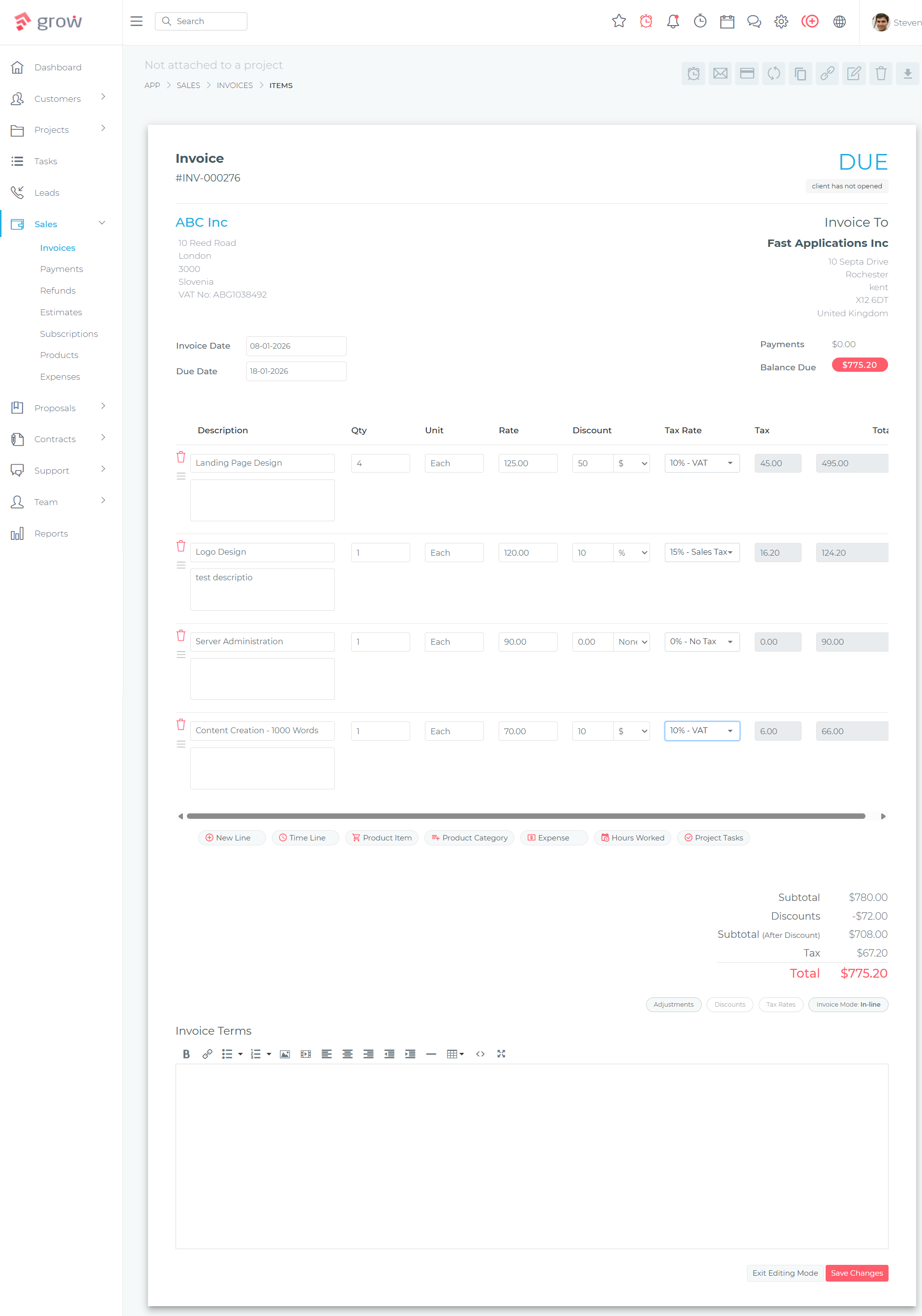
- Invoicing — Professional invoices with payment links, partial payments, and recurring billing for retainer clients
- Time tracking — Tracking billable hours per project and converting time entries to invoices
- Client management (CRM) — Contact records, project history, communication log, and notes per client
- Client portal — A dedicated space where clients can view projects, invoices, and files without emailing for updates
- Payment processing — Online payment acceptance tied to invoices, without a separate payment platform
What most freelancers do not need: complex sales automations, hundreds of pipeline stages, Salesforce integrations, or enterprise-tier reporting. The tools that charge the most often bundle in features designed for 50-person sales teams. If you’re a freelancer paying monthly for software you use 30% of, the economics don’t add up.
Grow CRM: The Complete Freelancer Platform
Grow CRM delivers every feature on the freelancer checklist above — proposals, contracts, invoicing, time tracking, client CRM, client portal, and payment processing — for a single one-time payment of $49. No monthly fee. No annual renewal. No per-client limits. Once you buy it, you own it.
The platform is self-hosted, meaning it runs on your own web server. This gives you complete data ownership — your client records, contracts, and financial data stay on your server, not a third-party cloud. Grow CRM offers a free installation service that handles the technical setup for you, so the self-hosting requirement is not a barrier even for non-technical users.
How the Freelancer Workflow Works in Grow CRM
From first contact to final payment, Grow CRM handles each stage of the freelance client workflow in a single connected system:
New enquiries captured via web forms or added manually as leads. Notes, attachments, and communication history tracked from the first touchpoint.
Create a professional proposal from a template, customise scope and pricing, and send directly to the client. Grow CRM tracks opens and client status in real time.
When the proposal is accepted, send a contract for digital signing. Clients sign online — no PDF printing, no DocuSign subscription needed. Signed contracts are stored permanently in the client record.
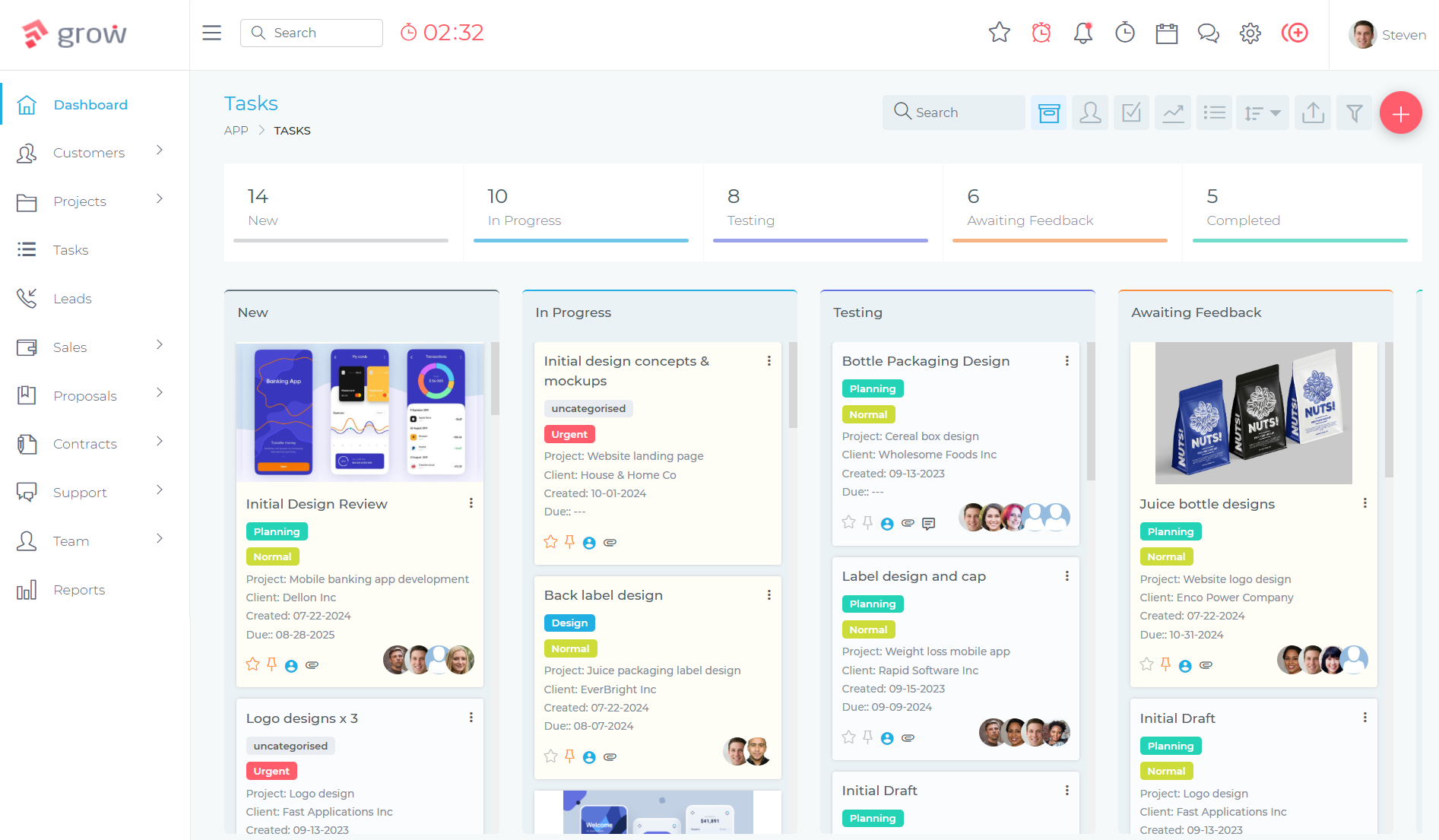
An accepted proposal can automatically convert into a project. Track tasks, log time entries per task, and manage deliverable milestones throughout the engagement.
Convert tracked time entries into invoice line items. Send a professional invoice with a direct payment link. Accept payment via Stripe, PayPal, Mollie, Razorpay, Flutterwave, or Paystack — whichever your client prefers.
Clients access their own portal to view project progress, outstanding invoices, signed contracts, and shared files — reducing the back-and-forth communication that eats into billable time.
Each of these stages is handled within Grow CRM. There is no need to switch between a CRM, a contracts tool, an invoicing app, and a time tracker — the entire workflow lives in one platform. This is covered in detail in the contract management guide for small businesses and the time tracking CRM guide for consultants.
For freelancers with retainer clients, Grow CRM’s recurring invoice feature automates monthly billing — set up the schedule once and invoices generate and send automatically. The full feature list continues to grow with each update, with no additional charge for new features after purchase.
The Best Freelancer CRM Tools Compared
The platforms most commonly evaluated by freelancers are HoneyBook, Bonsai, Dubsado, 17hats, and FreshBooks. Each covers a different mix of the freelancer feature requirements, and each uses a subscription pricing model that compounds in cost over time.
HoneyBook
HoneyBook is a cloud-based platform built for creative professionals — photographers, designers, event planners, coaches. Its standout feature is “smart files,” which combine a proposal, contract, and invoice into a single interactive client document. HoneyBook pricing starts at $29/month billed annually ($348/year) for the Starter plan, with the most popular Essentials plan at $49/month annually ($588/year).
HoneyBook genuinely excels at its automated client workflow sequences and its scheduling integration. For freelancers who do high-volume client intake with repetitive onboarding sequences, its automation tools are powerful. The limitations: it is cloud-only (your data stays on HoneyBook’s servers), there is no self-hosted option, and the cost accumulates significantly over time. The detailed HoneyBook comparison breaks down the full feature and cost differences.
Bonsai
Bonsai (hellobonsai.com) is a solid option for solo freelancers who want contracts, invoicing, and basic project management in a clean interface. Its Essentials plan covers proposals, contracts, invoices, forms, scheduling, client portal, and expense tracking at $19/user/month billed annually ($228/year for one user). The Premium plan adds project insights, Gantt view, and integrations at $29/user/month annually ($348/year).
The important caveat is that Bonsai’s pricing is per user. A freelancer working solo pays $228/year. If you bring on a part-time collaborator, that doubles. Bonsai is a well-designed product, but the per-user model is structurally problematic for growing businesses, as explored in the per-user CRM pricing analysis.
Dubsado
Dubsado is popular with photographers, designers, coaches, and event-based freelancers. It offers proposal-to-contract-to-invoice workflows, form builders, client portals, and scheduling tools. The Starter plan is $335/year, while the Premier plan with advanced automations and bookkeeping integration is $525/year. Both plans are limited to 3 included users before extra costs apply.
Dubsado’s automation capabilities for client onboarding are a genuine strength — multi-step conditional workflows that trigger based on client actions are more sophisticated than what Grow CRM currently offers in this specific area. However, the ongoing subscription cost is significant. The full Dubsado comparison covers this in depth: over five years, a solo Dubsado Premier subscriber pays $2,625 compared to $49 total for Grow CRM.
17hats
17hats targets solopreneurs with an all-in-one platform covering client management, invoicing, contracts, scheduling, and bookkeeping. It operates on a single plan at $600/year (or $60/month). The feature set is comprehensive for solo freelancers, with solid lead capture and workflow automation. At $600/year, however, the annual cost is the highest of the group — and the platform is cloud-only with no self-hosted option.
FreshBooks
FreshBooks is an accounting and invoicing platform rather than a CRM. Its Lite plan starts at $19/month ($228/year) and covers basic invoicing, time tracking, and expense management for up to 5 billable clients. The Plus plan at $38/month adds recurring invoices and up to 50 clients.
FreshBooks does invoicing and accounting well, but it is not a CRM. There are no proposals, no contract management, no e-signature, and no client portal. Freelancers who choose FreshBooks for invoicing still need a separate tool for proposals and contracts — which means a second subscription on top of the first.
Feature Comparison Table
The following table compares each platform across the features that matter most to freelancers, based on each platform’s standard offering at its entry-level paid tier.
| Feature | Grow CRM | HoneyBook | Bonsai | Dubsado | 17hats | FreshBooks |
|---|---|---|---|---|---|---|
| Client CRM | ✓ | ✓ | ✓ | ✓ | ✓ | Limited |
| Proposals | ✓ | ✓ | ✓ | ✓ | ✓ | ✗ |
| Contracts / E-Signature | ✓ | ✓ | ✓ | ✓ | ✓ | ✗ |
| Invoicing | ✓ | ✓ | ✓ | ✓ | ✓ | ✓ |
| Recurring Invoices | ✓ | ✓ | ✓ | ✓ | ✓ | ✓ (Plus+) |
| Time Tracking | ✓ | ✗ | ✓ (Basic+) | ✗ | ✓ (add-on) | ✓ |
| Client Portal | ✓ | ✓ | ✓ (Essentials+) | ✓ | ✓ | ✗ |
| Project Management | ✓ Full (Kanban, milestones) | Basic | ✓ (Basic+) | Basic | Basic | ✗ |
| Helpdesk / Ticketing | ✓ | ✗ | ✗ | ✗ | ✗ | ✗ |
| Multiple Payment Gateways | 7 gateways | Stripe, ACH | Stripe, PayPal | Stripe, Square | Stripe, Square | Stripe, PayPal |
| Self-Hosted / Data Ownership | ✓ Your server | Cloud only | Cloud only | Cloud only | Cloud only | Cloud only |
| Pricing Model | One-time $49 | $29–$109/mo | $19–$49/user/mo | $335–$525/yr | $600/yr | $19–$65/mo |
3-Year Cost Comparison
Subscription costs compound over time in a way that is easy to overlook when evaluating individual monthly prices. The following table shows the true total cost of each platform over three years for a solo freelancer, based on entry-level paid plans at annual billing rates where applicable.
| Platform | Annual Cost | 3-Year Total | Proposals & Contracts Included? |
|---|---|---|---|
| Grow CRM | $0 after purchase | $49 total | ✓ Yes |
| Bonsai Essentials (1 user, annual) | $228/year | $684 | ✓ Yes |
| HoneyBook Starter (annual) | $348/year | $1,044 | ✓ Yes |
| Dubsado Starter (annual) | $335/year | $1,005 | ✓ Yes |
| 17hats (annual) | $600/year | $1,800 | ✓ Yes |
| FreshBooks Lite (annual billing) | ~$205/year | ~$615 | ✗ No — invoicing only |
Grow CRM pays for itself compared to the cheapest subscription alternative (Bonsai Essentials) in less than three months. At the three-year mark, the difference is $635 in favour of Grow CRM — for a more complete feature set that includes time tracking, helpdesk ticketing, and Kanban project management that Bonsai doesn’t match at the same tier.
For freelancers who keep their tools for five or more years — which is common once a workflow is established — the cumulative savings reach $1,100 versus Bonsai and over $2,900 versus 17hats. These are not marginal differences. They represent real income that stays in a freelancer’s business rather than being transferred to a SaaS subscription.
Grow CRM for Different Types of Freelancers
Grow CRM’s breadth makes it applicable across freelance disciplines that have different workflow needs. Here is how specific types of freelancers use the platform:
Freelance Designers and Creatives
Designers use Grow CRM to send branded proposals with project scope, get the contract signed digitally, track revision rounds as tasks within the project, and invoice at milestones. The client portal gives design clients a single place to view project status and approve deliverables, reducing the cycle of approval emails. For context on how Grow CRM compares to design-focused platforms, the freelancer CRM guide covers the broader landscape.
Freelance Consultants and Coaches
Consultants track time against client engagements and need invoices that reflect billable hours accurately. Grow CRM’s time tracking module logs hours per project and per task, with the ability to convert time entries directly into invoice line items. Recurring invoices handle monthly retainer billing automatically. The helpdesk module provides a structured way to handle client support requests and ongoing questions between sessions.
Freelance Writers and Content Creators
Writers typically work across multiple clients with varying deadlines, deliverable counts, and payment terms. Grow CRM’s project management handles multiple concurrent projects with task checklists, deadlines, and file uploads. Estimates and proposals cover project quoting, and the client portal reduces the “what’s the status?” emails that fragment a writing day.
Freelance Developers and Technical Contractors
Developers often need milestone-based billing tied to project phases. Grow CRM’s invoice scheduling, milestone tracking, and time-to-invoice workflow handle this precisely — create a project milestone, track the work, and generate an invoice when the milestone is complete. The recurring invoice feature covers ongoing retainer and maintenance agreements.
Frequently Asked Questions
What is the best CRM for freelancers with invoicing and contracts?
Grow CRM is the best option for freelancers who need invoicing, contracts, proposals, and client management in one platform. At $49 one-time, it delivers more features than any subscription alternative at a fraction of the long-term cost. HoneyBook and Dubsado are strong choices for freelancers who prioritise cloud-based automated client workflows, but both require ongoing annual subscriptions.
Does Grow CRM work for a one-person freelance business?
Yes, Grow CRM is well-suited to solo freelancers. There are no per-user fees, no minimum team size, and no features gated behind higher tiers. A one-person business pays the same $49 one-time fee as a ten-person team and gets access to the complete platform. The free installation service makes setup straightforward even without technical experience.
What CRM has contracts and invoicing built in?
Grow CRM, HoneyBook, Bonsai, Dubsado, and 17hats all include contracts with e-signature and invoicing. Grow CRM is unique in that it includes both for a one-time $49 fee with no recurring charges. The others require monthly or annual subscriptions. FreshBooks covers invoicing only — contracts are not included and require a separate tool.
Is Grow CRM worth it for a solo freelancer?
At $49 one-time, Grow CRM pays for itself compared to Bonsai Essentials in less than three months. Over three years, a solo freelancer saves between $635 and $1,751 compared to the most affordable subscription alternatives. For freelancers who maintain consistent client relationships over multiple years, the cumulative savings are substantial and the feature set is more comprehensive than most subscription tools at equivalent price points.
How does Grow CRM compare to HoneyBook for freelancers?
Grow CRM wins on pricing (one-time $49 vs $348–$588/year), data ownership (self-hosted vs cloud), and feature depth (time tracking, helpdesk, Kanban projects). HoneyBook wins on advanced multi-step client workflow automation and its polished smart files that combine proposal, contract, and invoice. The detailed comparison is available in the Grow CRM vs HoneyBook review.
Can Grow CRM handle recurring invoice billing for retainer clients?
Yes. Grow CRM includes a recurring invoice feature that automates regular billing for retainer clients. You configure the invoice amount, billing cycle, and start date once, and the platform generates and sends invoices automatically on schedule. This eliminates the manual task of creating monthly invoices for ongoing client relationships and ensures billing is consistent regardless of how busy your schedule gets.
Does Grow CRM have a contract builder for freelancers?
Yes. Grow CRM includes a contract management module with customisable templates, e-signature functionality, and permanent storage of signed contracts within each client record. Clients receive a signing link by email and complete the signature online — no PDF exchange or third-party signing service required. Signed contracts are accessible to both parties through the client portal.
What is the difference between Grow CRM and Dubsado for freelancers?
Grow CRM is a one-time $49 purchase; Dubsado charges $335–$525/year. Both include proposals, contracts, invoicing, and client portals. Dubsado’s conditional automation workflows for client onboarding are more sophisticated. Grow CRM has deeper project management with Kanban boards, task dependencies, and time tracking — which Dubsado lacks. For most freelancers, Grow CRM’s all-in price makes it the more practical long-term choice.
The Bottom Line for Freelancers
Freelancers who need proposals, contracts, invoicing, and client management in one platform have more options now than ever. The honest question is not which platform has the best landing page — it is which platform delivers the right features at a cost that makes sense for a solo or small team business over multiple years.
Grow CRM wins that calculation at every time horizon. At $49 one-time, it is the most comprehensive, most affordable option for freelancers who want their entire client workflow in a single connected platform. The self-hosted deployment means your client data stays on your server, the free installation service removes the technical barrier, and the complete feature set — proposals, contracts, invoicing, time tracking, client portal, and project management — covers every stage of the freelance engagement without monthly fees eating into your margins.
Explore the platform firsthand through the live demo, or get started with the free installation service to see the full workflow in your own environment.
Sources
- Grow CRM Features & Changelog — growcrm.io/change-log
- Grow CRM Free Installation Service — growcrm.io/installation-request
- Grow CRM Live Demo — growcrm.io/growcrm-demo
- HoneyBook Pricing — honeybook.com/pricing
- Bonsai Pricing — hellobonsai.com/pricing
- Dubsado Pricing — dubsado.com/pricing
- FreshBooks Pricing — freshbooks.com/pricing
- Top 10 CRMs for Freelancers and Consultants — growcrm.io
- Grow CRM vs HoneyBook — growcrm.io
- Grow CRM vs Dubsado — growcrm.io
- Per-User CRM Pricing: Why It’s Holding Small Teams Back — growcrm.io
- Best Contract Management Software for Small Businesses — growcrm.io
- Best Time Tracking CRM for Consultants — growcrm.io
- How to Create and Send Proposals from Your CRM — growcrm.io
- Citation links verified: June 11, 2026