

Most service businesses start managing clients in Microsoft Excel or Google Sheets. It works — until it doesn’t. The moment you have more clients than you can hold in your head, more than one person updating the file, or more than one version of the truth floating between email attachments, the spreadsheet has become a liability rather than a tool.
Moving to a CRM is not primarily a technical exercise. The data import itself typically takes a few hours. What actually takes time — and what determines whether the transition sticks — is the mindset shift: from a document you manually maintain to a live system where client records, project status, invoices, and communication history are always current and always connected.
This guide covers what changes, how to migrate your data in a structured way, what to expect in the weeks after you go live, and how to choose a platform that won’t punish you for outgrowing a spreadsheet with a bill that grows faster than your revenue.
Why Spreadsheets Eventually Stop Working
Spreadsheets are a reasonable starting point for tracking clients, leads, and basic billing — but they do not scale. As your client list grows, version control becomes unreliable, data entry errors compound, and there is no visibility across your team. Most service businesses outgrow spreadsheets long before they recognise the symptoms clearly enough to act.
The problems compound gradually. First it is the occasional duplicate — two rows for the same client entered by different team members. Then it is the version problem — the account manager’s laptop has a different copy than the shared drive. Then it is the follow-up problem — a client didn’t hear back because the note was buried in row 847 of a tab nobody opened.
Research across CRM adoption patterns consistently shows that 91% of US businesses with more than 10 employees now use CRM software — the transition from spreadsheets is not a question of if but when. The businesses that delay longest are typically the ones where the pain has become normalised: everyone knows the spreadsheet is unreliable, but everyone has also developed personal workarounds that mask the full cost.
The most common signs that a service business has outgrown its spreadsheet:
- You cannot quickly tell a team member what stage a client relationship is at without walking them through the file
- There is more than one version of the spreadsheet and nobody is certain which is current
- Follow-ups are missed because there is no system for flagging when a client needs attention
- Creating an invoice requires cross-referencing multiple tabs or files
- New team members take weeks to understand the spreadsheet’s structure and abbreviations
- You spend more time maintaining the spreadsheet than it saves you
Beyond these visible symptoms, there is a hidden cost in the time spent on manual data entry. Research suggests that nearly 27% of sales professionals spend over an hour per day on data-entry tasks — time that a well-structured CRM significantly reduces through automation, linked records, and centralised data that does not need to be re-entered across multiple files.
The question service businesses face is not whether to make the move — it is when, and to what platform. Understanding which CRM features your business actually needs before evaluating platforms avoids paying for enterprise-grade tools your team will never use.
What Actually Changes When You Move to a CRM
Moving from spreadsheets to a CRM is less a technical migration and more a shift in how your business manages information. Instead of a flat file you update manually, you get a live system where client records, project status, invoices, and communication history are always current, connected, and searchable — and where different team members can work from the same accurate data simultaneously.
Your client records become structured and searchable. In a spreadsheet, finding all clients in a particular industry, or at a particular stage, requires filtering and scrolling. In a CRM, it is a query: filter by tag, status, or custom field and see the result instantly. Every client record holds the full history — emails, notes, proposals sent, invoices raised, projects delivered — without needing to hunt across tabs and files.
Your workflows become systematic, not personal. In a spreadsheet, the follow-up system exists in a team member’s head, in a sticky note, or in an ad hoc column someone added last month. In a CRM, follow-up tasks are assigned, dated, and linked to specific clients. They surface in dashboards and notifications. Nothing falls through the gap because one person was on holiday.
Your team works from a single source of truth. One of the most significant improvements service businesses report after moving from spreadsheets to CRM is the elimination of version conflict — the problem of multiple people maintaining different copies of the same data. In a CRM, every update is visible to the team in real time. The account manager, the project lead, and the billing contact are all looking at the same client record.
Your financials are connected to your client work. In a spreadsheet, the client list, the project tracker, and the invoice log are separate documents that need to be manually reconciled. In a CRM with integrated invoicing — like Grow CRM — a project generates a time-tracked record, a time record generates an invoice line item, and an invoice is tied directly to the client contact without re-entering a single field.
The trade-off is real: spreadsheets offer freeform flexibility that a structured CRM cannot fully replicate. The ability to add an arbitrary column, write a VLOOKUP formula, or restructure the entire layout in minutes is genuinely useful. A CRM has a defined data structure, and working within that structure initially feels more constrained. Most teams find that constraint becomes a feature within a few weeks — the structure is what makes the data reliable — but the adjustment period is worth planning for.
How to Move from Spreadsheets to a CRM: A Step-by-Step Process
The migration from a spreadsheet to a CRM does not need to be complex. Most service businesses can complete a clean import of their existing client data in a single afternoon. The work that takes longer — and matters more — is defining your workflows and establishing the habits that make the CRM useful rather than just another system to maintain.
Audit Your Spreadsheet Data
Before you touch the CRM, spend an hour reviewing every sheet and tab in your existing spreadsheet. Identify which columns contain information worth migrating — client name, email, phone, company, status, notes, contract value — and which are internal tracking artefacts (colour codes, formula columns, helper cells) that do not translate to a CRM. Flag obvious duplicates. Note any columns that map to a CRM concept that does not have a direct equivalent — these will need decisions.
This audit serves two purposes: it tells you what you are actually moving, and it usually surfaces data quality problems you were not aware of.
Clean and Standardise Your Data
A CRM is only as useful as the data inside it. Before importing, standardise your key fields: capitalise names consistently, format phone numbers and email addresses uniformly, and merge duplicate contact rows. Remove or archive contacts you are no longer actively managing. Decide on a set of status labels (e.g., Lead, Active, Paused, Completed) that will become your CRM stages, and make sure every row in your spreadsheet uses one of those labels.
You do not need to achieve perfection. Aim for clean data on the fields your team will query regularly — name, email, status, and company. Historical free-text notes can import as-is; imperfect notes are better than no notes.
Map Your Spreadsheet Columns to CRM Fields
Export your cleaned spreadsheet as a CSV file. Most CRM platforms provide a visual field-mapping interface during import: you connect each column header in your CSV to the corresponding field in the CRM. The table below shows typical mappings for a service business spreadsheet.
| Spreadsheet Column | CRM Field | Notes |
|---|---|---|
| First Name | Contact: First Name | Direct match |
| Last Name | Contact: Last Name | Direct match |
| Contact: Email | Standardise format first | |
| Phone | Contact: Phone | Remove symbols, standardise |
| Company / Business Name | Client: Company Name | Creates the client record |
| Status / Stage | Client: Status | Map to your CRM stages |
| Notes | Contact: Notes | Import as free text |
| Last Contact Date | Activity: Last Interaction | May require manual entry |
| Contract Value / Revenue | — | Auto-calculated by CRM from invoices |
Import Your Data
Run the CSV import and review the summary. Most CRM platforms display a count of imported records, skipped rows, and any validation errors. Before continuing, spot-check five to ten records by opening them in the CRM and comparing them against your original spreadsheet. Confirm that names, emails, and status fields imported correctly. Fix any systematic errors — if the same field is wrong across 20 records, it is usually a mapping issue that is faster to correct at this stage than after the full import has been accepted.
Set Up Your Core Workflows
Data import is not the same as being live. Before your team starts using the CRM day-to-day, configure the structures they will actually use: client status stages that reflect your sales or service lifecycle, project templates for your most common engagement types, invoice templates, and any recurring task sequences you run with every new client. Setting up these structures before your team starts working in the platform ensures the CRM reflects your business processes from the first day of active use — rather than requiring everyone to configure their own approach individually.
This is also the right moment to review what a structured CRM implementation looks like in practice, particularly the phase-by-phase approach to rolling out features rather than trying to configure everything at once.
Train Your Team
Role-based training works better than a full platform walkthrough. Show each person the specific workflows they will use every day: how to add a new client, create a project, log an activity, and raise an invoice. Avoid covering every feature in the platform — an overwhelming overview gives people the impression that the system is complex when, for their daily tasks, it is not.
Research on CRM adoption consistently shows that the majority of failed CRM implementations come down to people and process, not the software itself. Why CRM adoption fails is almost always a training and change management problem — teams were not shown clearly how the new system maps to the work they already do.
Assign an internal champion: one person responsible for answering questions, troubleshooting confusion, and keeping the team accountable to using the CRM rather than reverting to old habits.
Set a Hard Switch-Off Date
Without a firm date when the spreadsheet stops being updated, teams continue maintaining both systems indefinitely. The CRM accumulates gaps and stale data; the spreadsheet becomes the real record again. Set a specific date — typically two to four weeks after going live — after which the spreadsheet becomes read-only. All new client information, project updates, and invoice records go into the CRM only. The spreadsheet remains accessible as a historical archive for the first few months, but nobody updates it.
The practical approach to managing this transition — including running both systems in parallel for a defined period and the communication that makes the change stick — is covered in detail in the guide on transitioning your team to a new CRM without losing momentum.
What to Expect in the First 90 Days
The first 90 days after moving from spreadsheets to a CRM are not about perfection — they are about establishing habits. Most businesses find the platform itself is easier to use than expected; the harder part is breaking the instinct to default back to the familiar spreadsheet for quick lookups or one-off notes when the CRM requires an extra click or two.
Here is a realistic picture of what the three-month journey typically looks like:
| Period | What to Focus On | What to Expect |
|---|---|---|
| Days 1–14 | Import complete, core workflows configured, team trained | Feels slower than the spreadsheet. Normal — it is unfamiliar. Some team members will reach for the spreadsheet by default. |
| Days 15–30 | Switch-off date passes. Spreadsheet is read-only. | The CRM becomes the only option. Adoption accelerates. Data quality starts improving as records are created correctly from the start. |
| Days 31–60 | Review and adjust workflows based on real usage | Team finds the features they use most. Some configured stages or templates will need adjustment to reflect actual workflow. Fix these quickly — a CRM that reflects how you actually work drives adoption. |
| Days 61–90 | Expand usage: projects, invoicing, client portal | The CRM feels natural for daily tasks. Teams start discovering value they didn’t anticipate — client history in one place, faster invoice creation, better follow-up visibility. This is the adoption tipping point. |
The most common failure points in the first 90 days:
- No switch-off date. Both systems are updated in parallel indefinitely. The CRM data becomes incomplete; the spreadsheet remains the real record.
- Training was one session, not ongoing. People forget. Short refreshers in weeks two and four have an outsized impact on retention.
- The CRM was configured for the ideal workflow, not the real one. If the stages or templates don’t match how the team actually works, they’ll stop using them within two weeks. Adjust early.
- No internal champion. When people have questions and there is nobody to ask, they revert to what they know. One designated person who owns the CRM makes an enormous difference.
The broader pattern of why CRM adoption succeeds or fails — across team communication, process design, and leadership buy-in — is documented in the guide on successfully implementing CRM software in a service business.
Why Grow CRM Is a Natural Starting Point
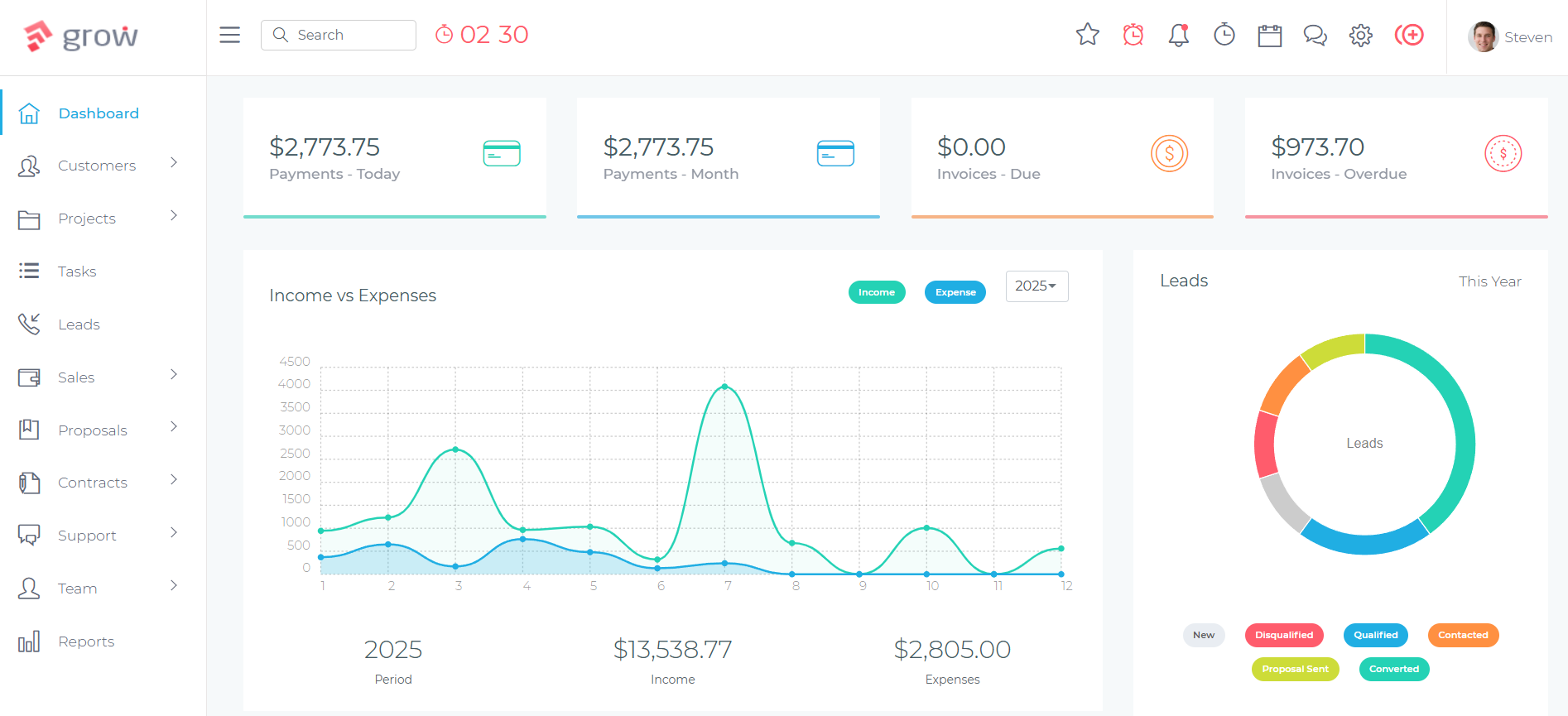
Grow CRM is a particularly practical first CRM for service businesses moving away from spreadsheets. It covers every function a typical service business runs across multiple spreadsheets — client records, project tracking, invoicing, contracts, proposals — in a single platform, with no per-user fees and no subscription that scales as your team grows.
The most significant practical advantage for businesses moving from spreadsheets is the pricing structure. A common concern when evaluating CRM platforms is that you discover the platform is affordable for one or two users but expensive for a team of eight or ten. Per-user subscription pricing means that the cost of giving every team member access grows with headcount — a structural problem that many small service businesses hit within the first year of using platforms like Salesforce, HubSpot, or Pipedrive. Grow CRM’s $49 one-time payment includes unlimited users, regardless of whether you have two people or twenty.
Built on the Laravel framework, Grow CRM is self-hosted — it installs on your own server or hosting environment, giving you direct ownership of your client data. The platform includes a CSV import tool for contacts and client records, which is the natural bridge from a spreadsheet-based system. The full feature list in the release notes reflects consistent development, with all updates included in the one-time price.
For businesses concerned about the technical side of self-hosting, the free professional installation service handles the complete server setup at no additional cost. Most businesses are fully operational within one to two business days of purchase, without needing any technical knowledge.
Grow CRM also covers the adjacent tools that many spreadsheet-dependent businesses run separately: a client portal where clients can log in to view project progress and approve invoices, a helpdesk for managing client support requests, and time tracking linked to invoicing for businesses that bill by the hour. Moving from a spreadsheet to Grow CRM typically consolidates three to five separate documents and tools into one platform — which is the operational outcome that makes the transition worth the effort.
For distributed teams managing clients across locations, the post on CRM for remote teams covers the specific configuration considerations for multi-user and multi-location setups. If you are still deciding which platform is the right fit, the structured framework in the guide on how to evaluate CRM software before you buy walks through the key questions in a systematic way.
You can explore the full platform before committing through the live demo.
Frequently Asked Questions
How do I import my spreadsheet data into a CRM?
Most CRM platforms, including Grow CRM, accept CSV file imports for contacts and client records. You export your spreadsheet as a CSV, map your column headers to the CRM’s field names during the import process, and run the import. Most service businesses can complete their initial data import in under an hour with a reasonably clean spreadsheet.
How long does it take to switch from spreadsheets to a CRM?
The technical migration — importing contacts and setting up the platform — typically takes one to two days. The real timeline is 30 to 90 days before the CRM becomes the primary tool your team reaches for automatically. The habit formation period is longer than the data migration, and planning for it matters more than the technical setup.
What data should I clean before importing to a CRM?
Before importing, remove duplicate contacts, standardise field formats — phone numbers, email addresses, company names — fill in critical missing information, and archive contacts you no longer manage. A clean import prevents the CRM from inheriting the same data quality problems that made the spreadsheet difficult to use in the first place.
What do I lose when I move from spreadsheets to a CRM?
You lose the freeform flexibility of spreadsheets — the ability to add an ad hoc column or formula without configuring a field, and the visual familiarity many people have with Excel and Google Sheets. In return, you gain structured records, searchable history, team-wide visibility, and a platform designed to grow with your business without requiring manual maintenance.
Is Grow CRM easy to import contacts into?
Yes. Grow CRM accepts CSV imports for contacts and client records, with a field-mapping interface that connects your spreadsheet columns to the corresponding CRM fields. The platform also includes a free professional installation service that assists with initial setup and data import for businesses that want guided onboarding support rather than self-directing the process.
How do I know when I’ve outgrown spreadsheets?
The most common signs are: spending more time maintaining the spreadsheet than serving clients, having multiple versions that nobody is certain is current, missing follow-ups because there is no flag system, being unable to give a team member an accurate client status without walking them through the file, and having new staff take weeks to understand the spreadsheet’s structure.
Can I keep using spreadsheets alongside my CRM during the transition?
Yes, and a parallel-running period of two to four weeks is a good practice. Running both systems simultaneously gives your team confidence in the CRM without the anxiety of losing familiar data access. The key is setting a firm date when the spreadsheet becomes read-only, after which all updates go into the CRM only — and holding to it.
How do I get my team to actually use the new CRM?
Train by role rather than in group sessions — show each person the specific workflows they will use daily, not every feature in the platform. Set a clear switch-off date for the spreadsheet. Assign an internal champion to answer questions. Research consistently shows that poor CRM adoption is a people and process problem, not a software problem — the training and transition plan matter more than the tool itself.
What if my spreadsheet data is messy or inconsistent?
Messy data is the norm, not the exception. Prioritise cleaning the fields you will actually query in the CRM: contact name, email, phone, company, and any status or stage fields. Imperfect historical notes are acceptable as free-text fields. A partial clean import that gets your team using the CRM is better than a perfect import delayed indefinitely while cleaning continues.
What is the hardest part of switching from spreadsheets to a CRM?
The hardest part is not the migration — it is changing the habit of reaching for the spreadsheet by default. Most teams have years of muscle memory around Excel and Google Sheets, and the CRM will feel slower at first simply because it is unfamiliar. The adjustment plateau passes within four to six weeks for most users once the switch-off date has passed.
Conclusion
Moving from spreadsheets to a CRM is one of the most impactful operational improvements a growing service business can make. The migration itself is straightforward; the long-term value — a central, accurate, always-current record of every client, project, and invoice — compounds over time in ways that a well-maintained spreadsheet never can.
The transition works best when it is treated as a process change rather than a technology installation. Plan the data clean-up, set a firm switch-off date, train your team by role, and assign someone to own the platform through the first 90 days. The technical steps are genuinely straightforward — most service businesses are surprised by how quickly the import itself goes. What requires patience is the habit change, and that is exactly what the 90-day timeline is designed to support.
For businesses that want a platform that covers client records, project management, invoicing, contracts, proposals, and a client portal without a subscription that compounds year after year, Grow CRM’s $49 one-time payment provides everything you need to replace your spreadsheets — and every tool you were running alongside them.
Sources & Citations
All links verified at time of publication.
- CRM Statistics — SmallBizGenius
- Grow CRM Feature Changelog — growcrm.io
- Why Your CRM Adoption Is Failing (And How to Fix It) — growcrm.io
- How to Transition Your Team to a New CRM Without Losing Momentum — growcrm.io
- How to Successfully Implement CRM Software in Your Business — growcrm.io
- CRM Features Your Service Business Actually Needs — growcrm.io
- How to Evaluate CRM Software: Key Questions to Ask Before You Buy — growcrm.io
- CRM for Remote Teams — growcrm.io
- Per-User CRM Pricing: Why It’s Holding Small Teams Back — growcrm.io
